> ## Documentation Index
> Fetch the complete documentation index at: https://knowledge.uportal360.com/llms.txt
> Use this file to discover all available pages before exploring further.
# Contract Refinance
As part of a special offer to consumers, refinancing may be made available. This is not a standard offer. If you are interested in offering Contract Refinancing, please contact your salesperson or [uSupport ](https://home.uportal360.com/uportal360-support/)to inquire.
## Features of Refinancing
Our standard Refinancing option:
1. UGA waives any Unpaid Fees and Interest from the Principal Balance to be refinanced and performs the refinance, resulting in a lower payment for the consumer.
2. Consumer is required to enroll in AutoPay.
3. Consumer must sign New Charge, AutoPay Form and Refinance Documents electronically.
## Process
### Eligible Contract
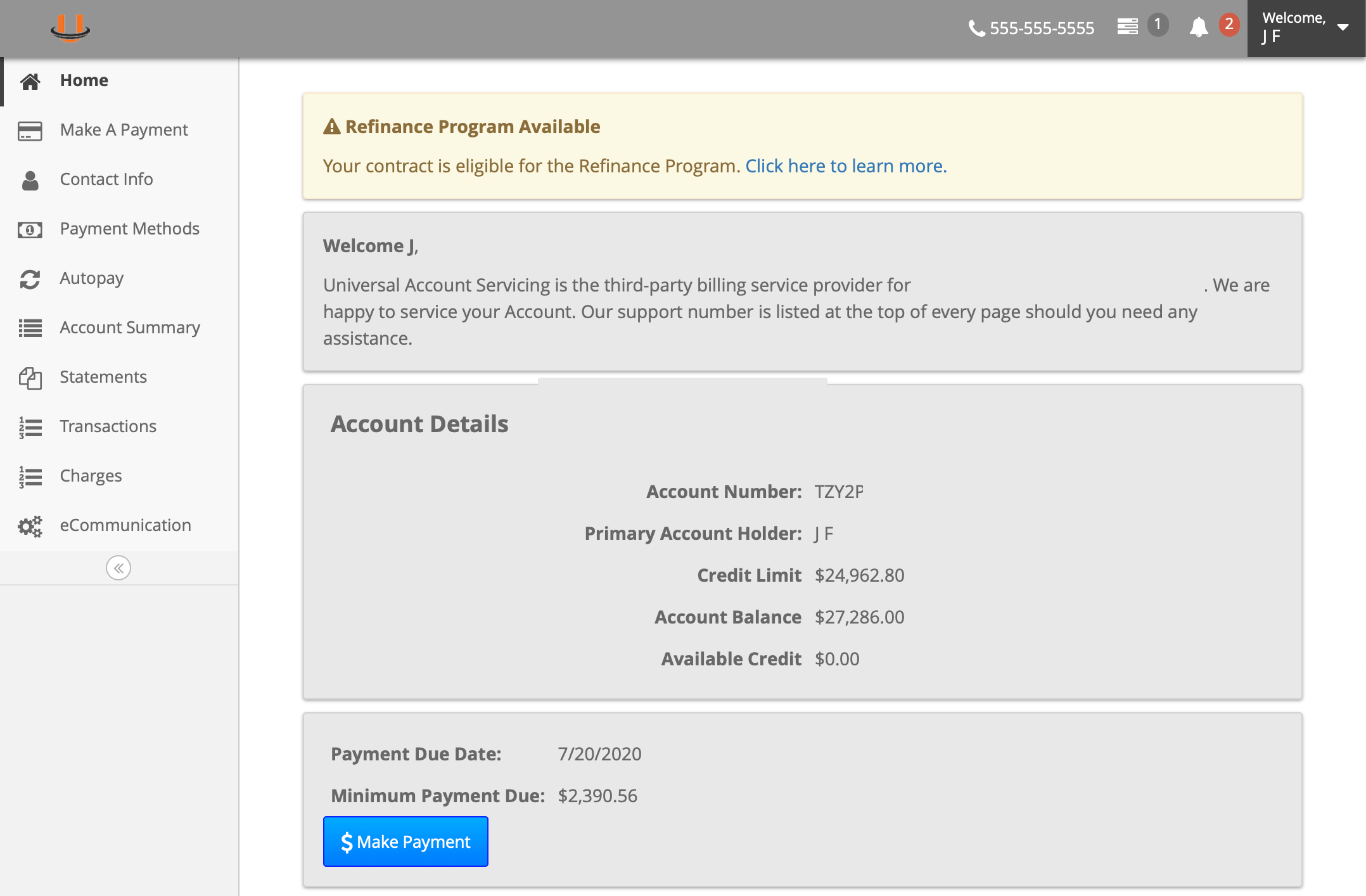
The Contract must be marked as eligible to be refinanced. When the portal sees the Contract is eligible, a special notice is shown on the home screen. The consumer will click to **Learn More**.
 ### Overview
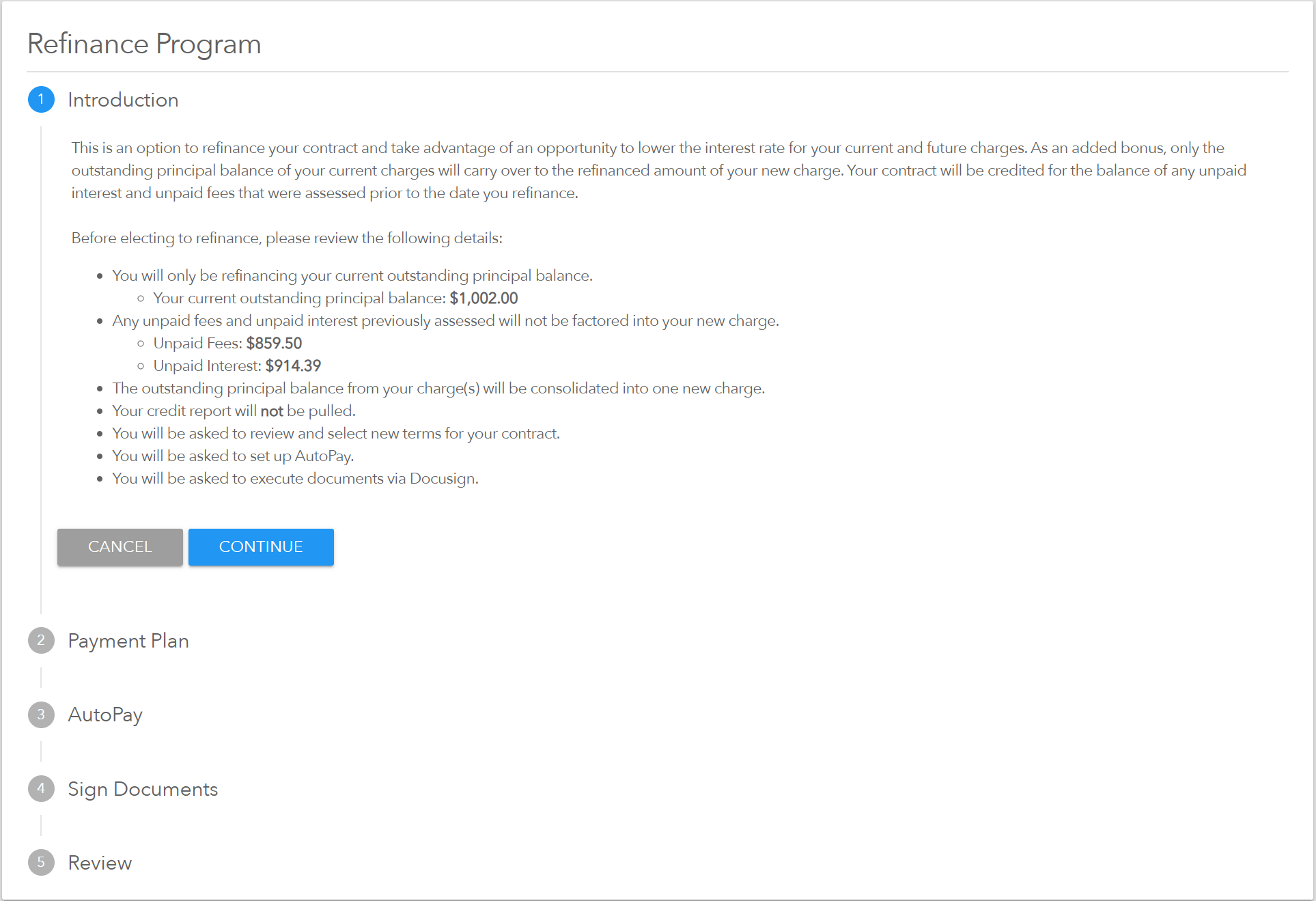
An overview of the refinance process is shown along with specific amounts that will be removed (Unpaid Interest and Unpaid Fees) and the Principal Balance that will be refinanced.
### Overview
An overview of the refinance process is shown along with specific amounts that will be removed (Unpaid Interest and Unpaid Fees) and the Principal Balance that will be refinanced.
 ### Select Payment Option / Term
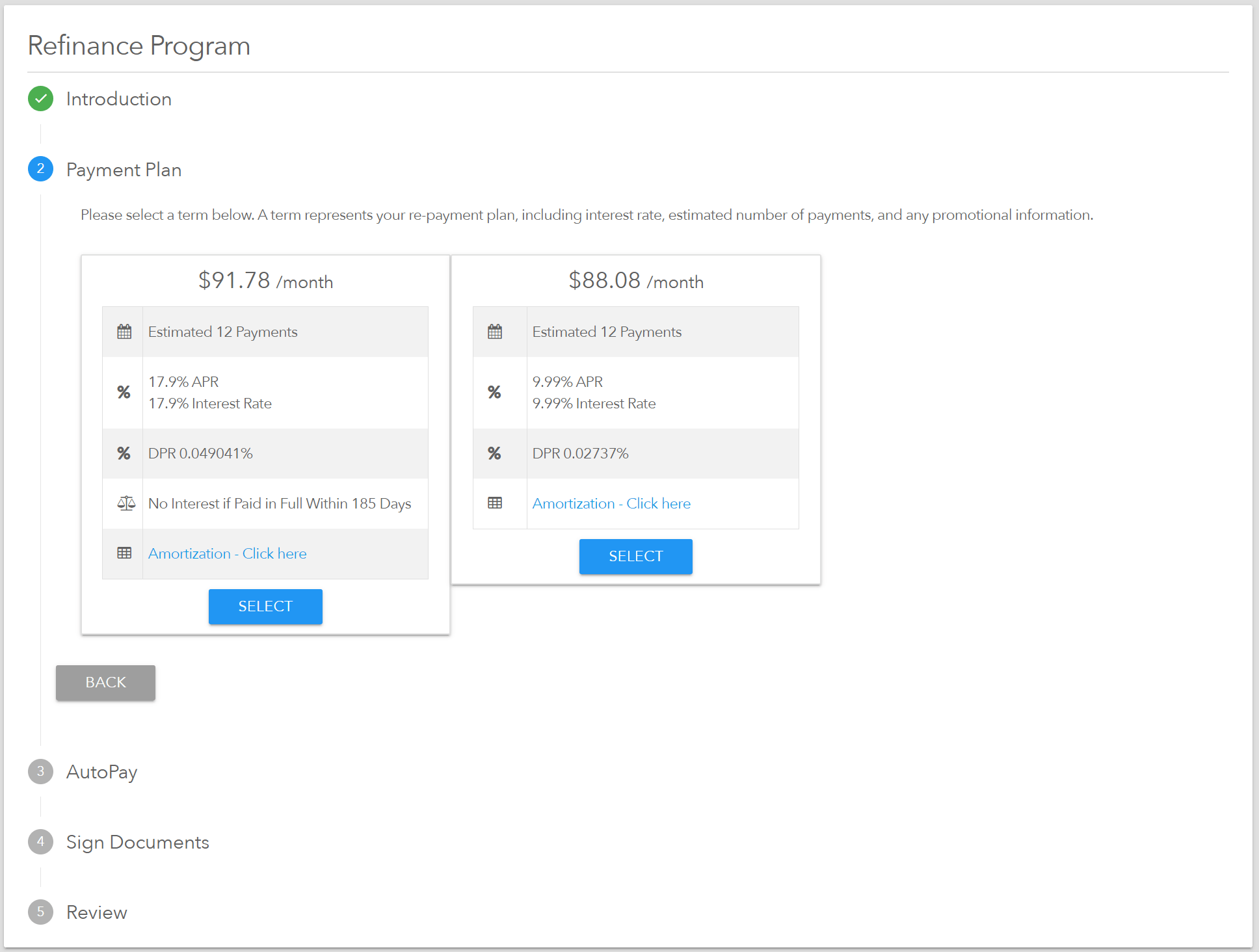
Based on the Finance Program, one to many payment options will be displayed. APR and estimated number of payments will vary by program.
### Select Payment Option / Term
Based on the Finance Program, one to many payment options will be displayed. APR and estimated number of payments will vary by program.
 ### Enroll in AutoPay
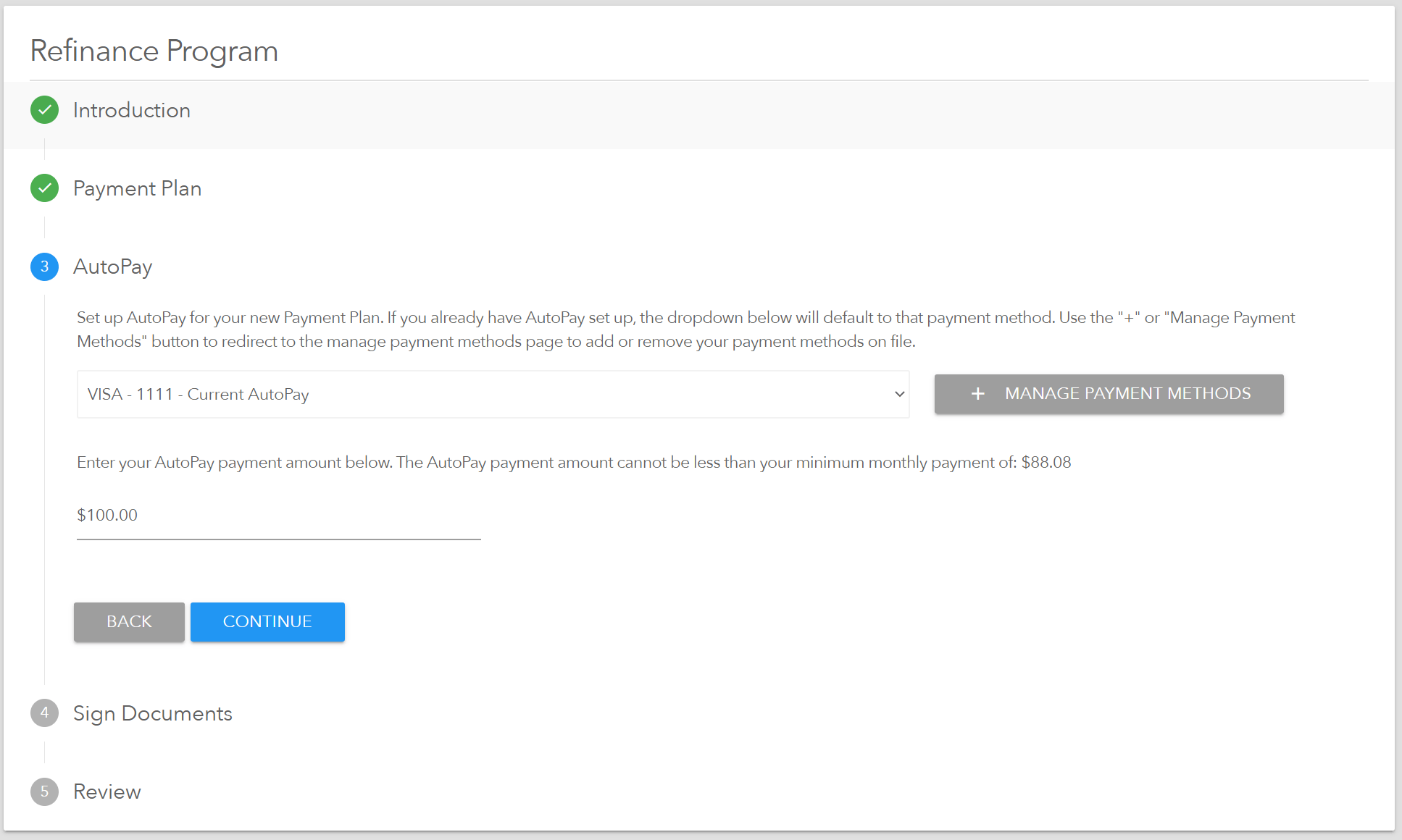
Since a new payment amount will be defined and as AutoPay is required to refinance. The AutoPay enrollment screen will be presented to the consumer. Depending on the program, ACH or Credit/Debit Cards will be allowed.
NOTE - If a new payment method is needed, the user will be routed to payment method entry screens and will have to return to the refinance screen.
### Enroll in AutoPay
Since a new payment amount will be defined and as AutoPay is required to refinance. The AutoPay enrollment screen will be presented to the consumer. Depending on the program, ACH or Credit/Debit Cards will be allowed.
NOTE - If a new payment method is needed, the user will be routed to payment method entry screens and will have to return to the refinance screen.
 ### Sign Agreements
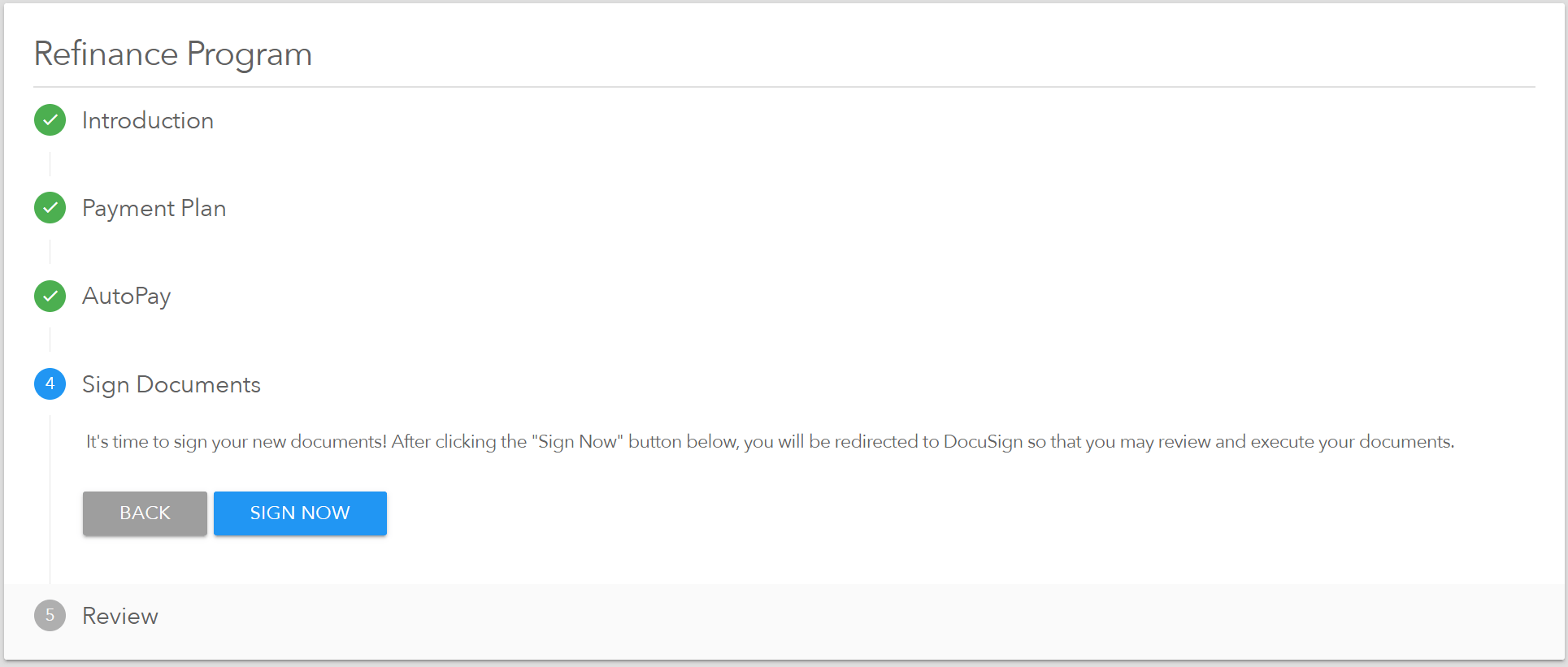
The final step is to sign the agreements. A Charge Slip, AutoPay Form, and Refinance Document are presented for electronic signature.
### Sign Agreements
The final step is to sign the agreements. A Charge Slip, AutoPay Form, and Refinance Document are presented for electronic signature.