> ## Documentation Index
> Fetch the complete documentation index at: https://knowledge.uportal360.com/llms.txt
> Use this file to discover all available pages before exploring further.
# Credit Underwriting Decisions
UPortal360 processes Credit Applications that result in Approval, Pending, or Decline decisions.
## Standard Decisions
| Decision | Details |
| -------- | ------------------------------------------------------------------------------------------------------------------------------------------------------------------------------------------------------------------------------------------------------------------------------------------------------------------------------------------------------------------------------------------------------- |
| Approved | The consumer is approved for financing, and the amount that they are approved for will be displayed on the screen. |
| Declined | If the consumer is declined, they will receive an Adverse Action letter to explain why they were declined. If they are using our direct-to-consumer interface, they will receive this information on the declination screen. If you would like more details about the credit decision, please contact uSupport. Please note that uSupport will not be able to share the consumer credit score with you. |
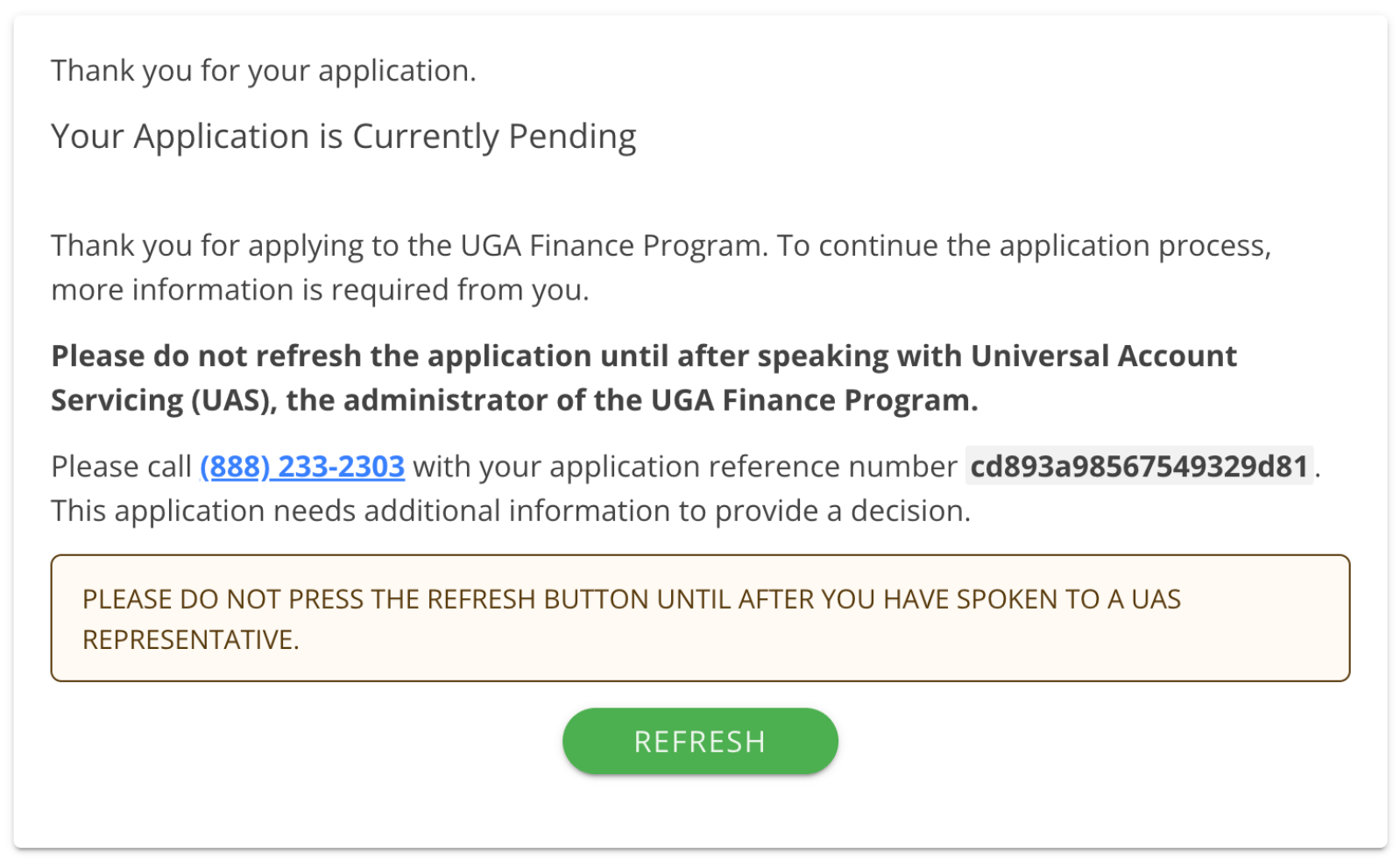
| Pending | The consumer will be presented with a screen that will explain the application is pending and have instructions on how to resolve it. There is likely an item needing clarification for the final decision to be made. |
## Pending - Consumer Details
Consumer will need to call the number on the screen and use the reference number. Reasons for pending will vary. The consumer may need to provide additional information, or may need to upload documents.
 ## Pending - Merchant Approval
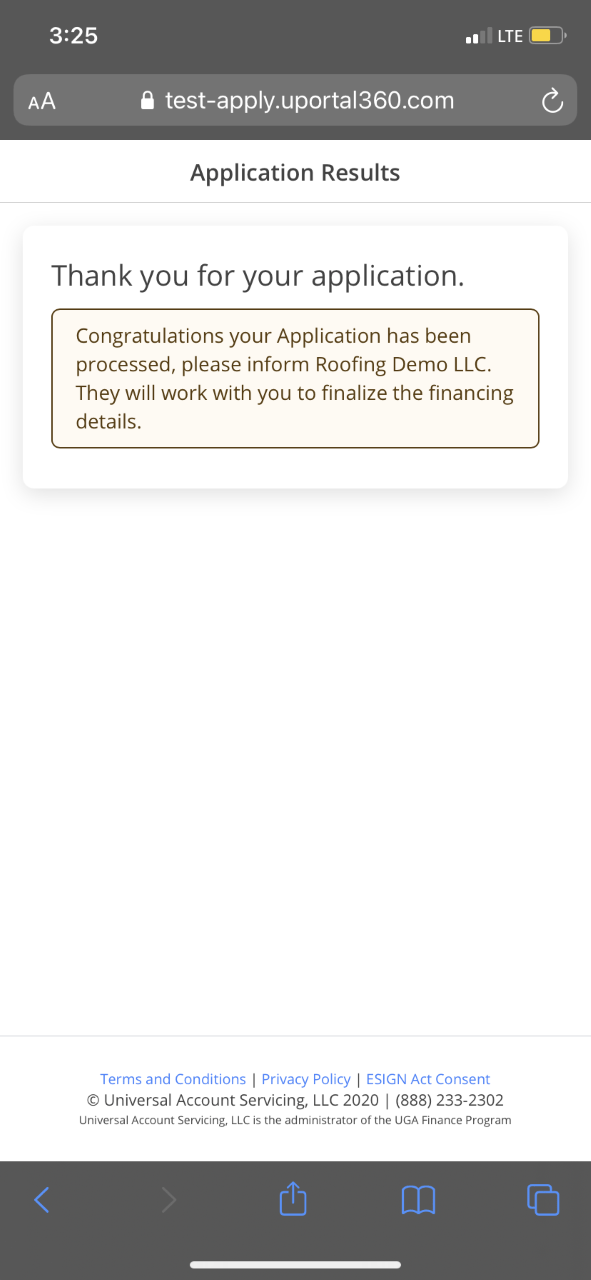
The consumer will complete the application and instantly receive a message that it's being processed. The Merchant will need to be engaged to resolve the pending status and finalize the financing details. The consumer application will appear in the [To Do Queue](/uportal-guide/merchant-uportal-navigation/my-queues/to-do-queue) in uPortal360 with a Pending status, until you move it forward to an Approved status.
## Pending - Merchant Approval
The consumer will complete the application and instantly receive a message that it's being processed. The Merchant will need to be engaged to resolve the pending status and finalize the financing details. The consumer application will appear in the [To Do Queue](/uportal-guide/merchant-uportal-navigation/my-queues/to-do-queue) in uPortal360 with a Pending status, until you move it forward to an Approved status.
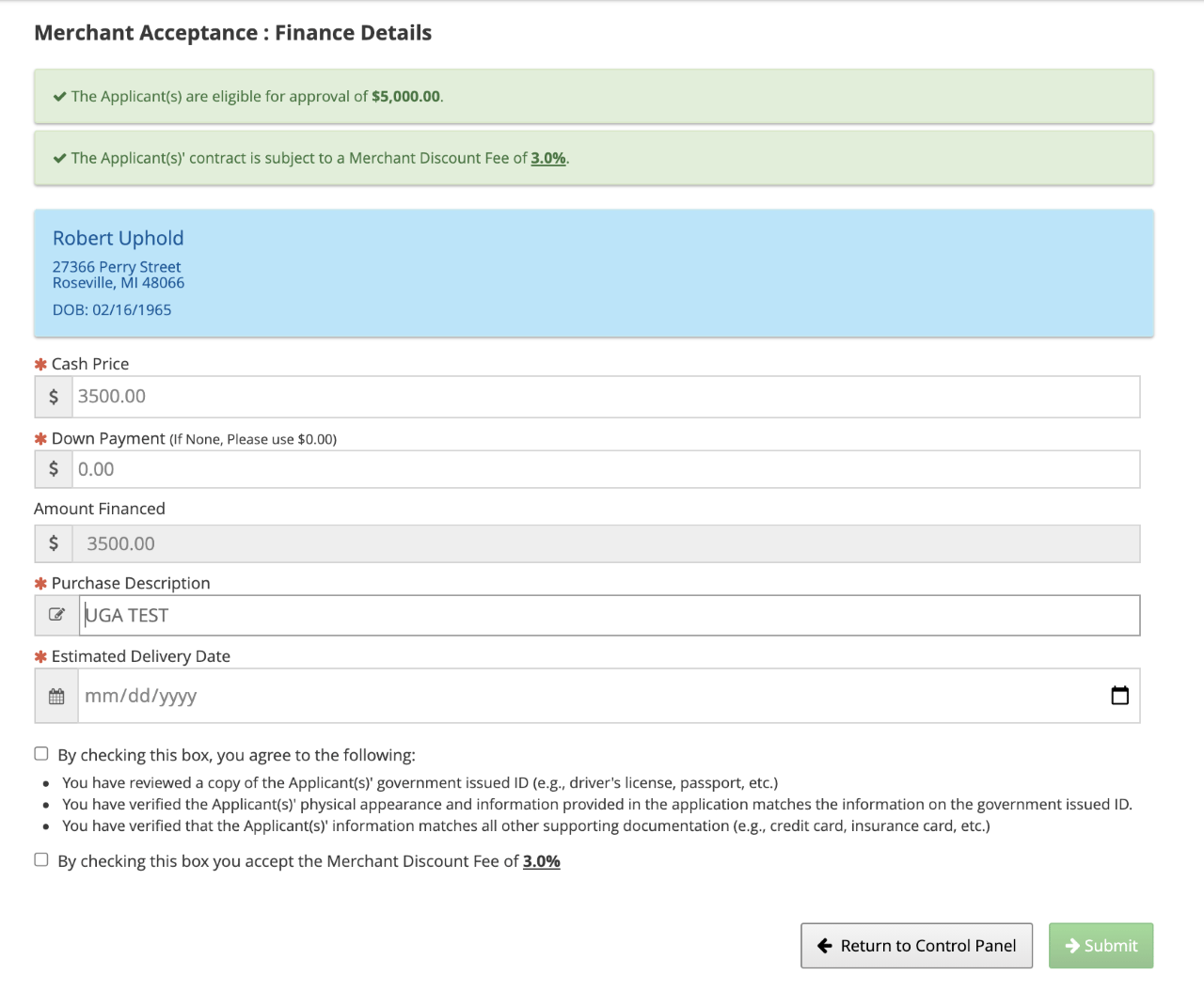
 The Merchant will be responsible for resolving pending status based on the program setup and for reasons that can include: identification check, acceptance of Merchant Discount, etc.
 ## Approved Servicing or Purchasing Eligible
If your Finance Program has servicing enabled, you likely have a mix of purchasing and servicing. In our Merchant interface, more details about the Application Results are available.
### Approved and Meets criteria for Purchasing
Approved and meets the criteria for purchasing
## Approved Servicing or Purchasing Eligible
If your Finance Program has servicing enabled, you likely have a mix of purchasing and servicing. In our Merchant interface, more details about the Application Results are available.
### Approved and Meets criteria for Purchasing
Approved and meets the criteria for purchasing
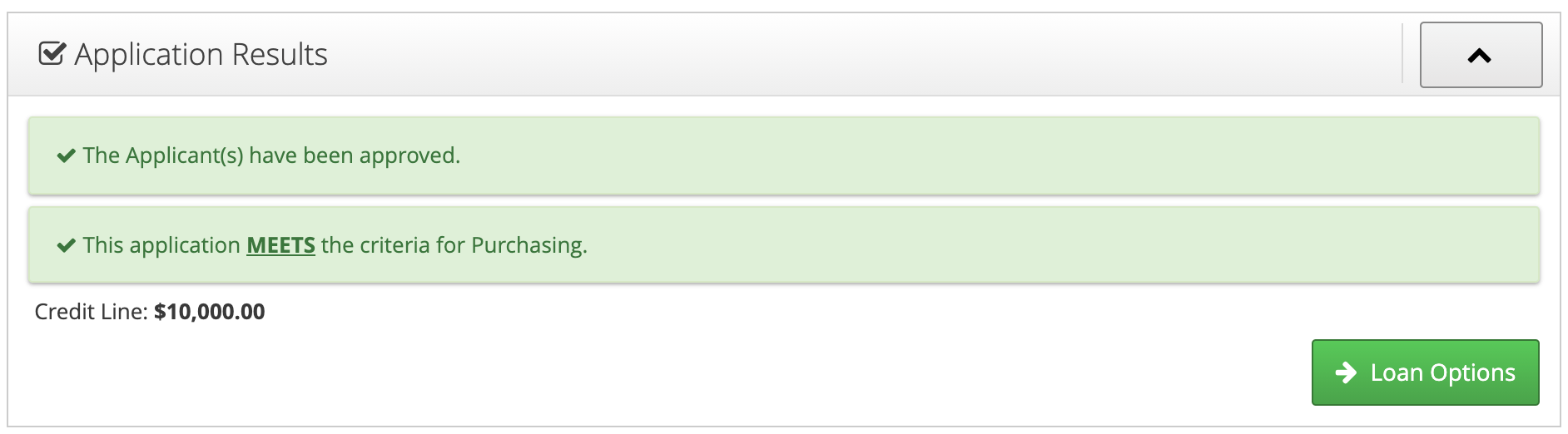 Eligible for Purchasing Does Not Mean Purchased
Eligible contracts may not be purchased as there may be a **Billing Requirement** to be met, or a Consumer may not complete a Welcome Call or required Account Verification.
### Approved and Does NOT Meet criteria for Purchasing
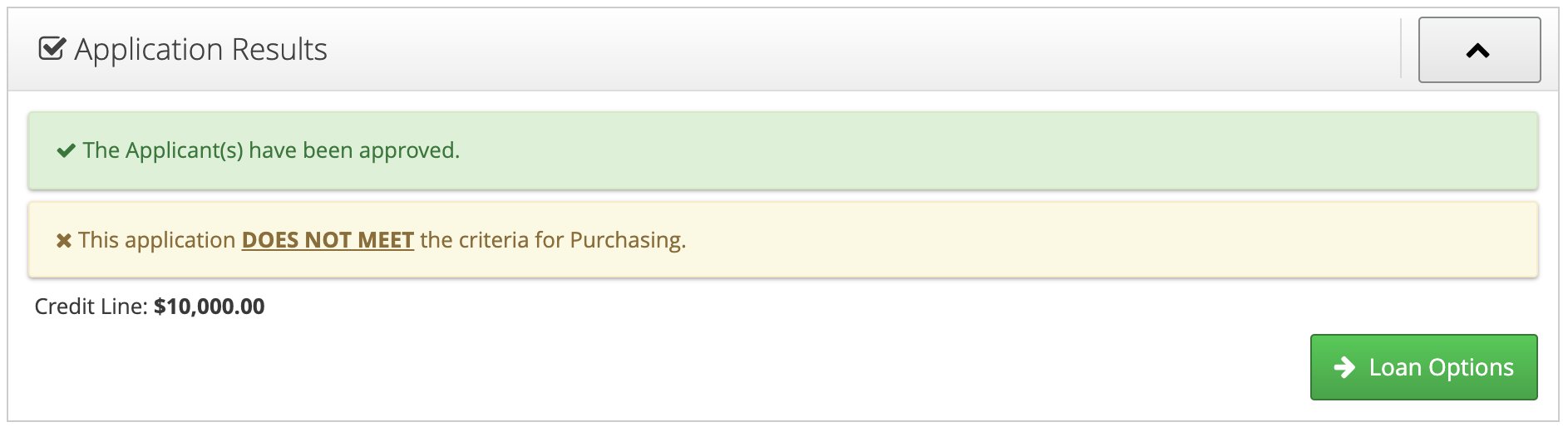
This screen shows you the consumer was approved by your Finance Program but didn't meet the criteria for purchasing at the time of origination. This contract could be purchased later as part of a "flip" from billing or also known as Billing to Purchase program.
Eligible for Purchasing Does Not Mean Purchased
Eligible contracts may not be purchased as there may be a **Billing Requirement** to be met, or a Consumer may not complete a Welcome Call or required Account Verification.
### Approved and Does NOT Meet criteria for Purchasing
This screen shows you the consumer was approved by your Finance Program but didn't meet the criteria for purchasing at the time of origination. This contract could be purchased later as part of a "flip" from billing or also known as Billing to Purchase program.