> ## Documentation Index
> Fetch the complete documentation index at: https://knowledge.uportal360.com/llms.txt
> Use this file to discover all available pages before exploring further.

# Resend Application to Consumer

## To Do Queue

1. Log in to the Uportal
2. Click To Do Queue
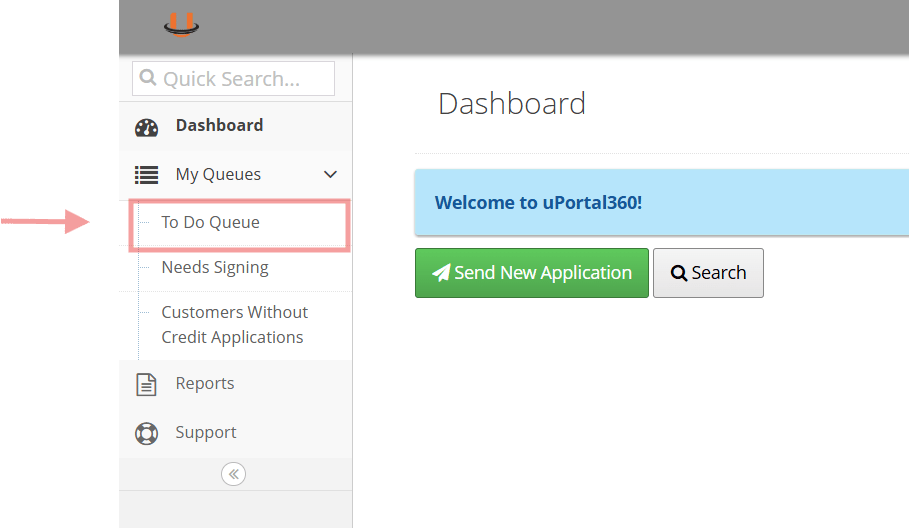
<img src="https://mintcdn.com/uas-knowledge/aC3wvZFHsYDfvrjs/images/step1.png?fit=max&auto=format&n=aC3wvZFHsYDfvrjs&q=85&s=4ad04e21bc54c36410378f003650b88f" alt="step1.png" width="909" height="528" data-path="images/step1.png" />

***

## Locate Consumer and Send

3. Search for the consumers Name/email/application ID
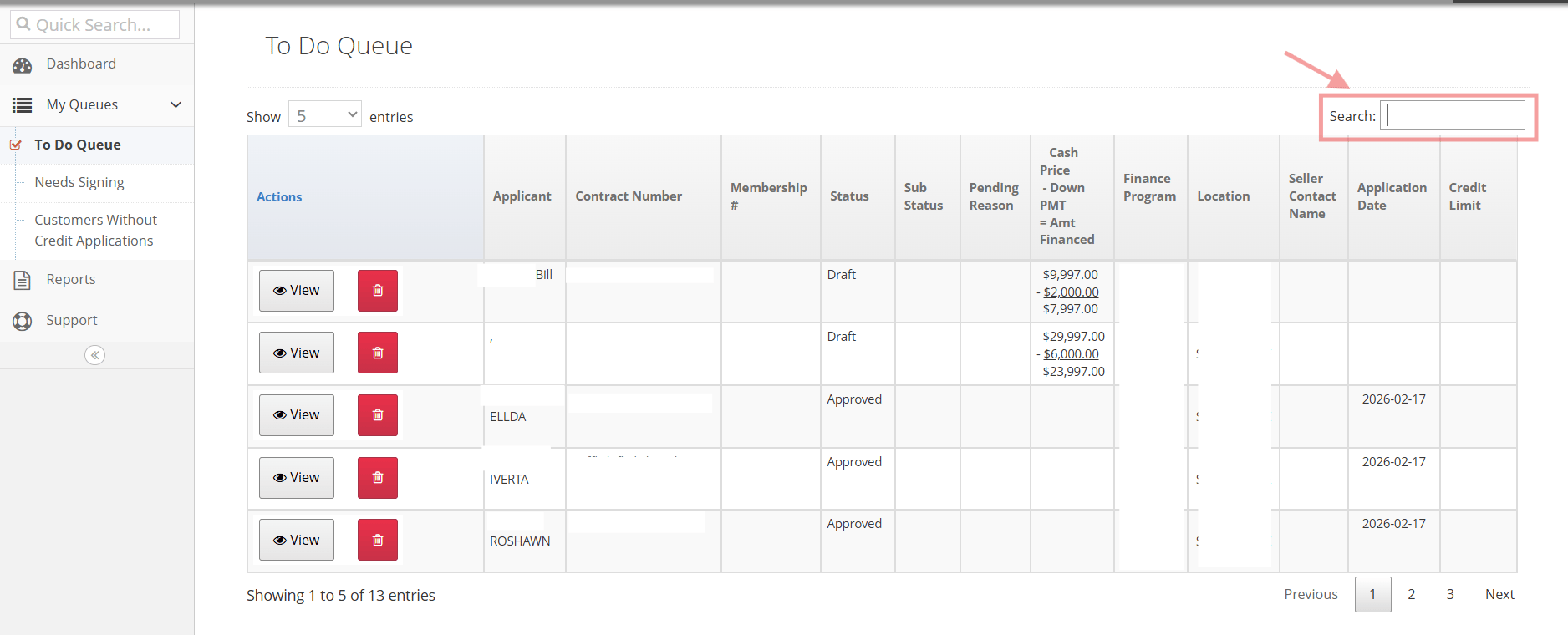
<img src="https://mintcdn.com/uas-knowledge/aC3wvZFHsYDfvrjs/images/screenshot-2026-02-20-112858.png?fit=max&auto=format&n=aC3wvZFHsYDfvrjs&q=85&s=909743bf775456a8bee6fe50635257b5" alt="Screenshot 2026-02-20 112858.png" width="1876" height="760" data-path="images/screenshot-2026-02-20-112858.png" />

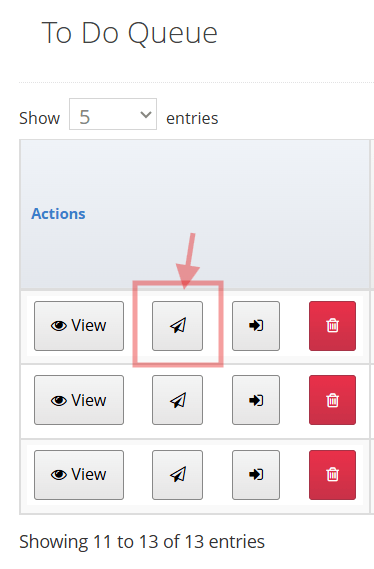
4.Click the Paper Arrow button

<img src="https://mintcdn.com/uas-knowledge/aC3wvZFHsYDfvrjs/images/step.png?fit=max&auto=format&n=aC3wvZFHsYDfvrjs&q=85&s=309ae3b6cabc5ea4b33f1e88acf6f3b9" alt="step .png" width="374" height="569" data-path="images/step.png" />

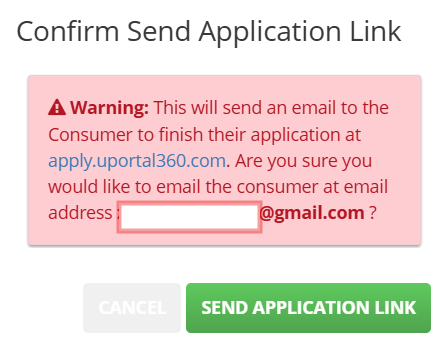
5. Confirm and click "Send Application Link" <img src="https://mintcdn.com/uas-knowledge/aC3wvZFHsYDfvrjs/images/step6.png?fit=max&auto=format&n=aC3wvZFHsYDfvrjs&q=85&s=44c4da93291746738e2e1b597cb6fcc4" alt="step6.png" width="442" height="346" data-path="images/step6.png" />
***

## Option #2

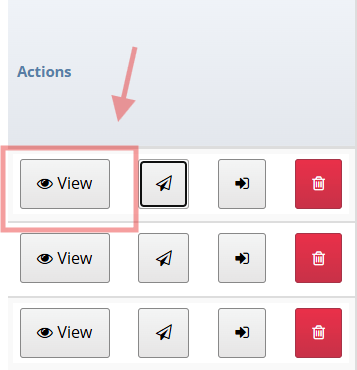
1. Locate Consumer and View <img src="https://mintcdn.com/uas-knowledge/AyxXzR5ilVWZh_Cj/images/view.png?fit=max&auto=format&n=AyxXzR5ilVWZh_Cj&q=85&s=a0f1fa4bd6488865ea19873dea93aa73" alt="view.png" width="357" height="370" data-path="images/view.png" />
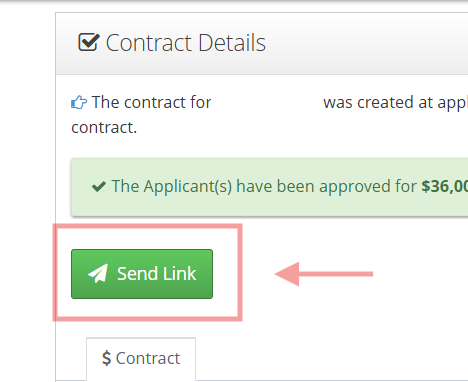
2. Click **Send Link** <img src="https://mintcdn.com/uas-knowledge/aC3wvZFHsYDfvrjs/images/link.png?fit=max&auto=format&n=aC3wvZFHsYDfvrjs&q=85&s=4812b1ffc046cd9d81e7b98dba4d814e" alt="Link.png" width="468" height="382" data-path="images/link.png" />