> ## Documentation Index
> Fetch the complete documentation index at: https://knowledge.uportal360.com/llms.txt
> Use this file to discover all available pages before exploring further.
# Resolving Pending Applications
Credit applications can stop part-way through, either because the credit report could not be
retrieved or because the identification check needs more from the applicant.
**Almost all of these are resolved by the consumer, not by you.** There is no merchant action for
a freeze, a No Hit, or an identity check. Your part is to tell the consumer what their screen is
asking for and let them work through it — the application flow walks them through each one.
Sending the consumer to the [consumer FAQ](https://faq.universalaccountservicing.com/applying/if-your-application-is-pending)
is usually faster than explaining it yourself, and it is written in their language rather than
yours.
A pend is **not** a decline. We only pend applications that otherwise meet the finance program's
criteria for approval. Telling a consumer their application is "held up" rather than "being
reviewed for approval" costs you sales that would have closed.
## What the consumer sees, and where to send them
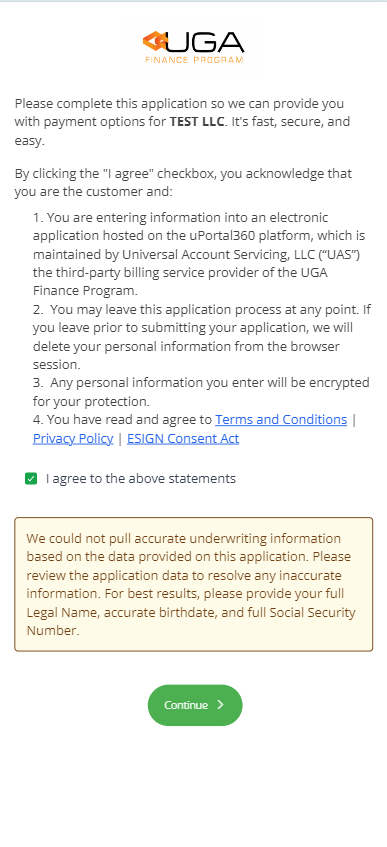
No credit report matched their data. They correct the application themselves.
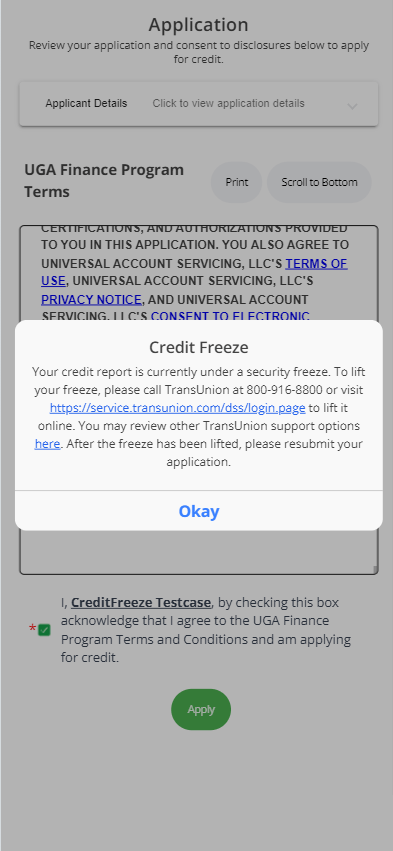
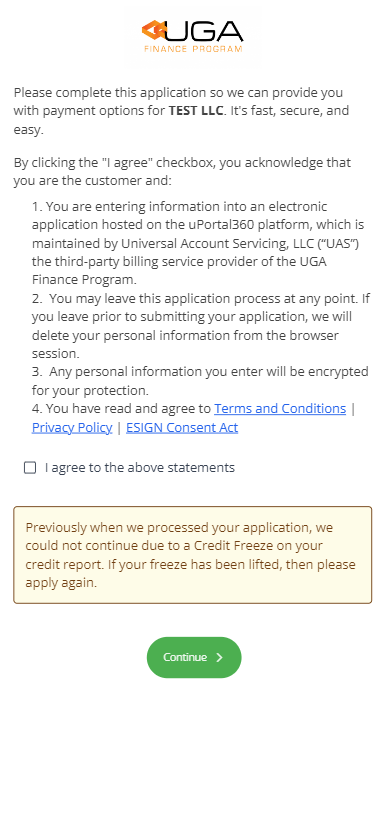
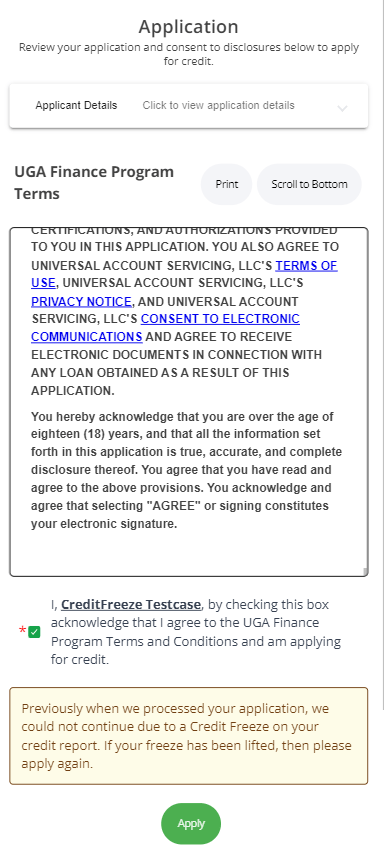
A freeze at the bureau. Only the consumer can lift it.
Knowledge-based questions. Three of them, one wrong answer allowed.
Documentary identification. Driver's license needs the back.
If none of those clear it, the consumer
[calls UAS](https://faq.universalaccountservicing.com/applying/still-pending). That is the last
step, not the first — an application routed to a phone call before the self-service options have
been tried takes longer to resolve, not less.
## Application data validation
These happen before any identity check. Nothing about the applicant has been assessed yet.
### Credit freeze
The consumer has placed a freeze with a credit reporting agency, which prevents the credit
inquiry. The screen shows them the agency's name, phone number and website.
**Resolution:** the consumer lifts the freeze with the agency. It can be lifted temporarily rather
than removed. For TransUnion: [transunion.com/credit-freeze](https://www.transunion.com/credit-freeze),
or **(833) 395-6938** — callers should say **"Lift a Freeze"** at the automated menu to reach the
right option.
### No Hit
Returned when a credit report cannot be found for the application data.
**Resolution, by the consumer:**
1. Review the application and confirm every field is accurate — full legal name, not a nickname.
2. Add the **full** Social Security Number if only part was given. This is the most common fix.
3. Optionally add a previous last name or previous address, which are used to find the file without
changing what is on the application.
### Second No Hit
If no valid credit report is returned after the data has been corrected and resubmitted, the
application can no longer be resolved on the screen.
**Resolution:** the consumer contacts UAS. They may be asked to upload a current photo ID so the
data can be compared, and to confirm with the credit bureau that the details held there are current.
UAS can review and reset the application.
## PEND (Pending Applications)
A pend is set when there is a concern about fraud or about Know Your Customer identification
requirements. Some pends the consumer clears with knowledge-based authentication or by correcting
mismatched data; others need documentary identification sent to UAS.
### Fraud
A fraud indicator on the credit report asks for confirmation that the applicant authorized the
inquiry. Where a contact phone number is on file with the bureau and matches the application, this
often clears on its own.
**Resolution:** the consumer confirms the number they have on file with the bureau, or answers KBA
questions.
### Identity Verification
As part of the Customer Identification Program (CIP), a vendor validates that the application data
matches the consumer's identification. If it does not return a high-quality match, the application
pends with a reason of **Identity Verification**.
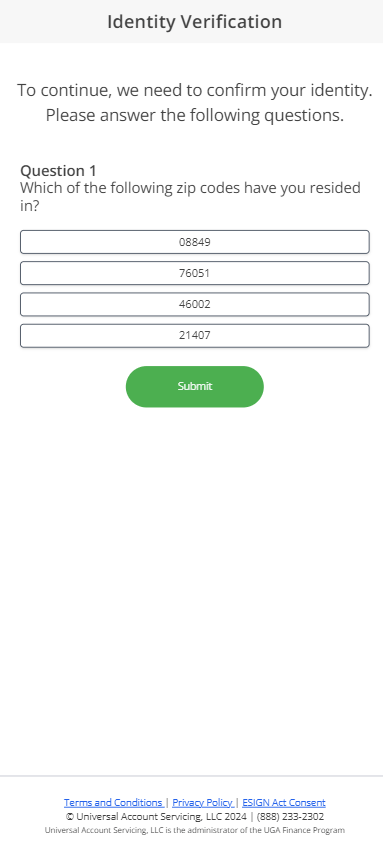
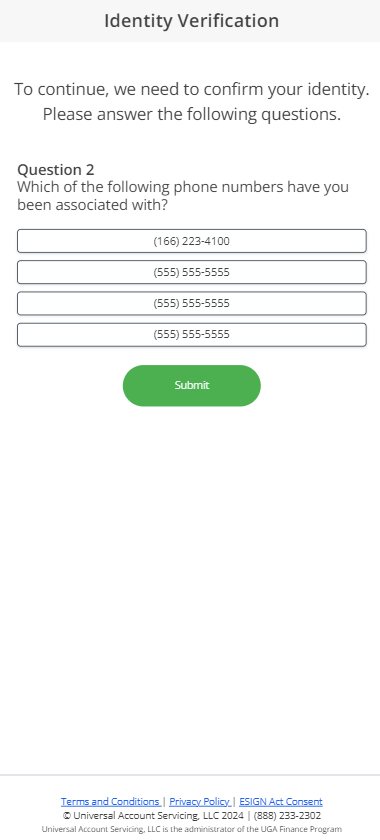
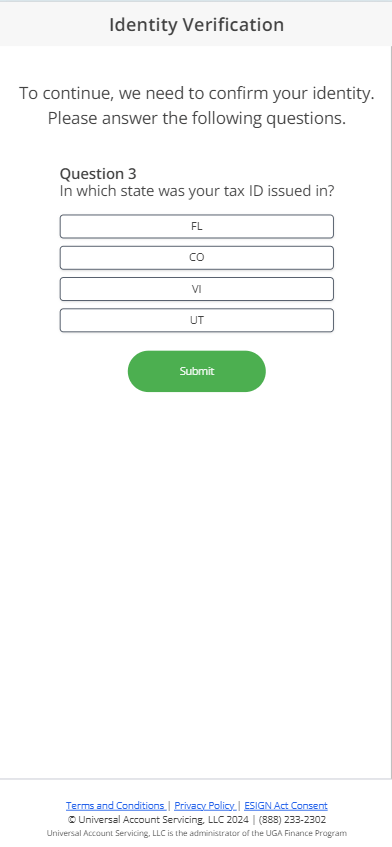
**Resolution:** the consumer answers knowledge-based authentication questions, drawn from the state
that issued their tax ID, phone numbers associated with them, and zip codes they have lived in. At
least three questions are asked and no more than one may be answered incorrectly.
Some consumers cannot be asked KBA questions at all — there is not enough record data to generate
them — and go straight to documentary identification. That is not a failure on their part and does
not affect the application.
### Unresolved Data Mismatch
Self-service resolution failed, or the identification service requires documentary identification.
**Resolution:** only UAS can clear this. The consumer uploads a current government-issued photo ID
— state-issued driver's license or identification card, U.S. Passport, U.S. Resident Alien or Green
Card, or U.S. Military ID. A driver's license needs the back as well as the front, because the
barcode is what is read.
## Self-service PEND resolutions
The screens below are what the consumer sees. They are here so you can recognize what a consumer is
describing on the phone.
### Credit freeze
 ### No Hit
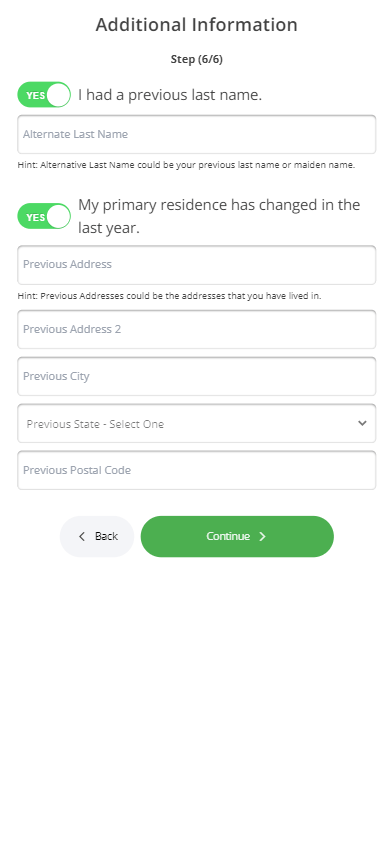
The consumer verifies their birthdate and enters their full SSN. If their last name or address
changed recently they can enter the previous value, which is used to find the correct credit report
while the current values stay on the application.
### No Hit
The consumer verifies their birthdate and enters their full SSN. If their last name or address
changed recently they can enter the previous value, which is used to find the correct credit report
while the current values stay on the application.


 ### KBA questions
Samples of the knowledge-based authentication questions.
### KBA questions
Samples of the knowledge-based authentication questions.
 ### Unresolved Data Mismatch
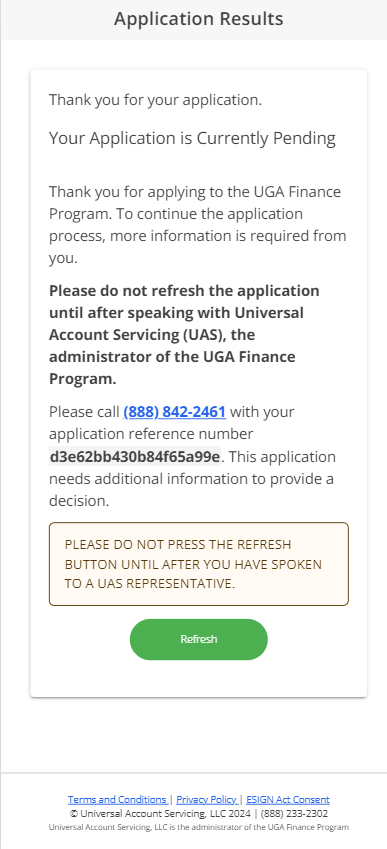
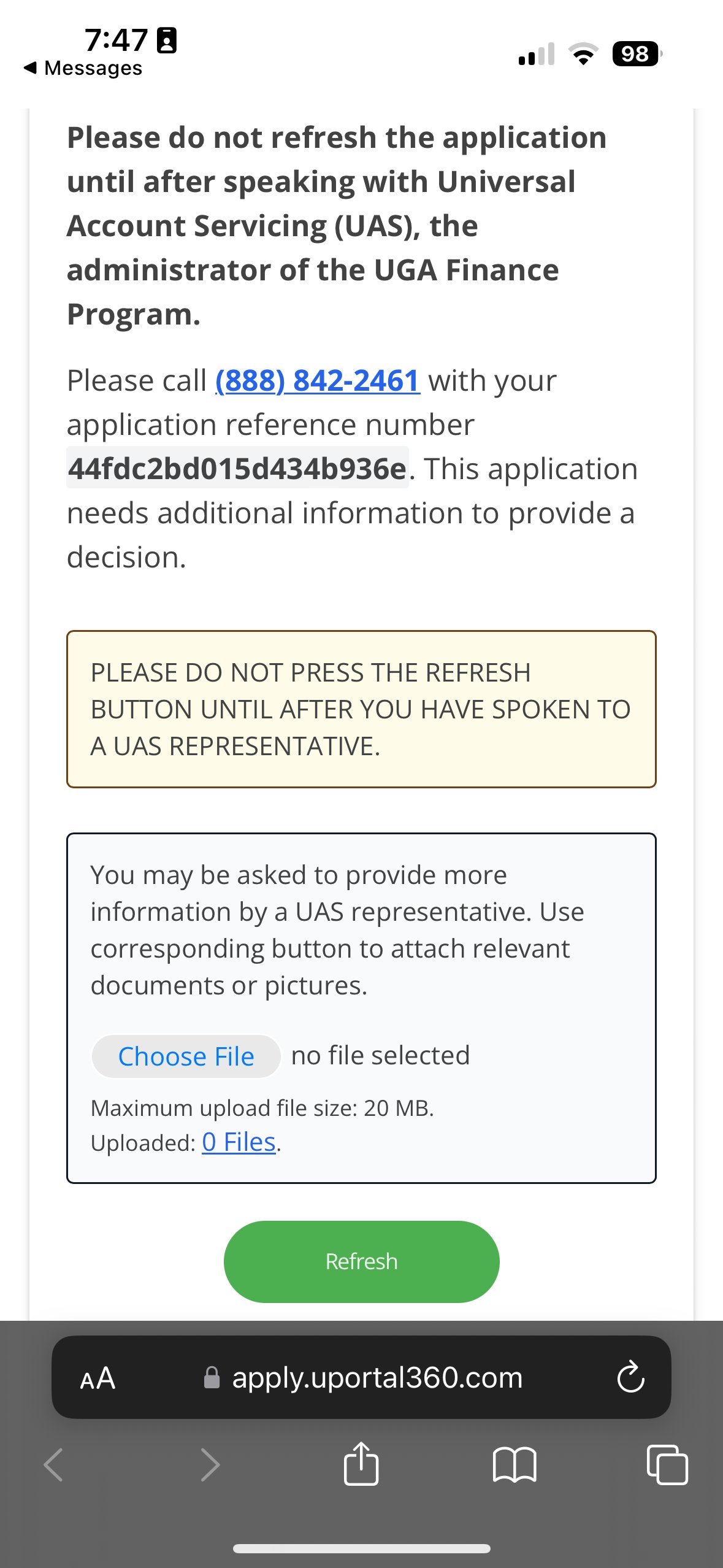
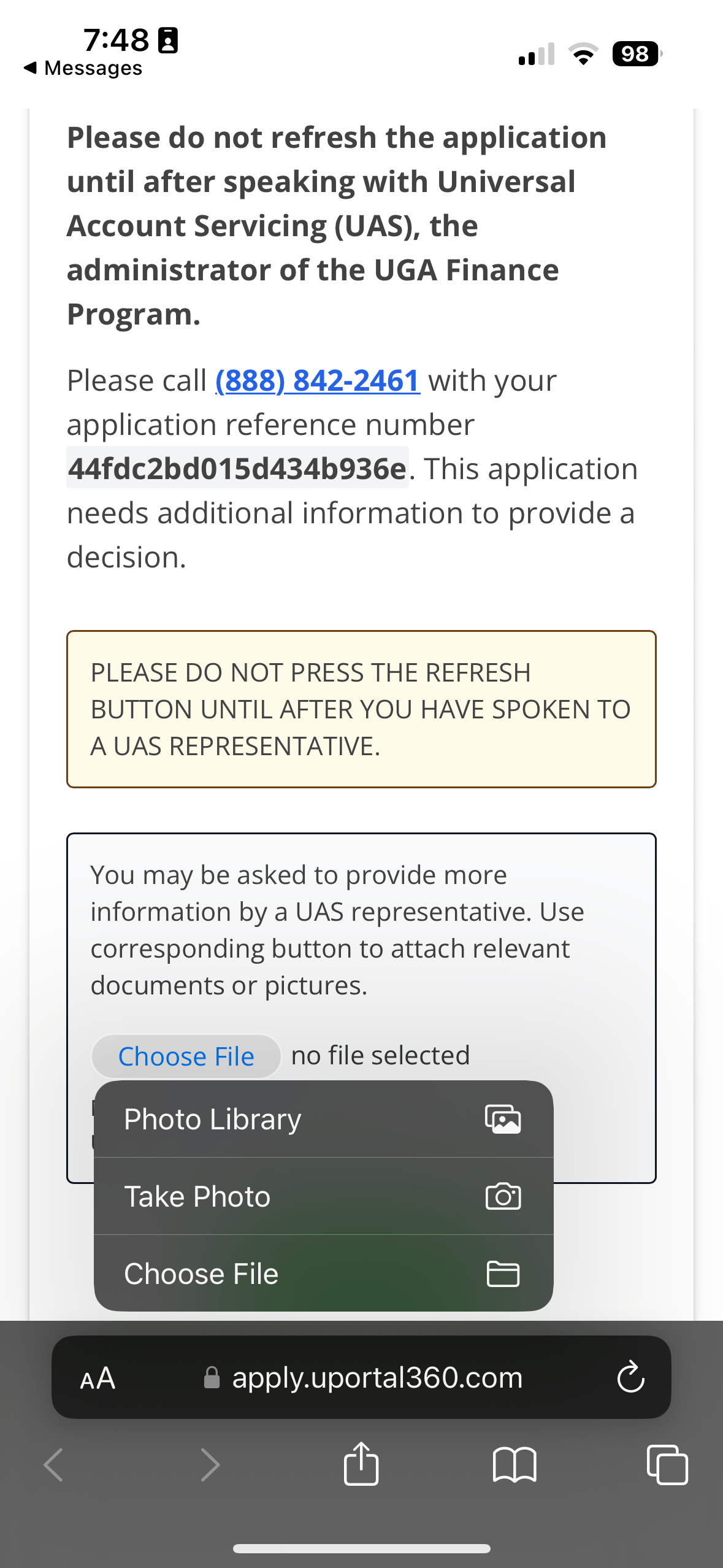
The consumer is prompted to call UAS, and can upload documents from the same screen.
### Unresolved Data Mismatch
The consumer is prompted to call UAS, and can upload documents from the same screen.
 ## How applications end
| Outcome | Reached when |
| ------------------------- | ------------------------------------------------------------------ |
| **Approved** | Both checks cleared |
| **Declined** | A credit decision was made |
| **Application - Expired** | 30 days from the time of application without a valid credit report |
| **Application - Void** | Voided before a credit report was retrieved |
| **Pending - Expired** | 30 days from the time of application with the pend unresolved |
| **Pending - Void** | The pend was closed as unresolvable or incomplete |
**The 30-day clock runs from the date of application**, not from the date the application pended.
An application that pends on day 25 has five days left.
An expired application may receive a Statement of Credit Denial, Termination, or Change (SCDTC).
That is not the same as a decline — no credit decision was reached.
**Credit applications stay open for 30 days.** A consumer who re-applies within that window
receives the same credit report. No consumer should have two applications open at once; it
creates duplicates and resolves nothing.
## API statuses
Each state above has a corresponding API status. The full response payloads, the terminal statuses,
and guidance on handling them are in
[Credit Application Statuses](/integrations-and-api/api-v2/application-statuses).
| Screen | Status | `pendingReason` |
| ----------------------------- | --------------- | -------------------------- |
| Credit freeze | `CREDIT_FREEZE` | — |
| Unable to Process Application | `NO_HIT` | — |
| Fraud | `PENDING` | `FRAUD` |
| Identity Verification | `PENDING` | `IDENTITY_VERIFICATION` |
| Unresolved Data Mismatch | `PENDING` | `UNRESOLVED_DATA_MISMATCH` |
## How applications end
| Outcome | Reached when |
| ------------------------- | ------------------------------------------------------------------ |
| **Approved** | Both checks cleared |
| **Declined** | A credit decision was made |
| **Application - Expired** | 30 days from the time of application without a valid credit report |
| **Application - Void** | Voided before a credit report was retrieved |
| **Pending - Expired** | 30 days from the time of application with the pend unresolved |
| **Pending - Void** | The pend was closed as unresolvable or incomplete |
**The 30-day clock runs from the date of application**, not from the date the application pended.
An application that pends on day 25 has five days left.
An expired application may receive a Statement of Credit Denial, Termination, or Change (SCDTC).
That is not the same as a decline — no credit decision was reached.
**Credit applications stay open for 30 days.** A consumer who re-applies within that window
receives the same credit report. No consumer should have two applications open at once; it
creates duplicates and resolves nothing.
## API statuses
Each state above has a corresponding API status. The full response payloads, the terminal statuses,
and guidance on handling them are in
[Credit Application Statuses](/integrations-and-api/api-v2/application-statuses).
| Screen | Status | `pendingReason` |
| ----------------------------- | --------------- | -------------------------- |
| Credit freeze | `CREDIT_FREEZE` | — |
| Unable to Process Application | `NO_HIT` | — |
| Fraud | `PENDING` | `FRAUD` |
| Identity Verification | `PENDING` | `IDENTITY_VERIFICATION` |
| Unresolved Data Mismatch | `PENDING` | `UNRESOLVED_DATA_MISMATCH` |