Support Ticket Process Flow
SupportTickets Merchant Overview
Download PDF
Support Ticket Categories
Support Tickets are categorized so they are routed to the proper teams for resolution.Stages and Status Definitions
Creating Support Tickets
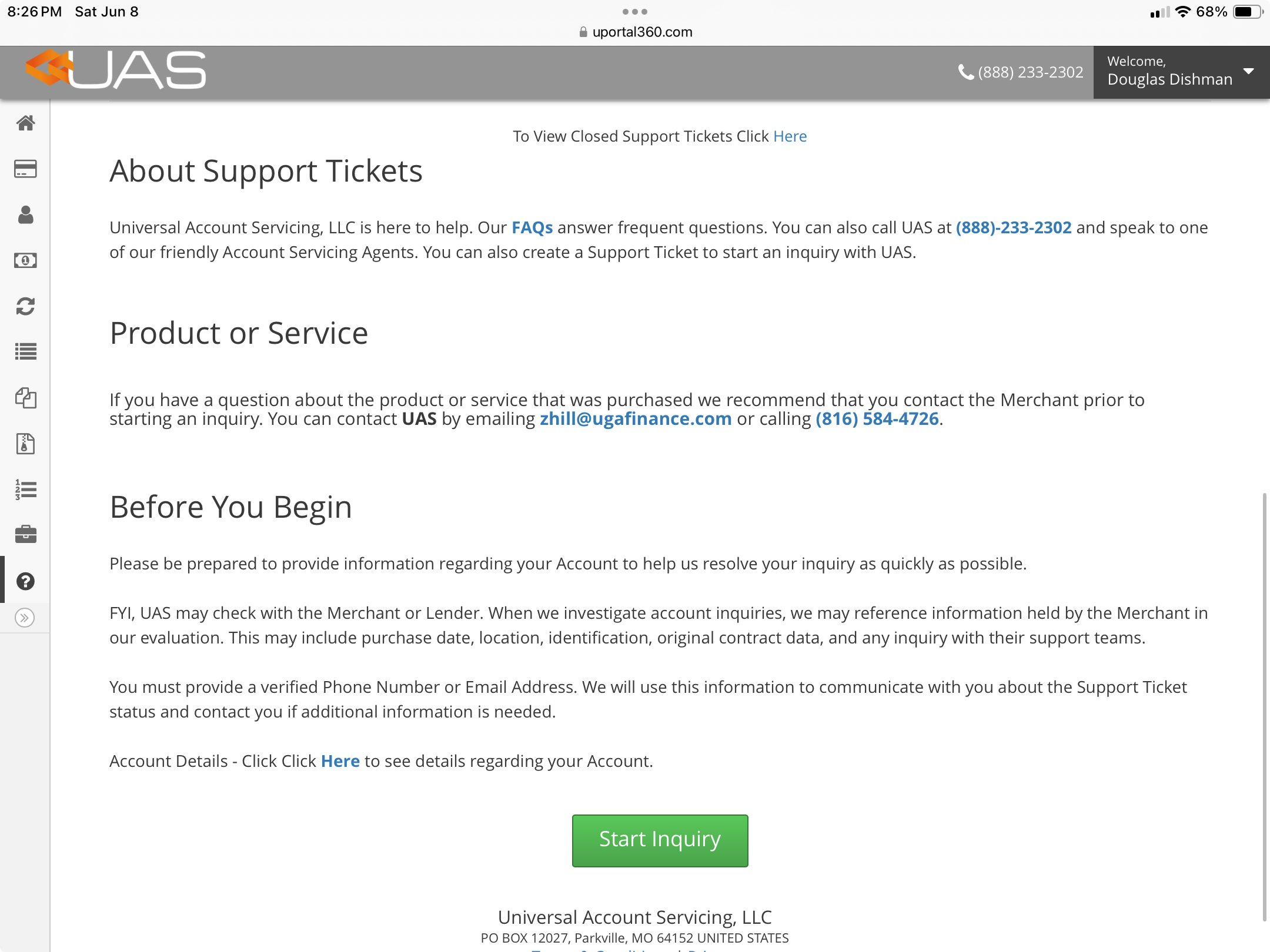
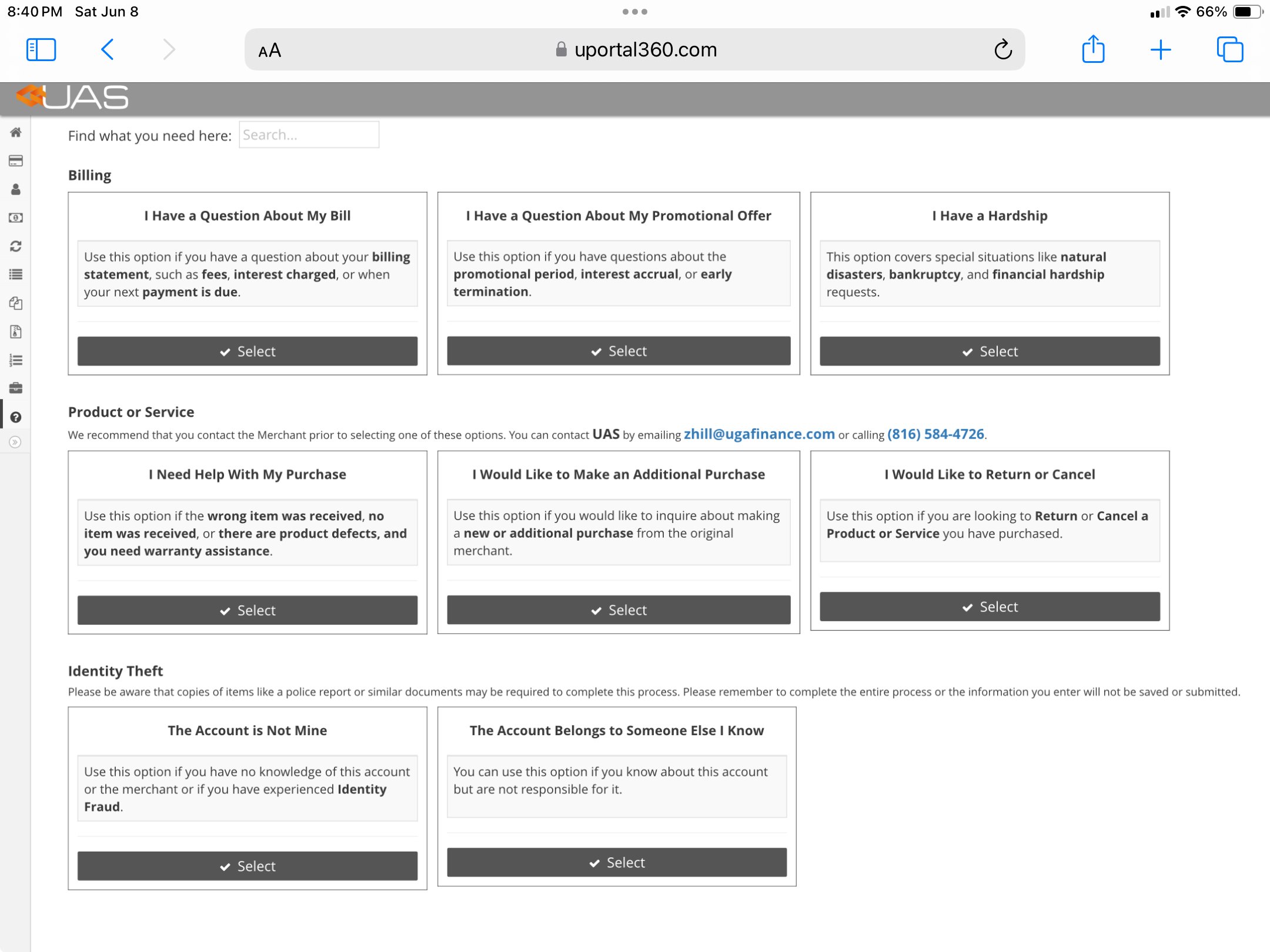
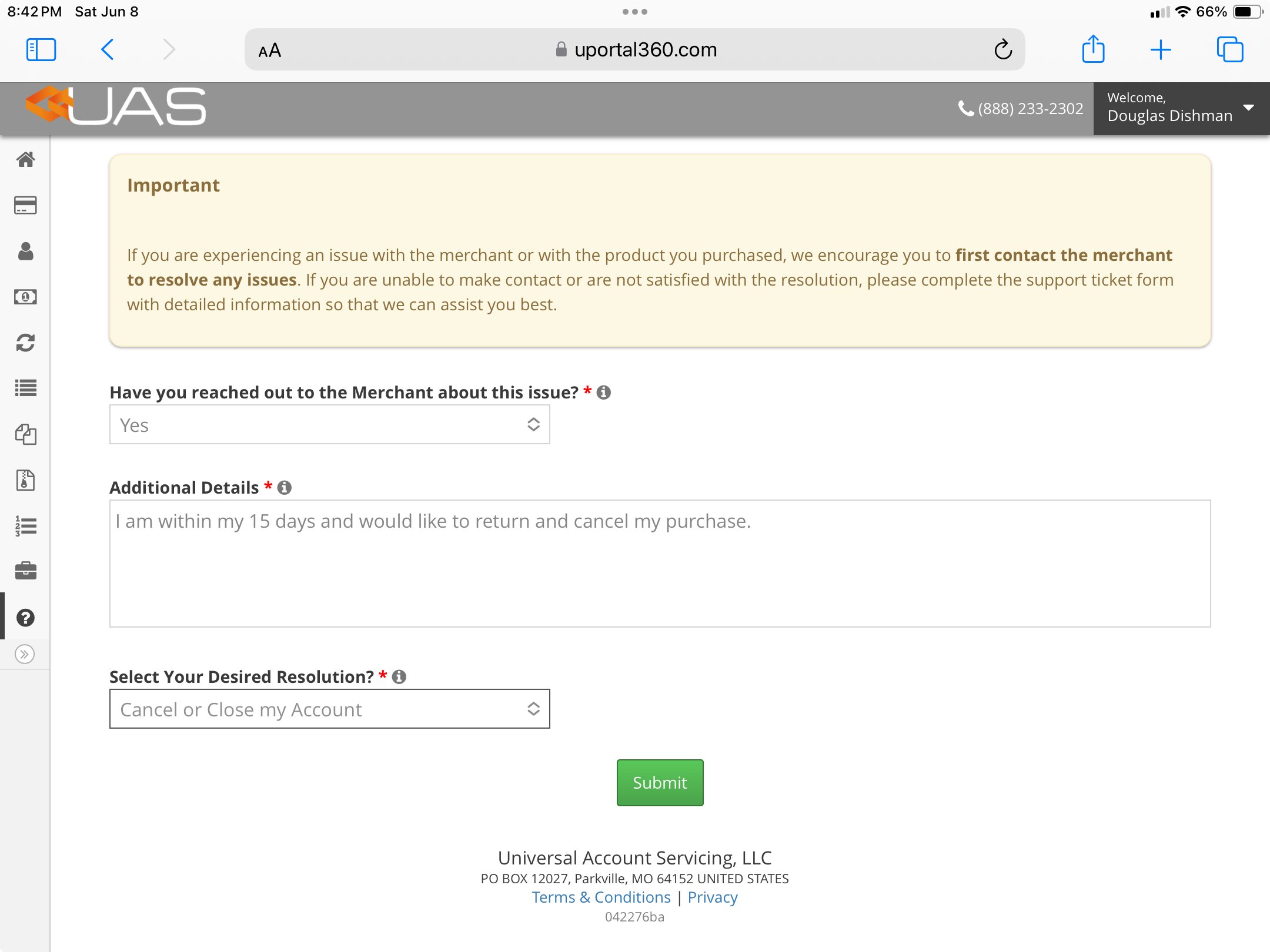
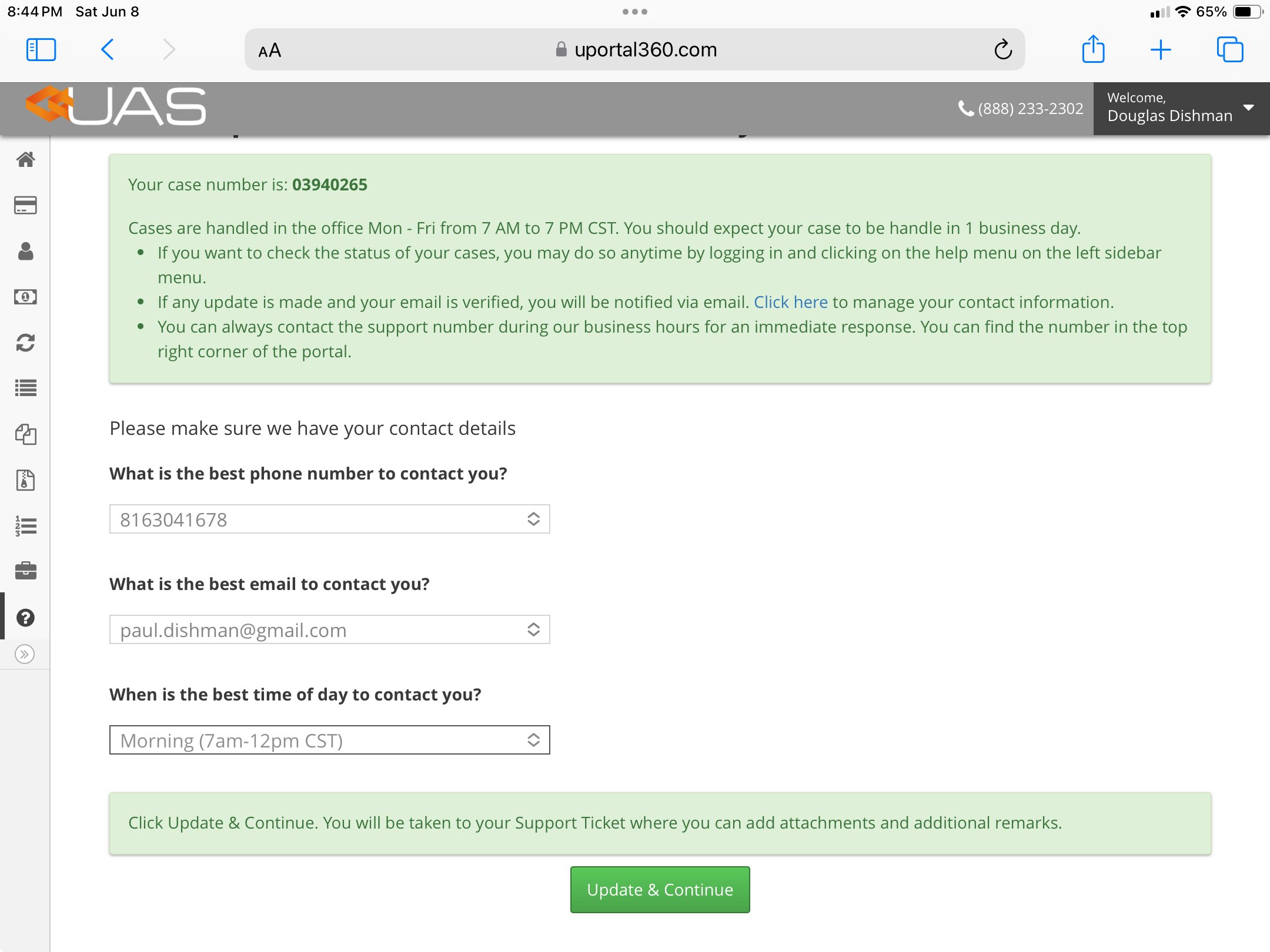
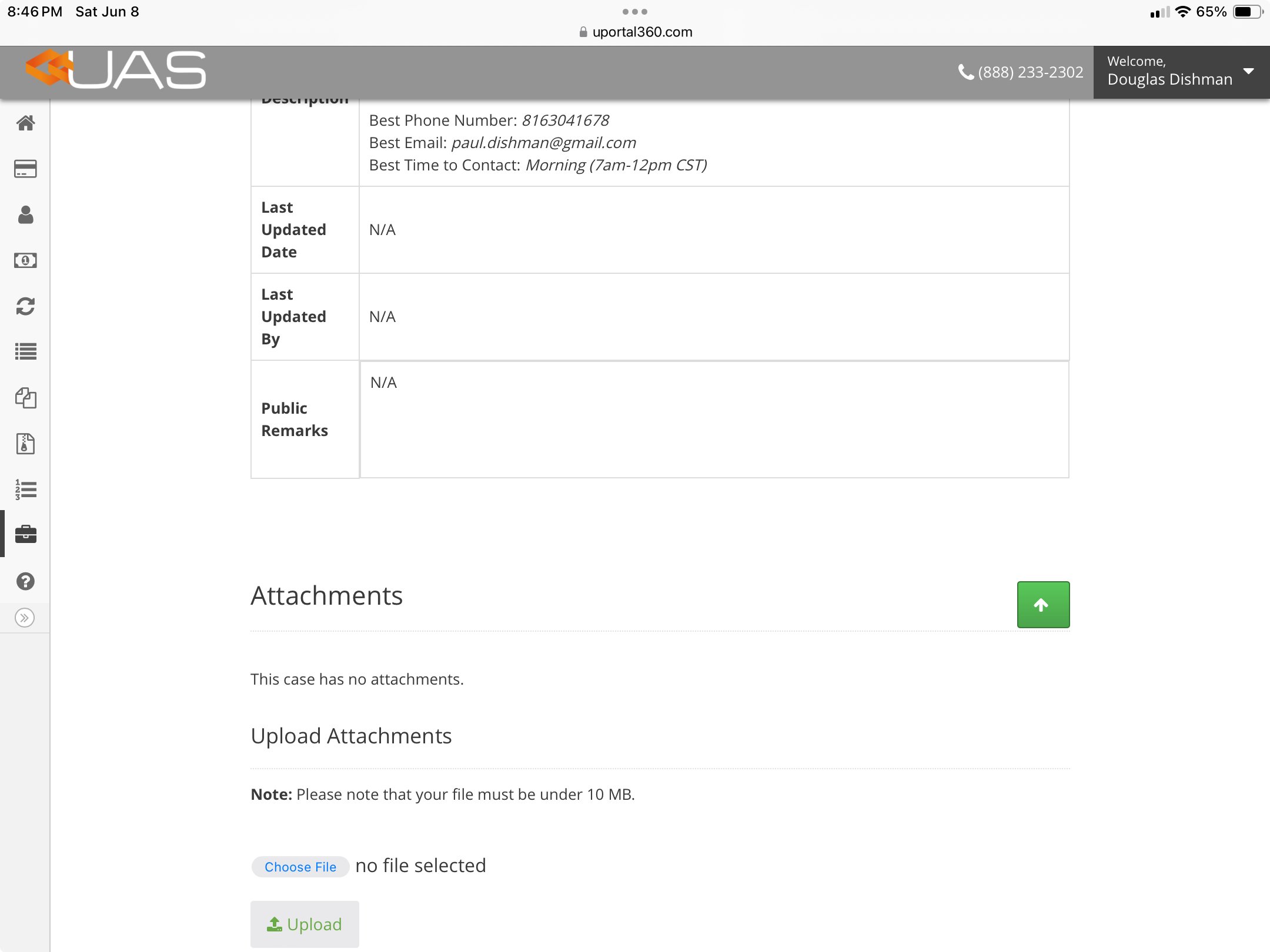
Consumers can create Support Tickets in the uPortal360 application. Useful information is provided to consumers to help them with self-service resolutions. If a consumer is unable to find a solution or needs additional support they can create a new ticket.| 1. Inquiry Start | 2. Inquiry Selection | 3. Inquiry Details |
|---|---|---|
 |  |  |
| 4. Inquiry Contact Info | 5. Inquiry - Add Attachments | 6. Inquiry - Add Remarks |
|---|---|---|
 |  | 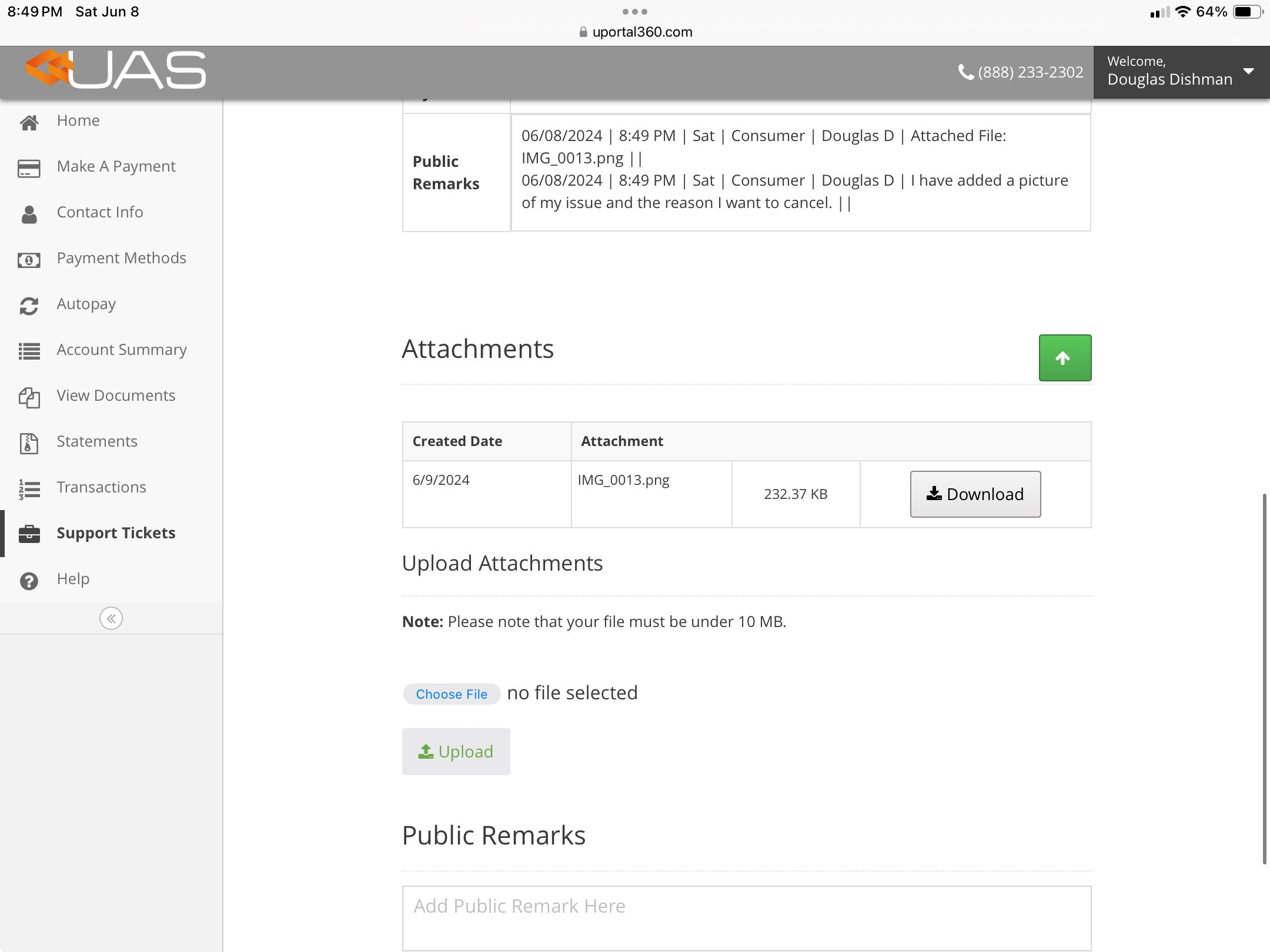 |
Submission Confirmation
Upon submission using our web form, the consumer will be provided a screen showing that the form was submitted successfully and a Support Ticket Number. The consumer will be able to access the Support Ticket created in uPortal360. If the consumer submits via email or in writing, our CHD Team Member will create a Support Ticket. Email confirmation is sent to the consumer whenever a ticket is created.CHD Initial Review
In this stage of the process, the CHD team will conduct a quick review to determine if the Merchant is needed to help resolve the ticket. In many cases where the inquiry is related to questions about a Promotional Offer or about a Payment, the CHD team will work with internal UAS teams to resolve. In other cases, typically related to Products and Services, UAS will need the assistance of the Merchant to resolve the ticket with the consumer. In the Initial Review, CHD will set the Problem Type field to help categorize Support Tickets for internal reporting and monitoring.Problem Types
Merchant Review and Expectations
Within five (5) days, the Merchant should engage with the consumer to review, understand, and work to resolve the issue. Within fifteen (15) days, the merchant should either provide a proposed solution to the applicable disputing consumer, if a solution is possible and commercially reasonable, or shall notify UAS that such a solution is not possible. If the merchant, after expending a commercially reasonable amount of time and effort, is unable to resolve within thirty (30) days, then UAS may, at its discretion, work to resolve such dispute with the consumer. In all instances of a refund, discount, or credit to the consumer, the merchant shall pay UAS the buyback price as defined in the Agreement with UAS.Merchant Status
**RMA Number -**Return Merchandise Authorization ( RMA) number - Consumer’s return label for tracking purposes
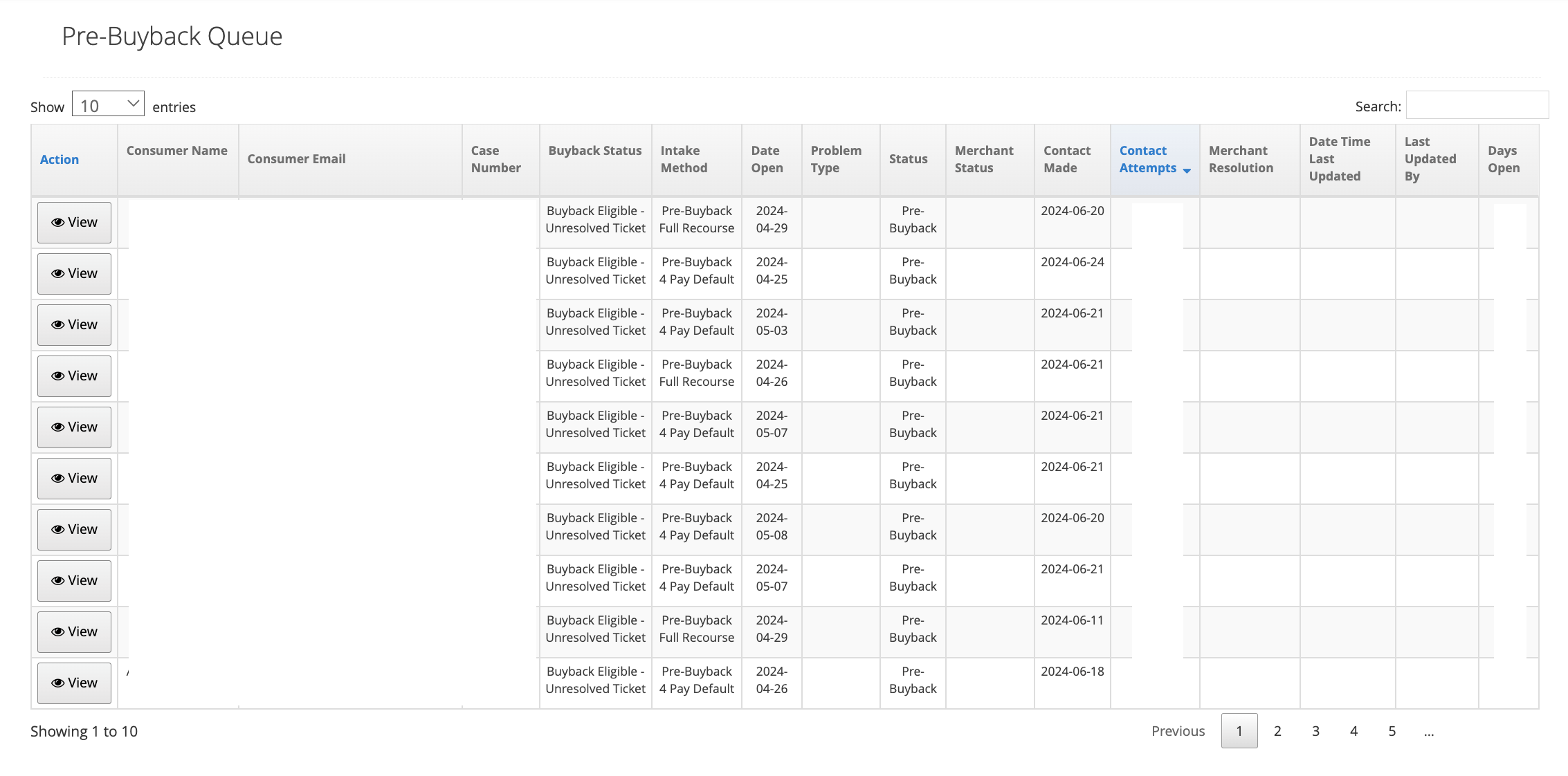
**Buyback Status -**Populated if a Support Ticket was created due to delinquency or if the Merchant has not provided a resolution in an appropriate amount of time.
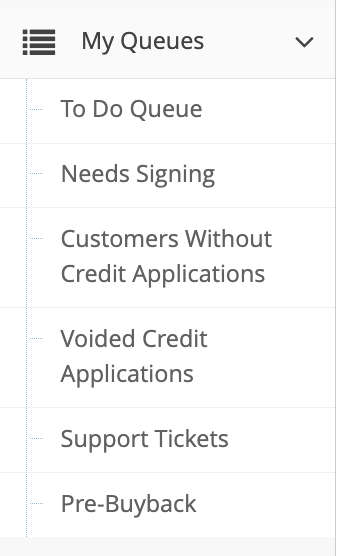
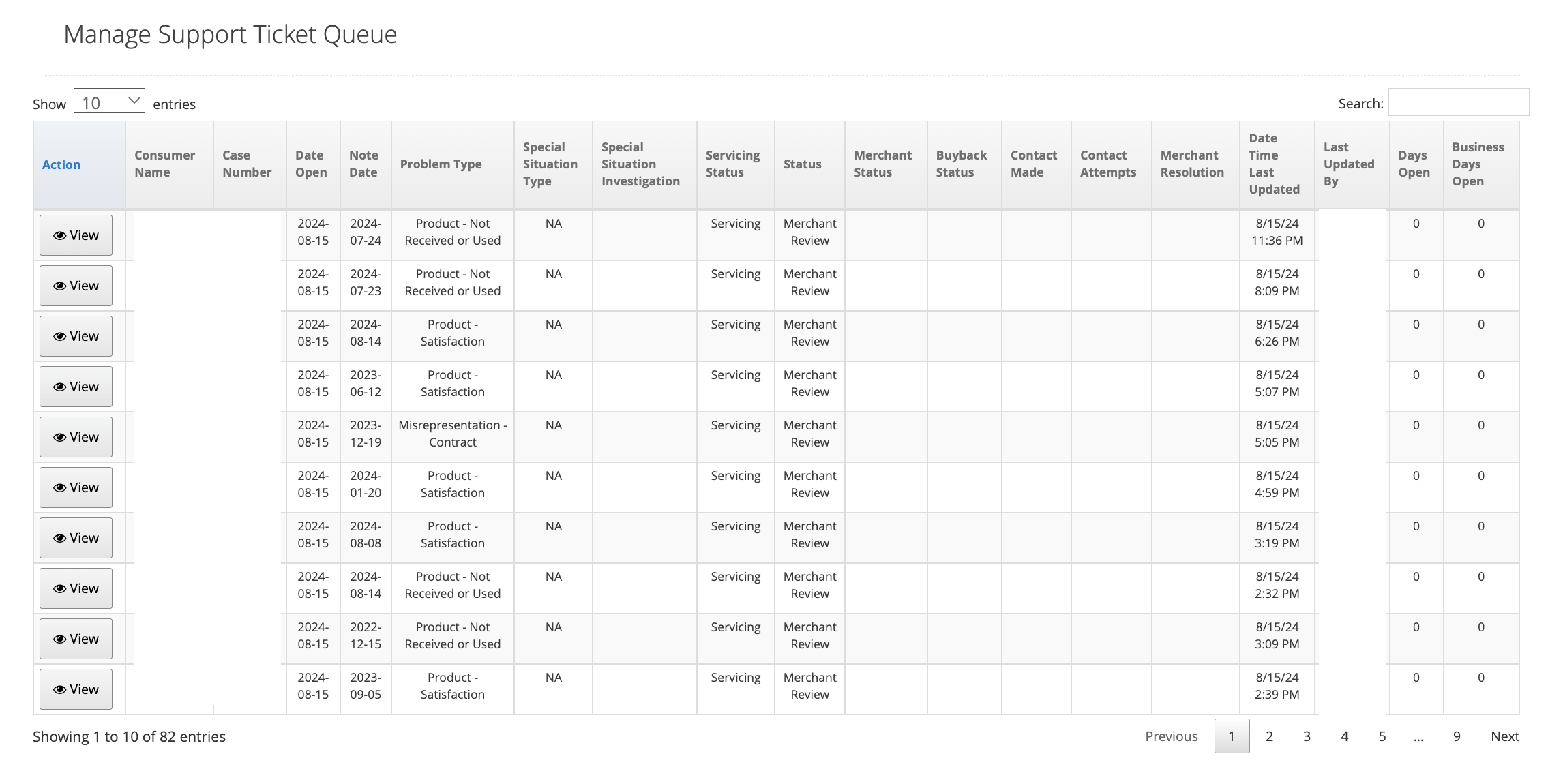
| 1. Merchant Support Ticket Queue | 2. Merchant Update |
|---|---|
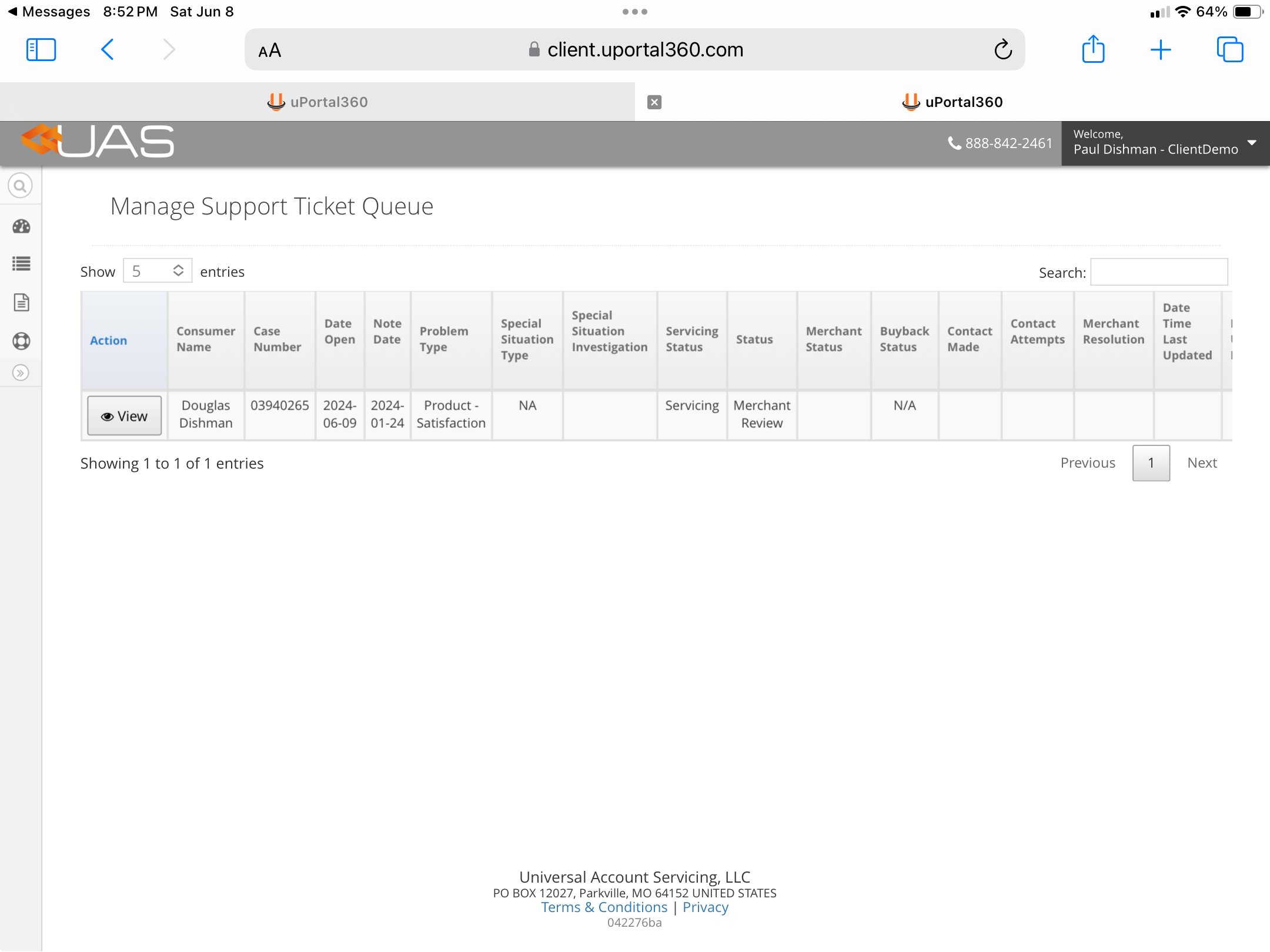 | 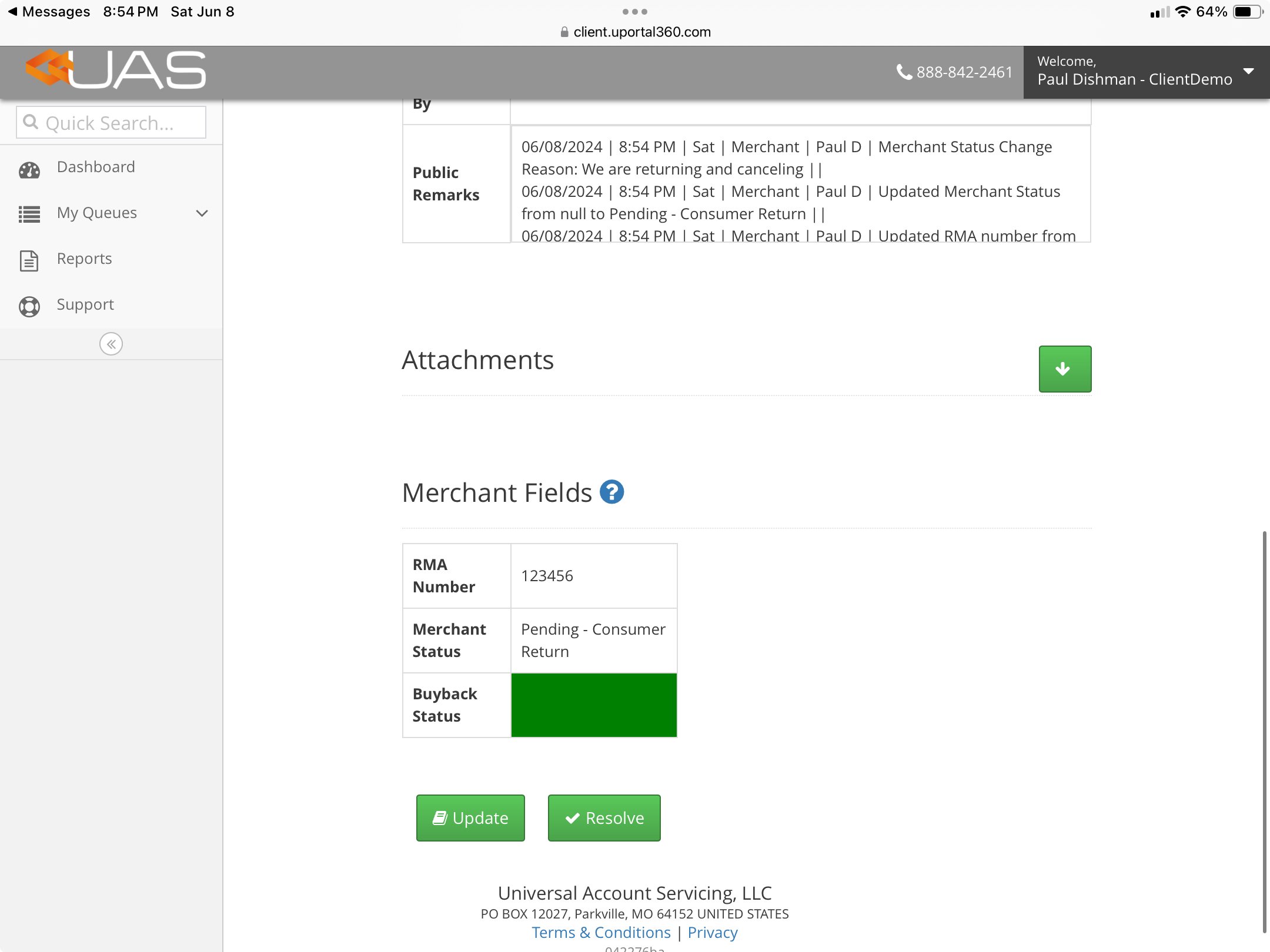 |
| 3. Merchant Remarks | 4. Support Ticket Updated |
|---|---|
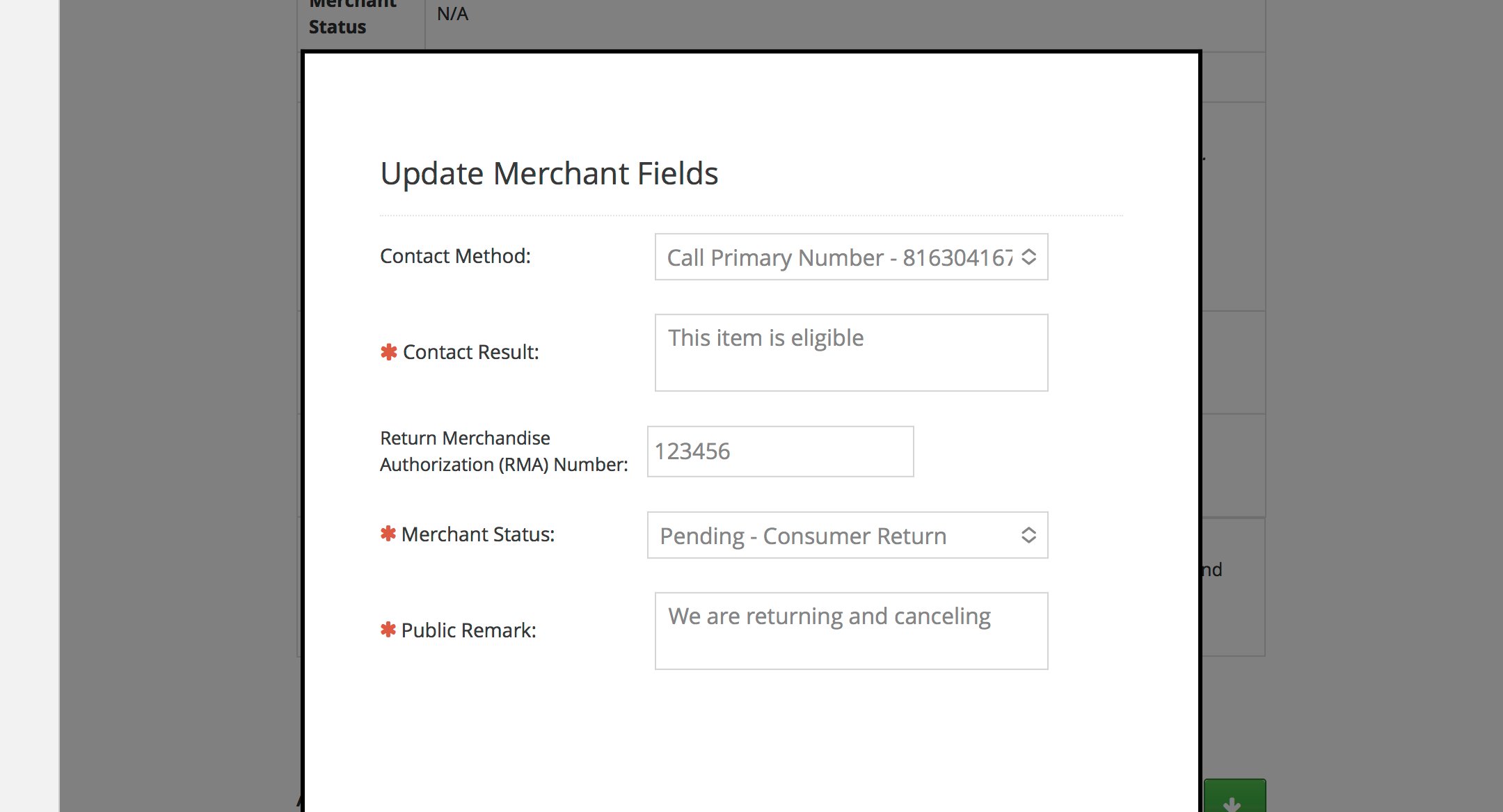 | 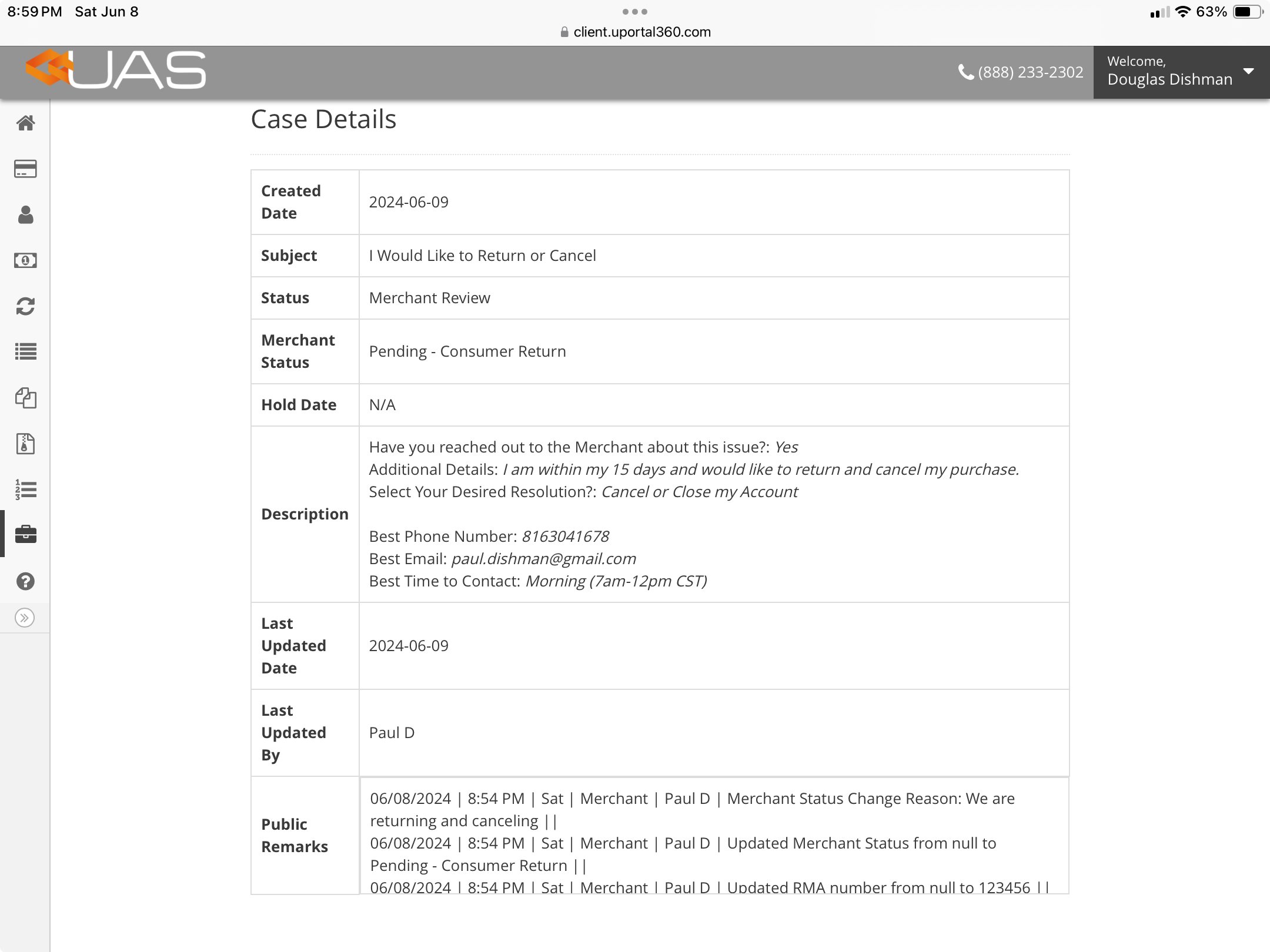 |
CHD Review
In this stage, the CHD team will review the Support Ticket and all the remarks from the Consumer, from the UAS Teams, and from the Merchant. UAS will select the resolution and communicate it to the consumer.Resolution
Consumer Support Ticket - Escalations
Upon submitting a completed support ticket, the consumer can escalate it for Consumer Help Desk review. However, consumers cannot escalate until the next day to allow time for an initial response. This process must be completed by a consumer. UAS support staff may also engage a Supervisor Review if they feel a consumer Support Ticket needs to be escalated.| 1. Escalation | 2. Escalation - Indicator |
|---|---|
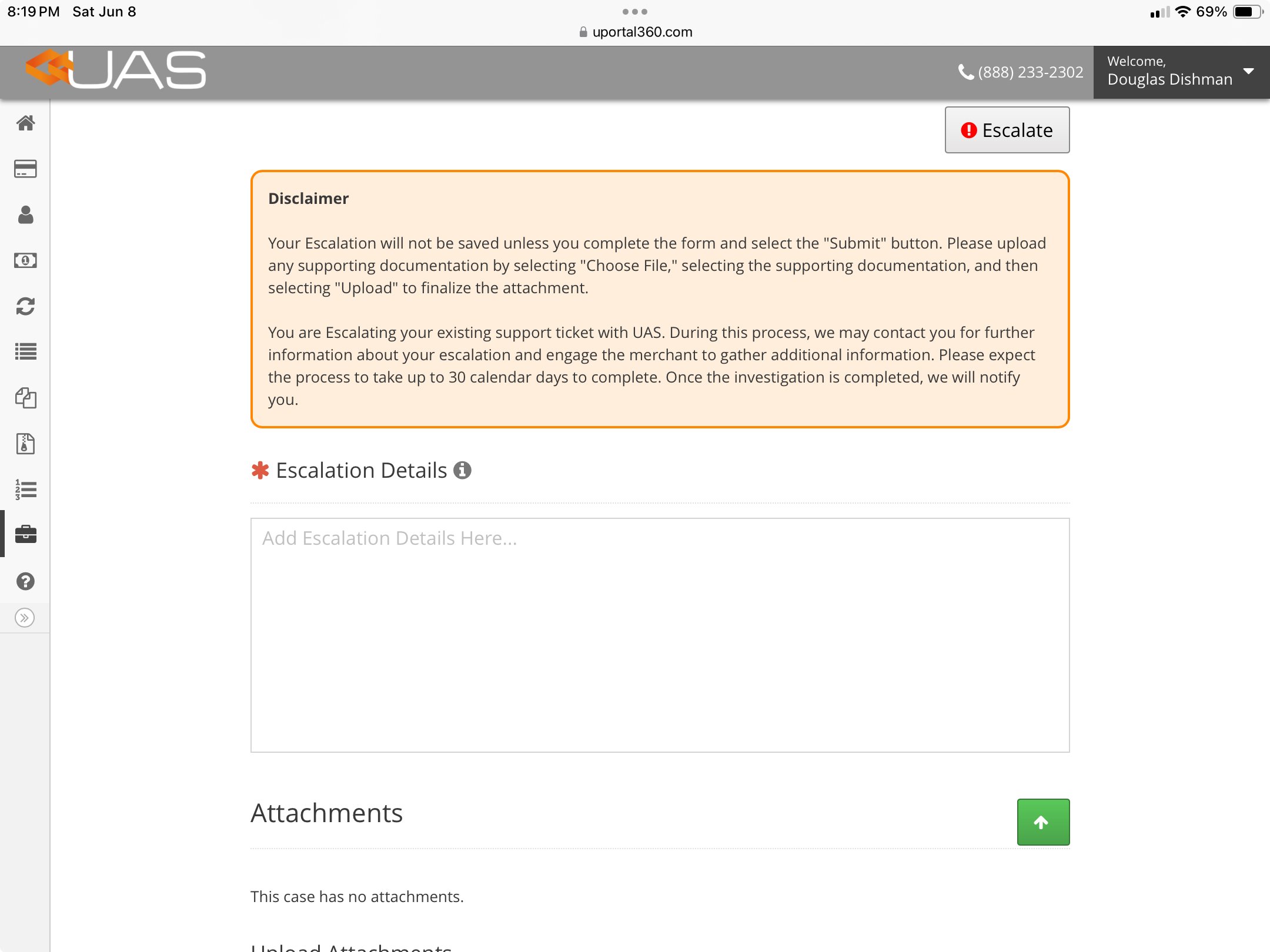 | 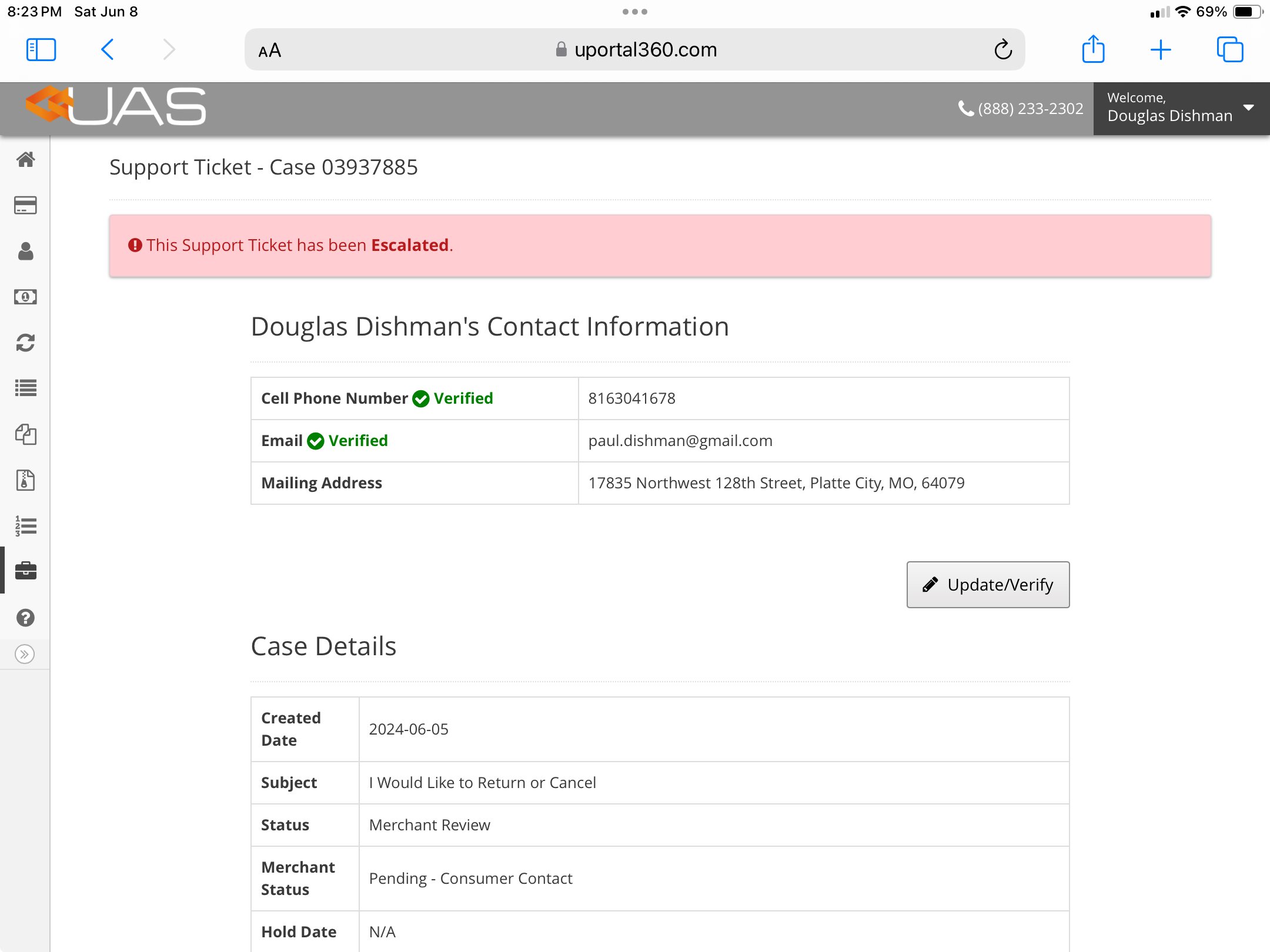 |
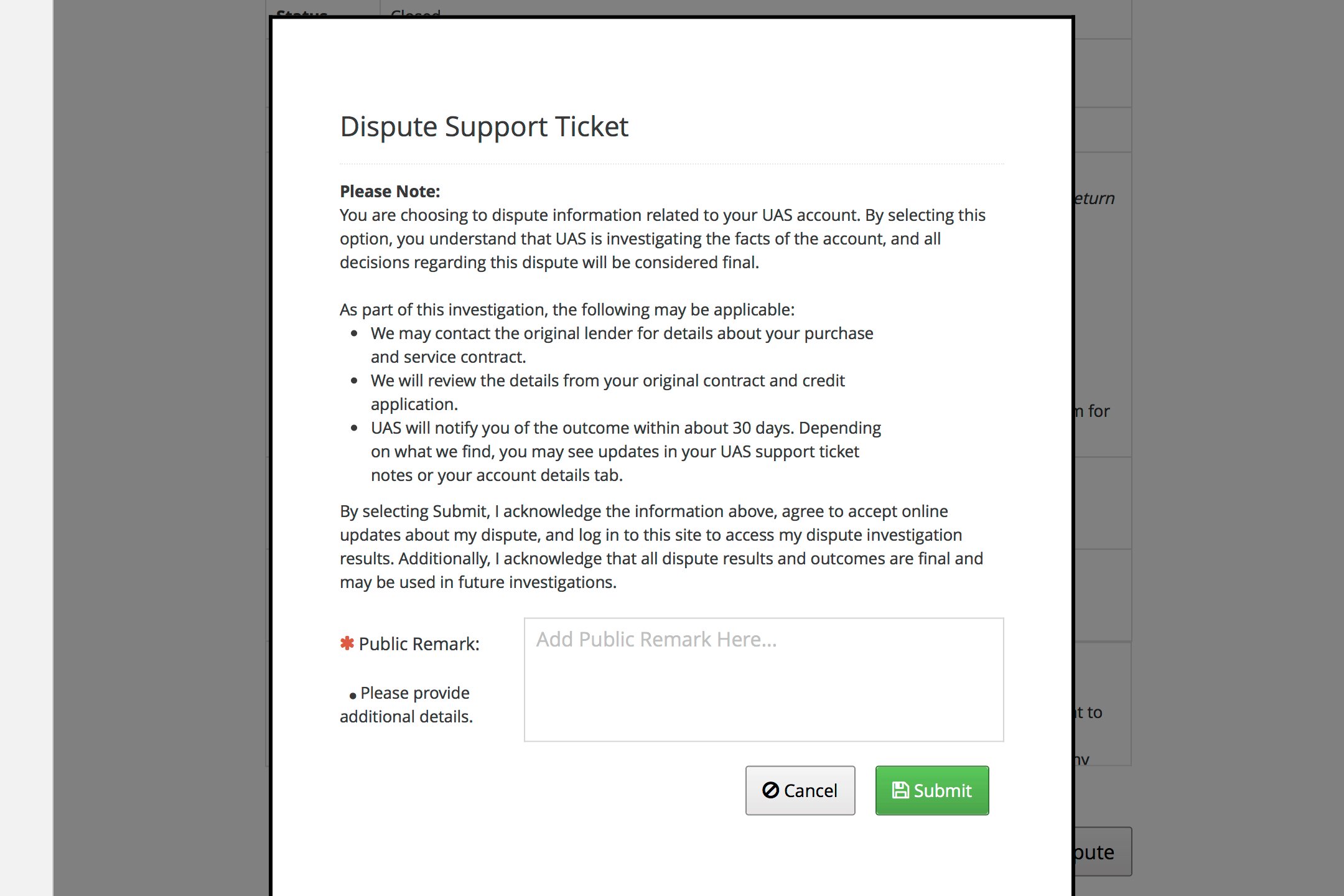
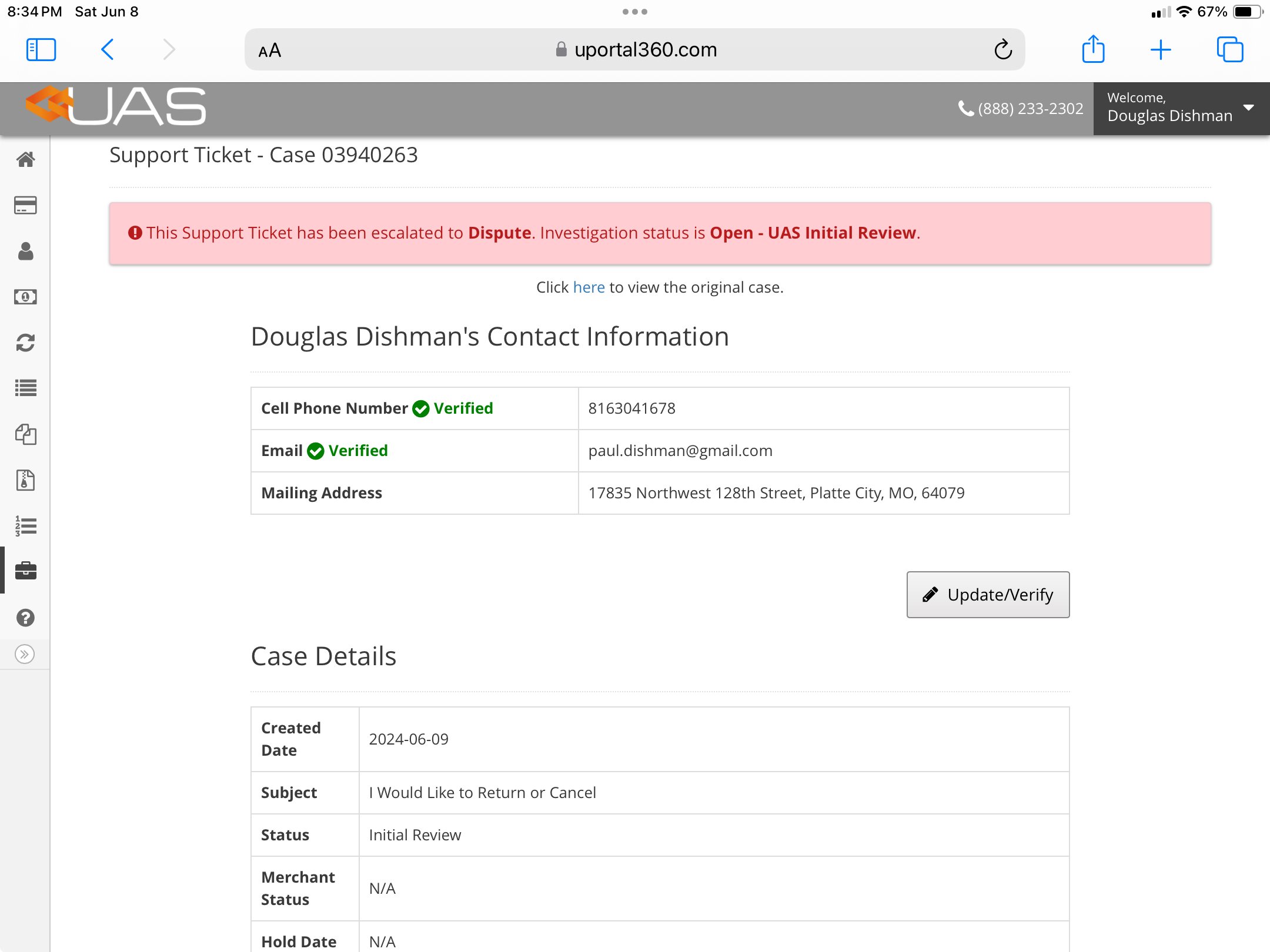
Consumer Support Ticket - Disputes
A resolution will be communicated when the Support Ticket is closed. When a consumer reviews a closed support ticket and disagrees with the resolution, they can open a Dispute. UAS investigates disputes. UAS will engage the Merchant if needed to gather additional information. Once UAS has completed an investigation, the Dispute Resolution is final. The resolution will be communicated to the Consumer. UAS will communicate any necessary actions to the Merchant as well.| 1. Dispute Button | 2. Dispute - Confirmation | 3. Dispute Indicator - Link to Previous Ticket |
|---|---|---|
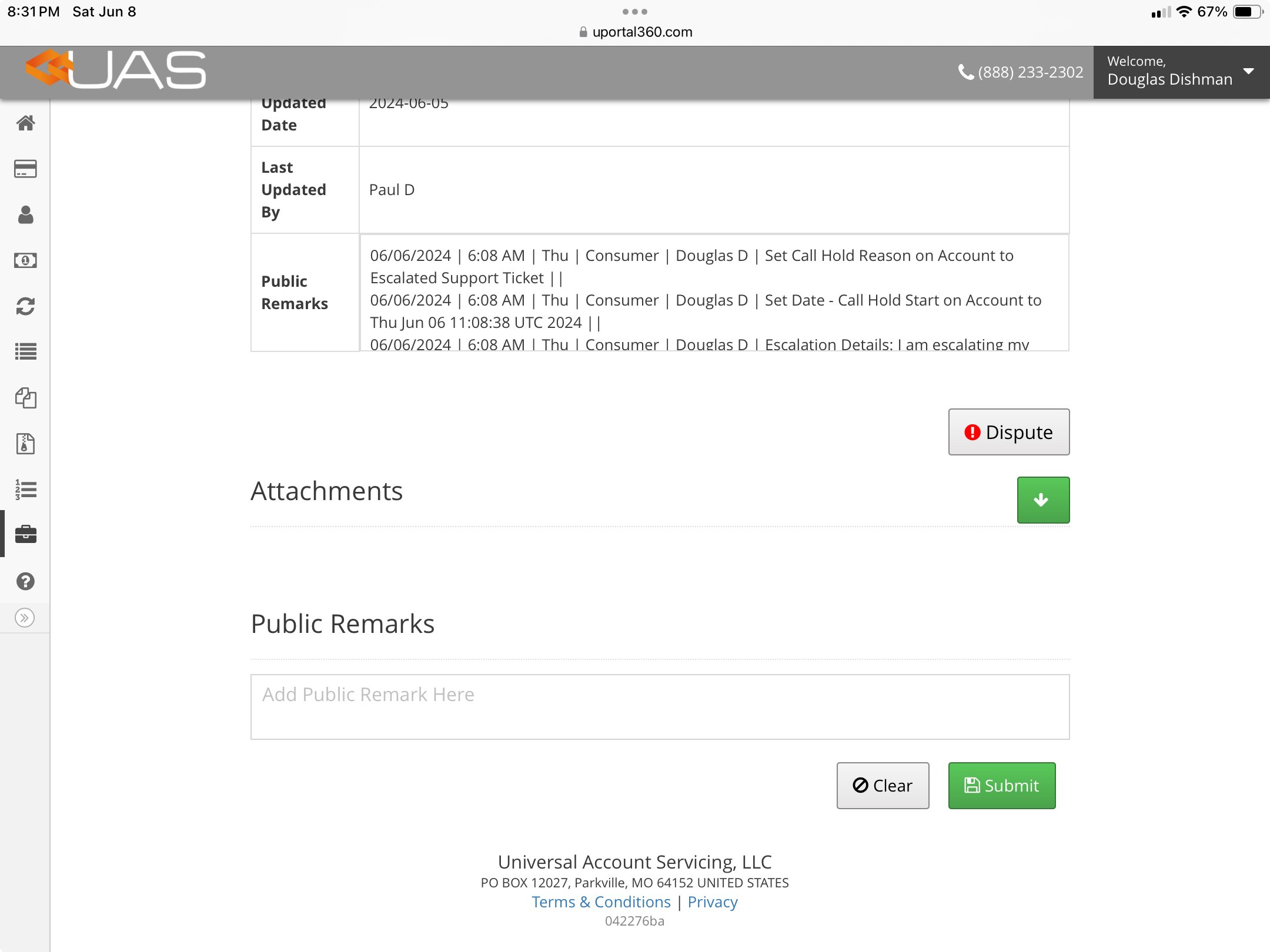 |  |  |
Permission and Access
Reports and Queues