

Consumer uPortal360 Inquiry Experience
The following guide covers the Consumer Inquiry experience. This process is completely cross-platform designed for mobile, tablet, or desktop devices of any size. The screenshots in this guide highlight the mobile experience, showing how easy it is for your customers to manage from their phones.Overview
Consumer Inquiries/Support Tickets are a system that communicates and resolves consumer-related matters. They serve as a means for reporting issues to the Merchant. They can also function as an alert mechanism when a consumer is delinquent, potentially resulting in a pre-buyback action by the merchant. Additionally, Support Tickets serve as a method of record-keeping for issues reported by consumers, encompassing a range of concerns including, but not limited to, product or service-related queries, billing discrepancies, customer service matters, and delinquent payment issues. The consumer, merchant, or Consumer Help Desk (CHD) team can manage the progression of the Support Ticket through uPortal360.Consumer Submission Account Inquiry/Support Ticket
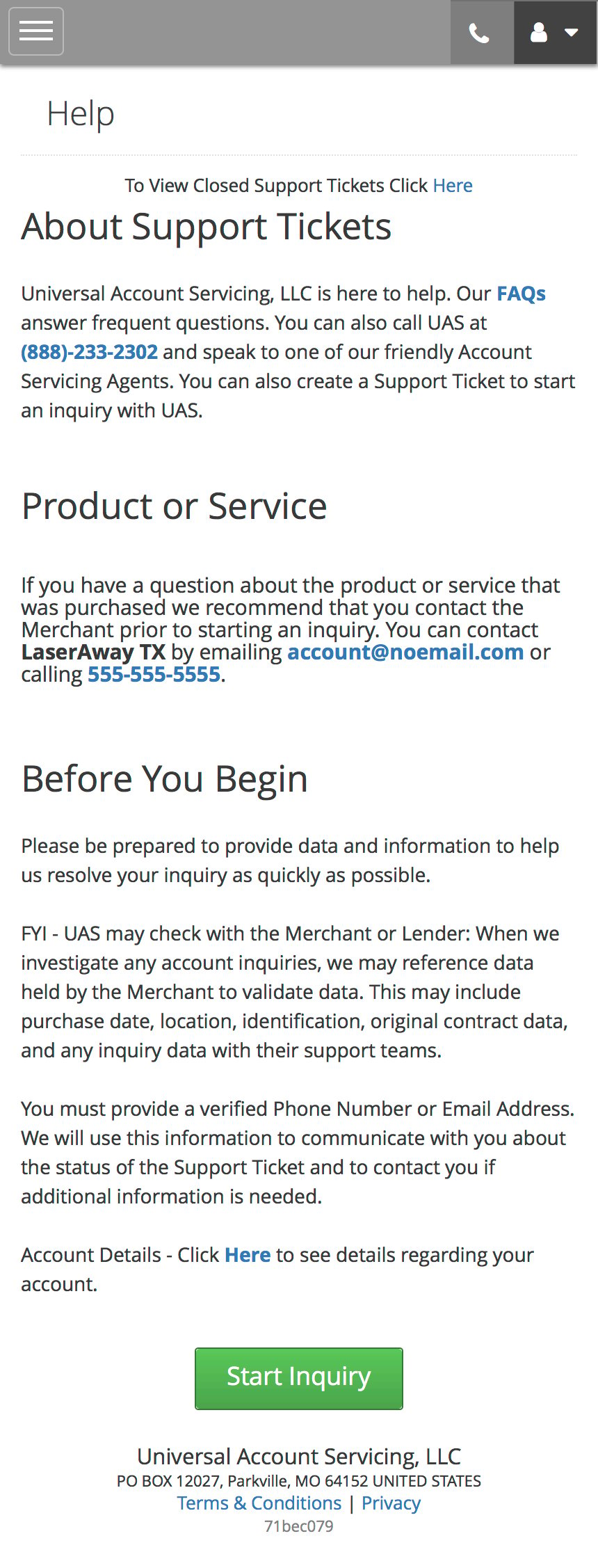
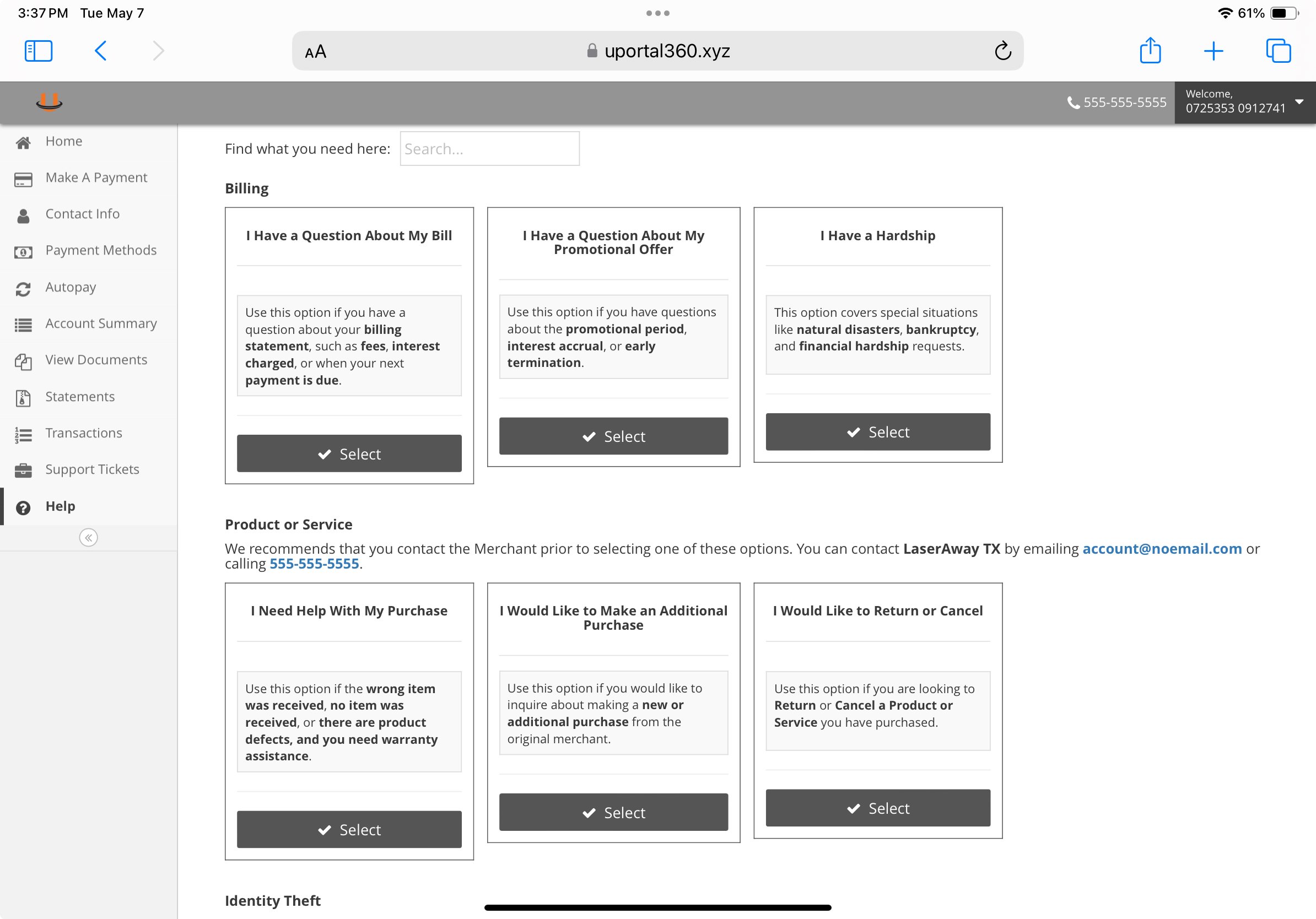
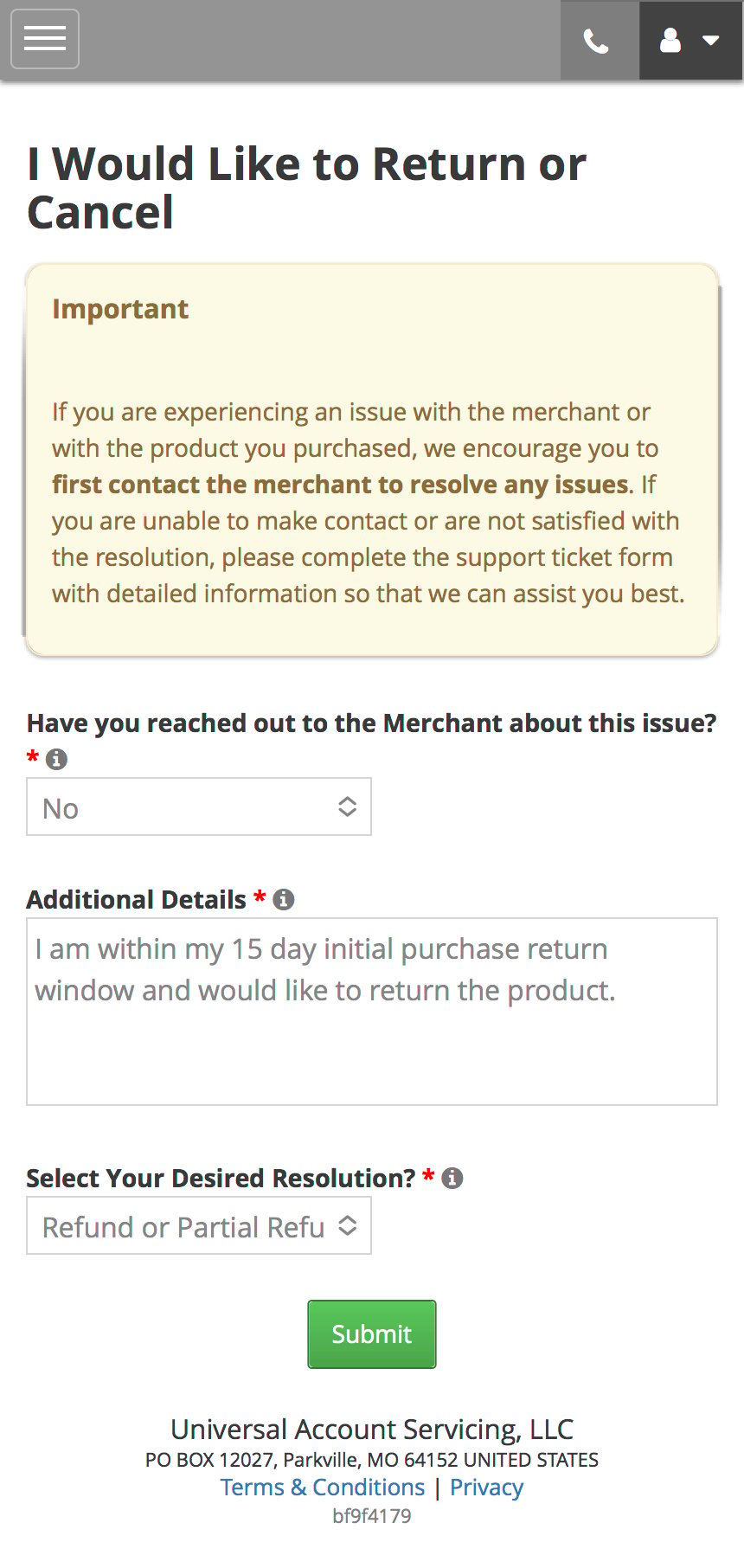
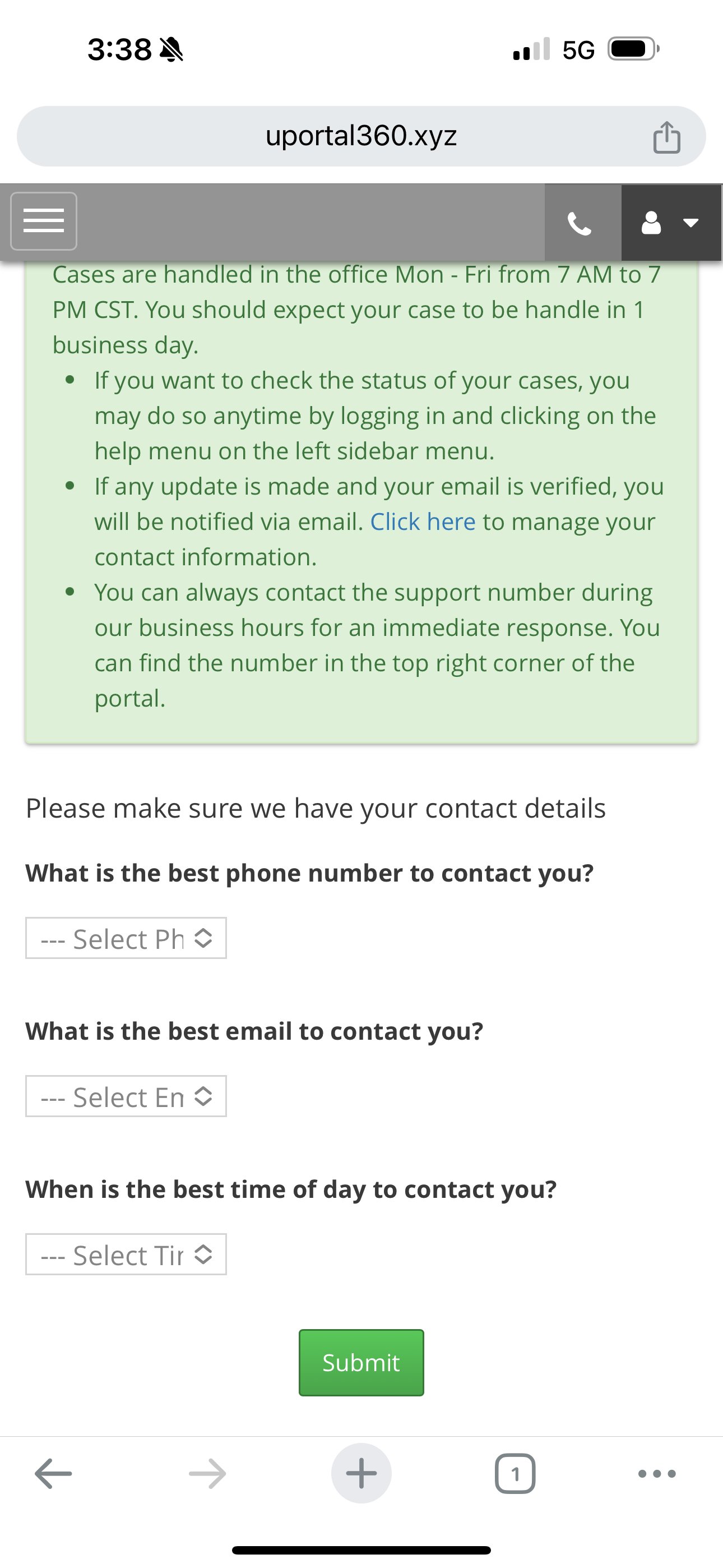
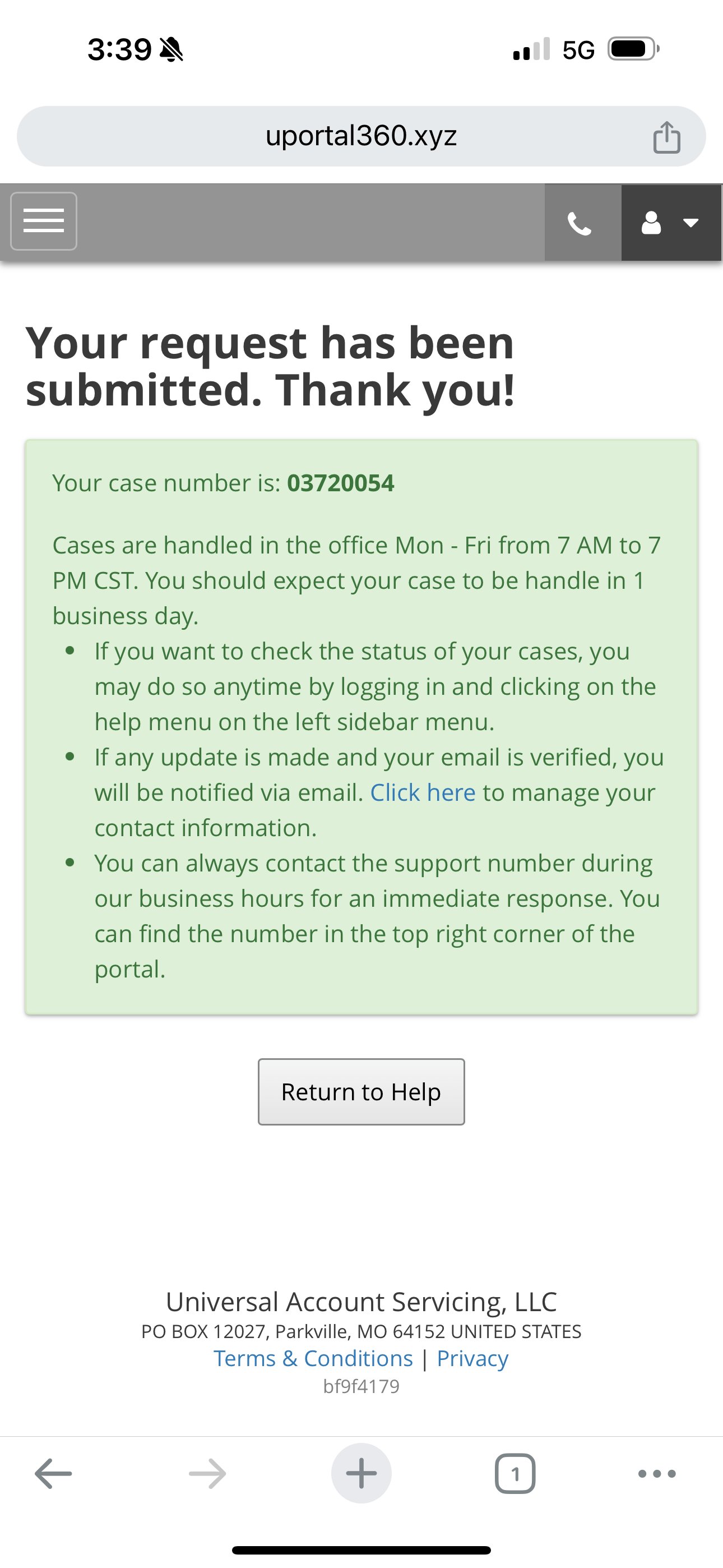
Consumers can begin an Inquiry through the portal or over the phone with our Call Center Agents. Once the Inquiry details have been completed, the user will be prompted to submit them. The successful submission creates a Support Ticket in the appropriate queue and will be worked by our Consumer Help Desk and Call Center Agents.| Inquiry Landing Page | Inquiry Selection Page | Inquiry Selection Detail Entry Page | Contact Information Confirmation Page |
|---|---|---|---|
 |  |  |  |
| Inquiry Submission/Support Ticket Number Page | |||
 |
Consumer Support Ticket Escalation Experience
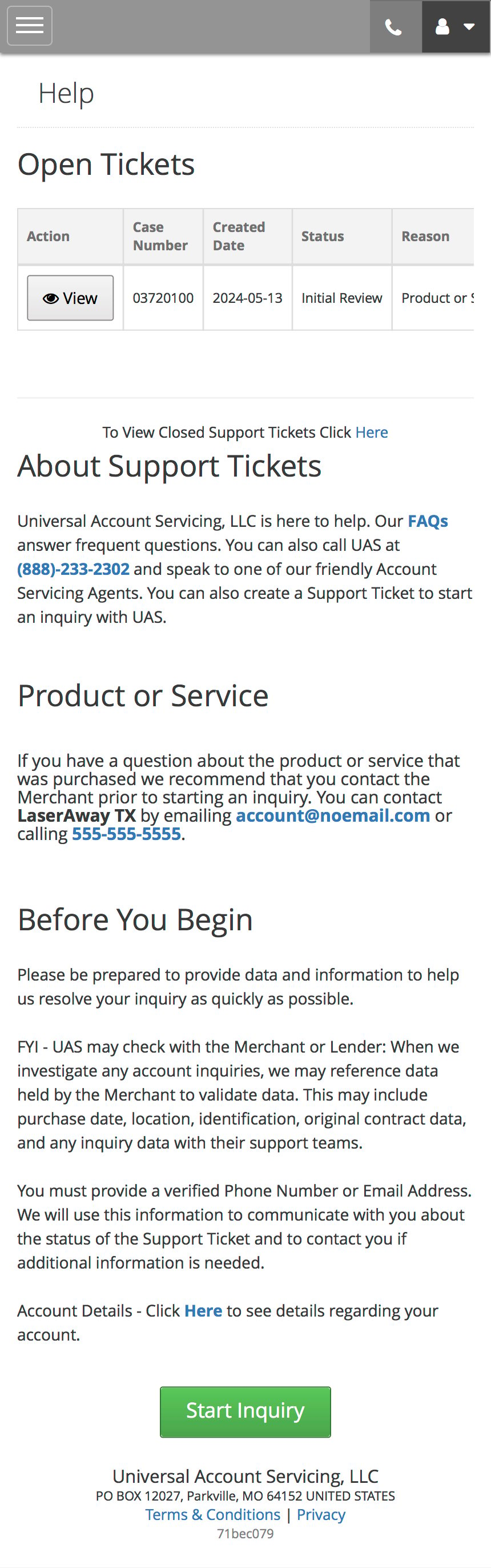
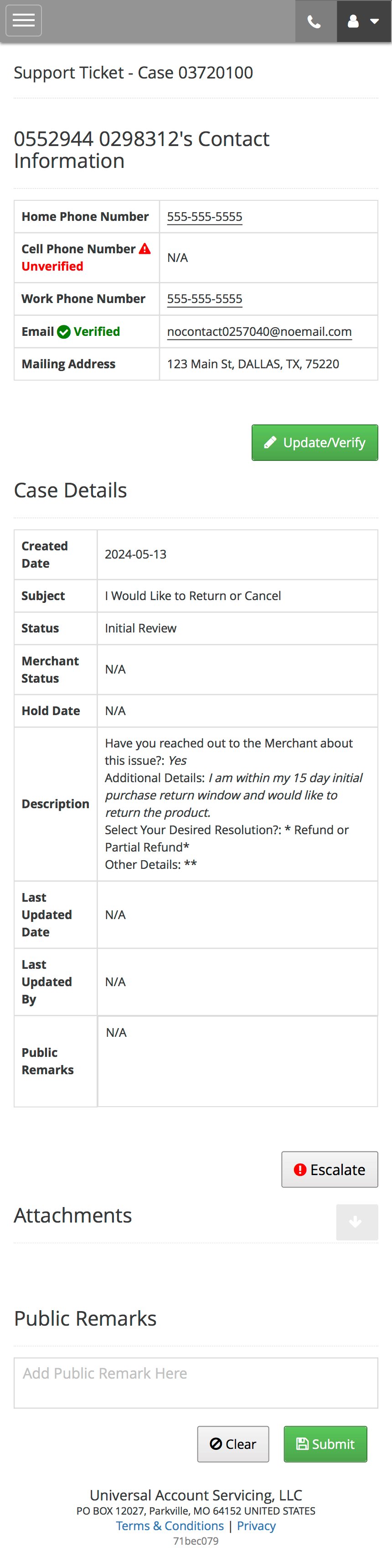
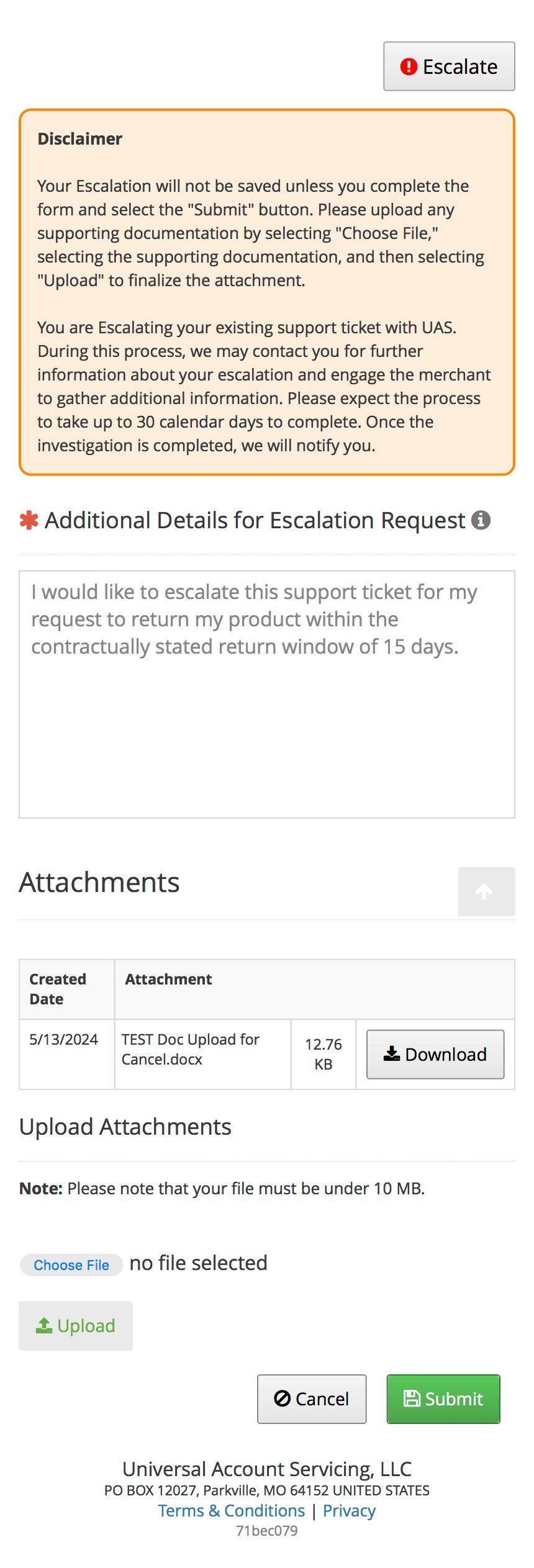
Upon submitting a completed support ticket, the consumer can decide to escalate it for Consumer Help Desk review. This process must be done by the consumer or an escalated user within the UGA support agent staff.| 1. Open Ticket Selection Page | 2. Open Ticket/Escalation Detail Landing Page | 3. Escalation Detail Expanded |
|---|---|---|
 |  |  |