

Send An Application
Consumer Scans the QR Code or Uses the Application Link
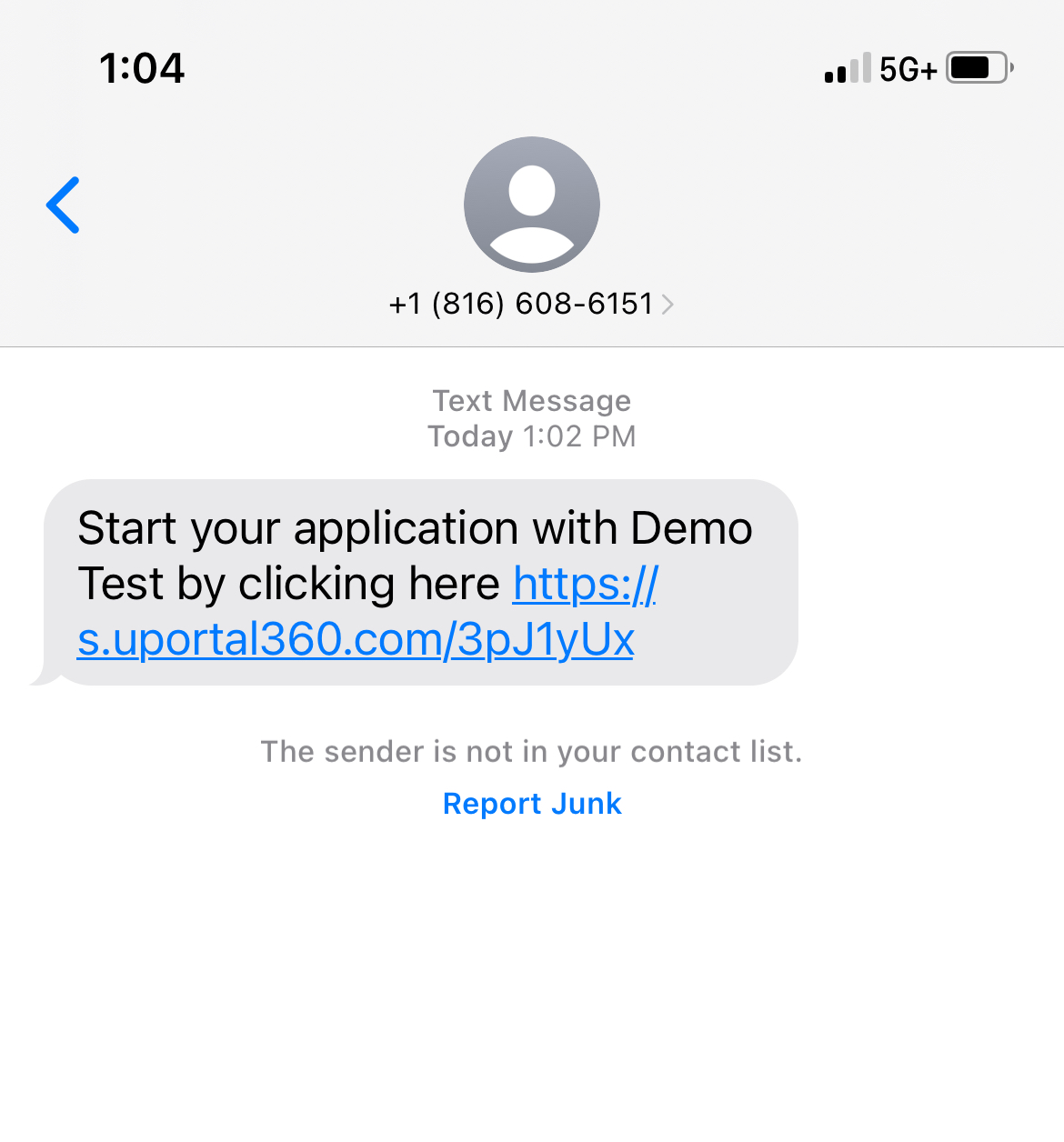
Short app link could be shared to consumer directly or QR code could be scanned to access the application| 1. QR Code | 2. Send Application | 3. Select Finance Program |
|---|---|---|
 | 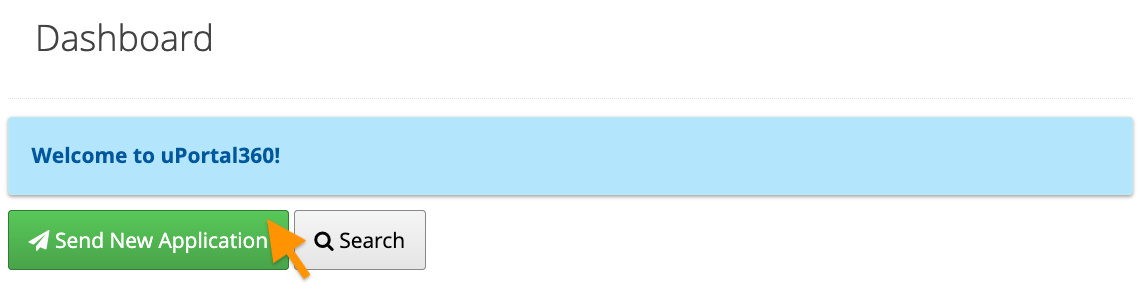 | 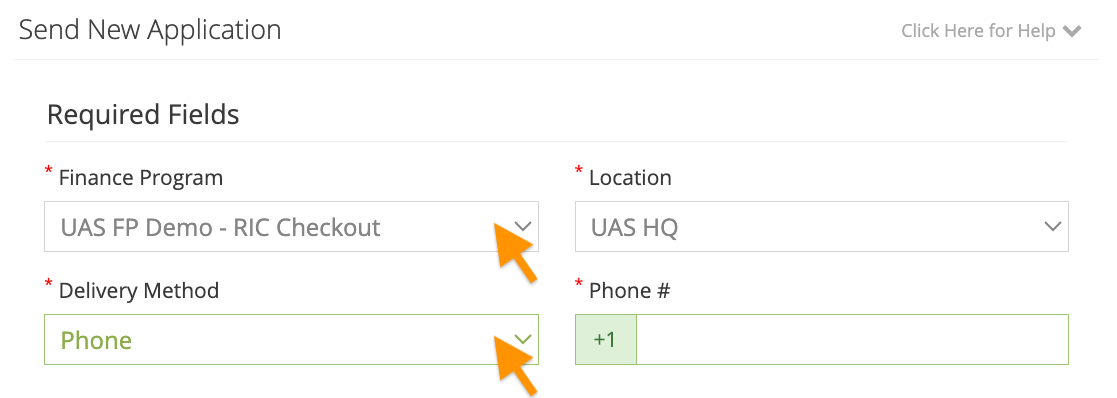 |
| 4. Enter Details (Optional) | 5. Communication Consent | 6. Application Link Text |
|---|---|---|
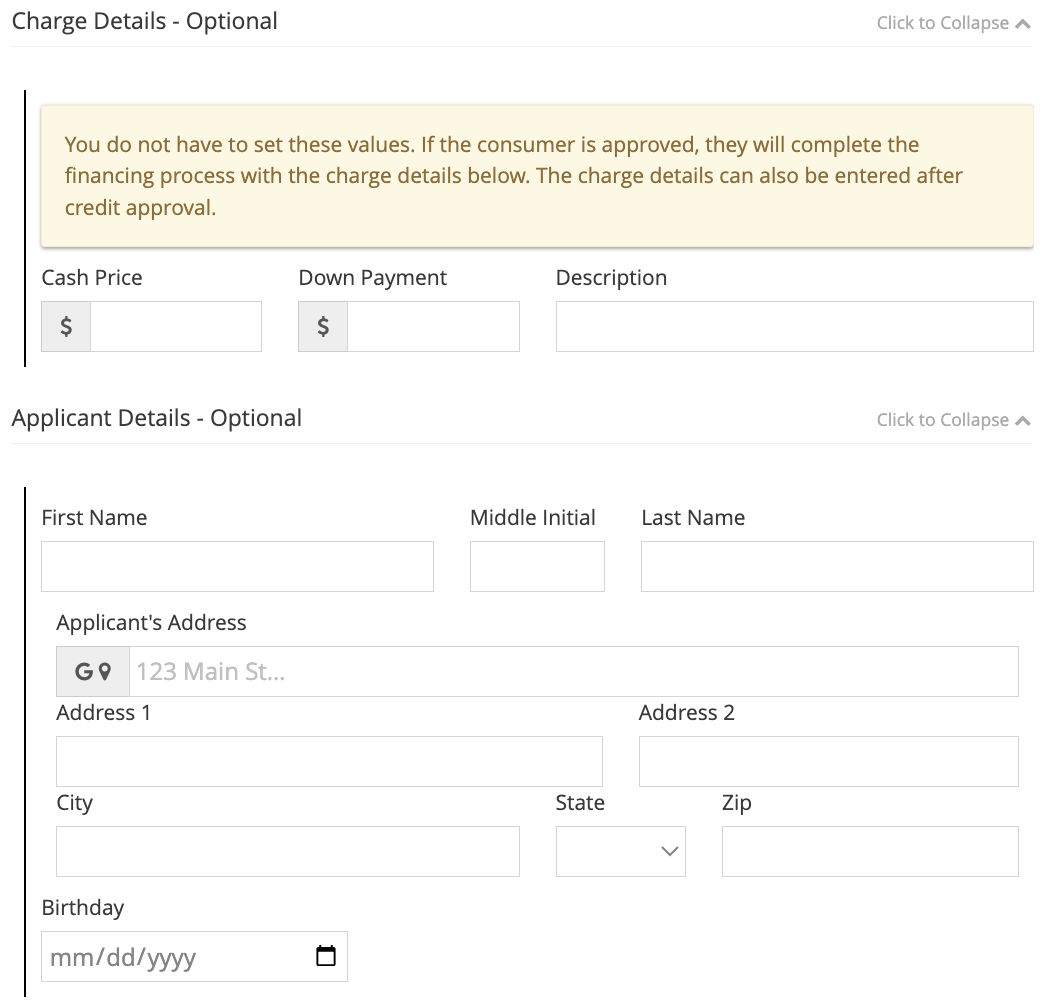 | 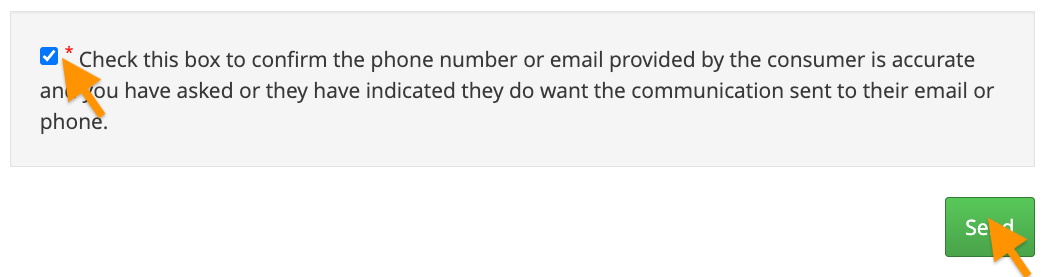 |  |
Consumer Steps
1. Landing Page & Disclosures
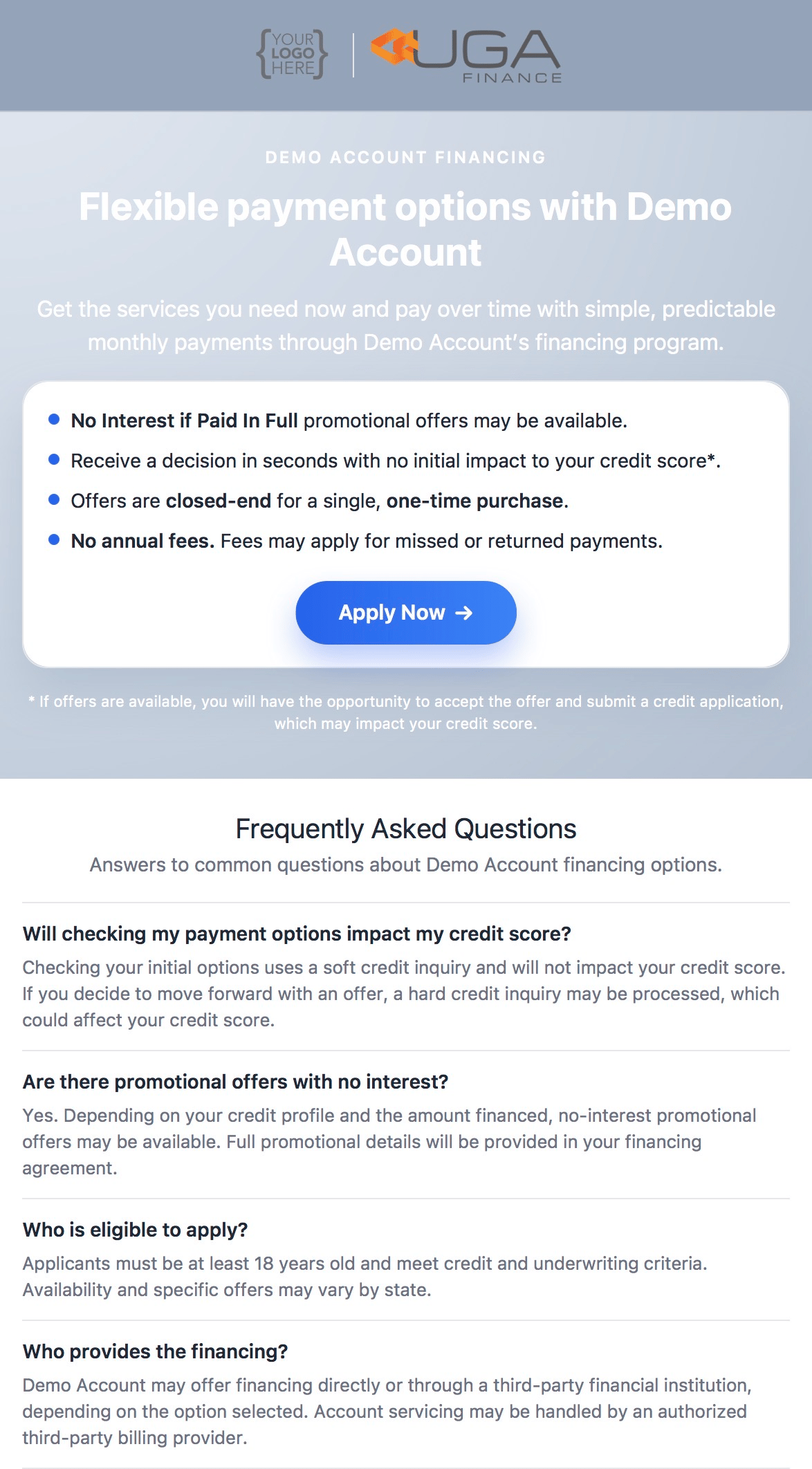
This is the landing page for a Consumer Application which include details related to your program and offers. We disclose terms and conditions and make sure the consumer agrees that they are applying for credit upfront, which keeps your business compliant with Dodd-Frank and GLBA (Gramm-Leach-Bliley Act). Your logo is displayed at the top of the disclosure so that your customers will know that they are applying for financing with your business. Consumers agree to the following:- Terms & Conditions: They will be reading this on their behalf
- Privacy Policy: UAS does not share their information, & only uses it for credit purposes
- ESIGN Consent Act: They must consent to the use of Electronic Communication
- Consent to Electronic Records, Signatures, Disclosures, and Communications
- This consent allows UAS to send required notices electronically, which is a lot more cost-effective (and more convenient for the consumer).
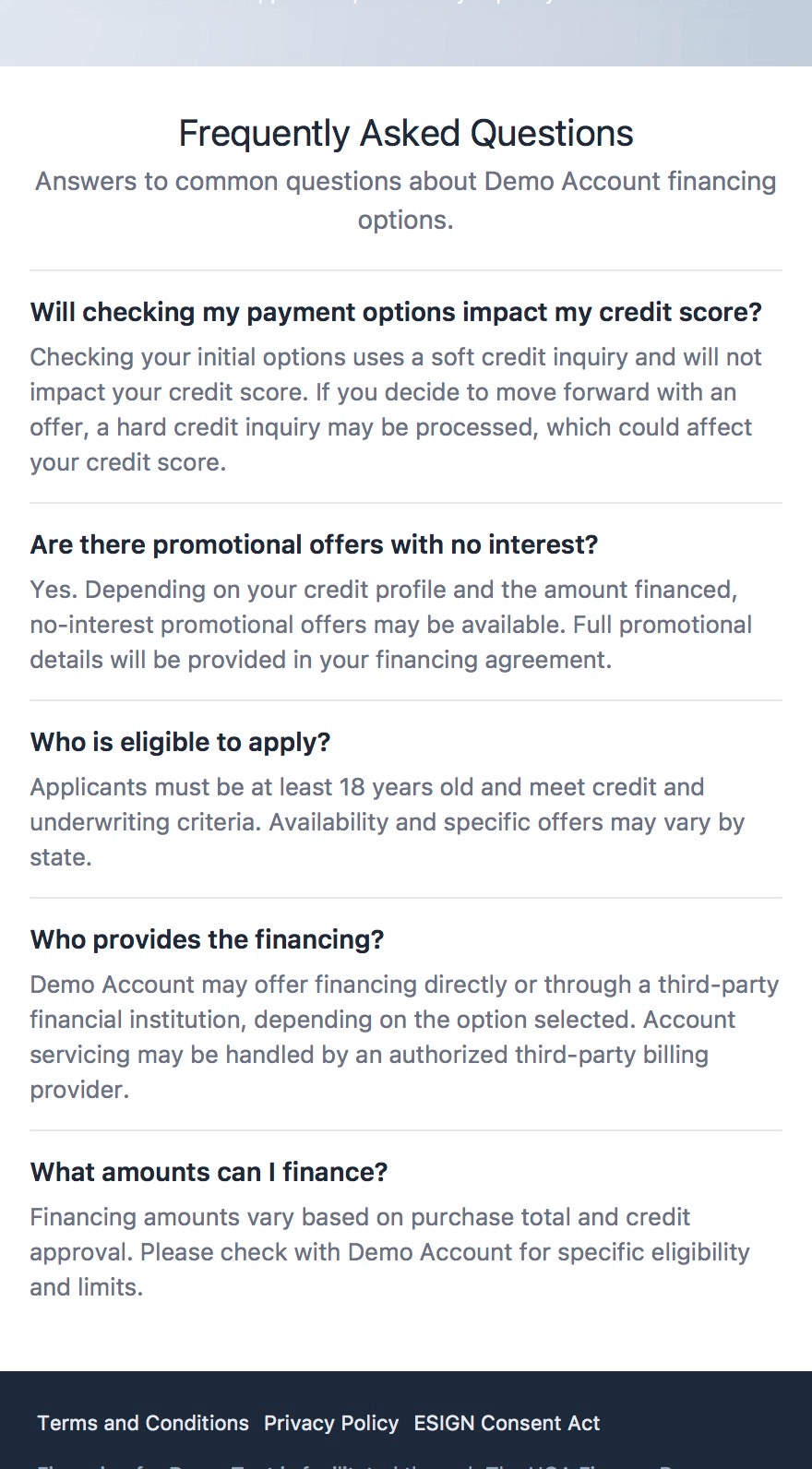
| 1. Landing Page | 2. FAQs |
|---|---|
 |  |
2. Application
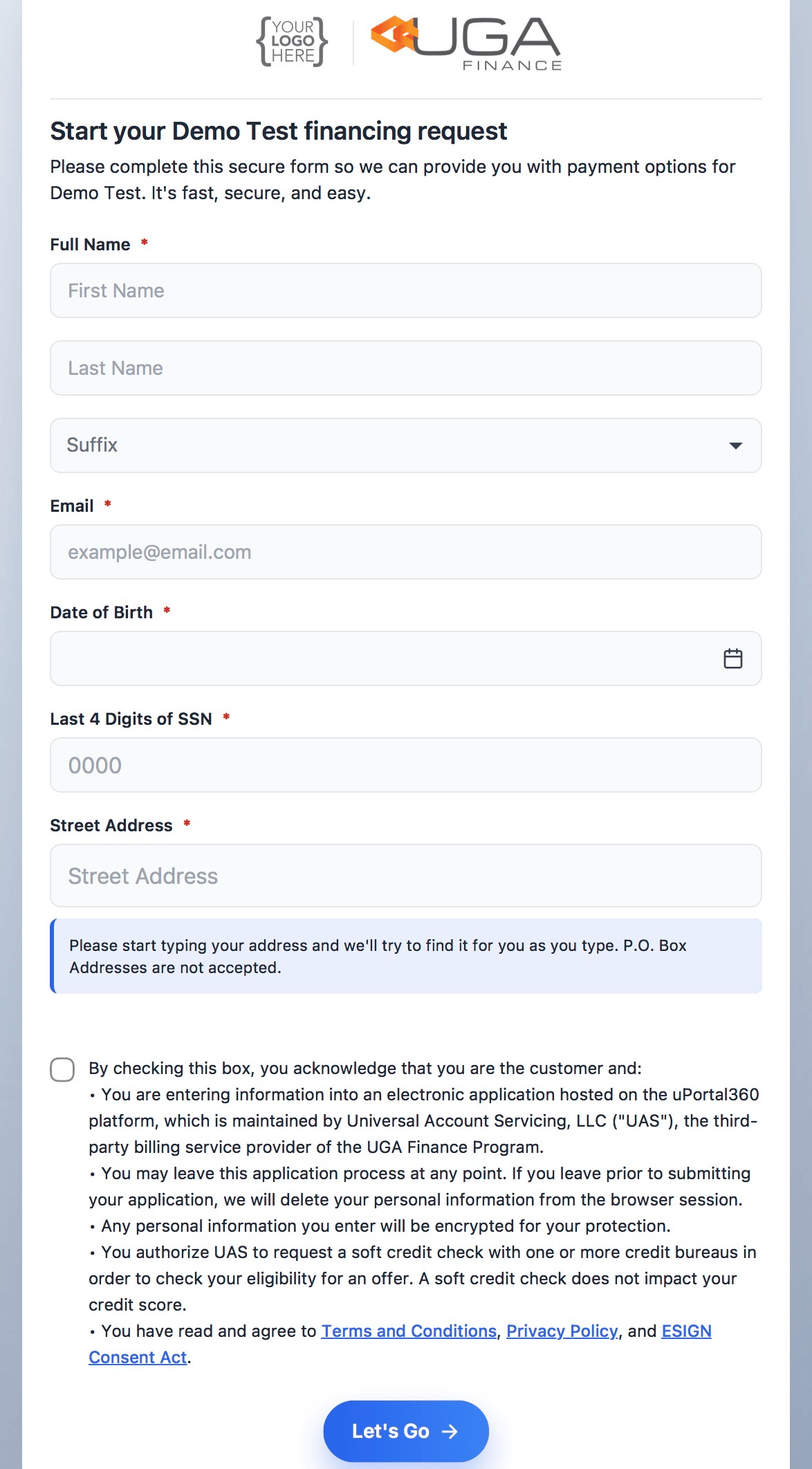
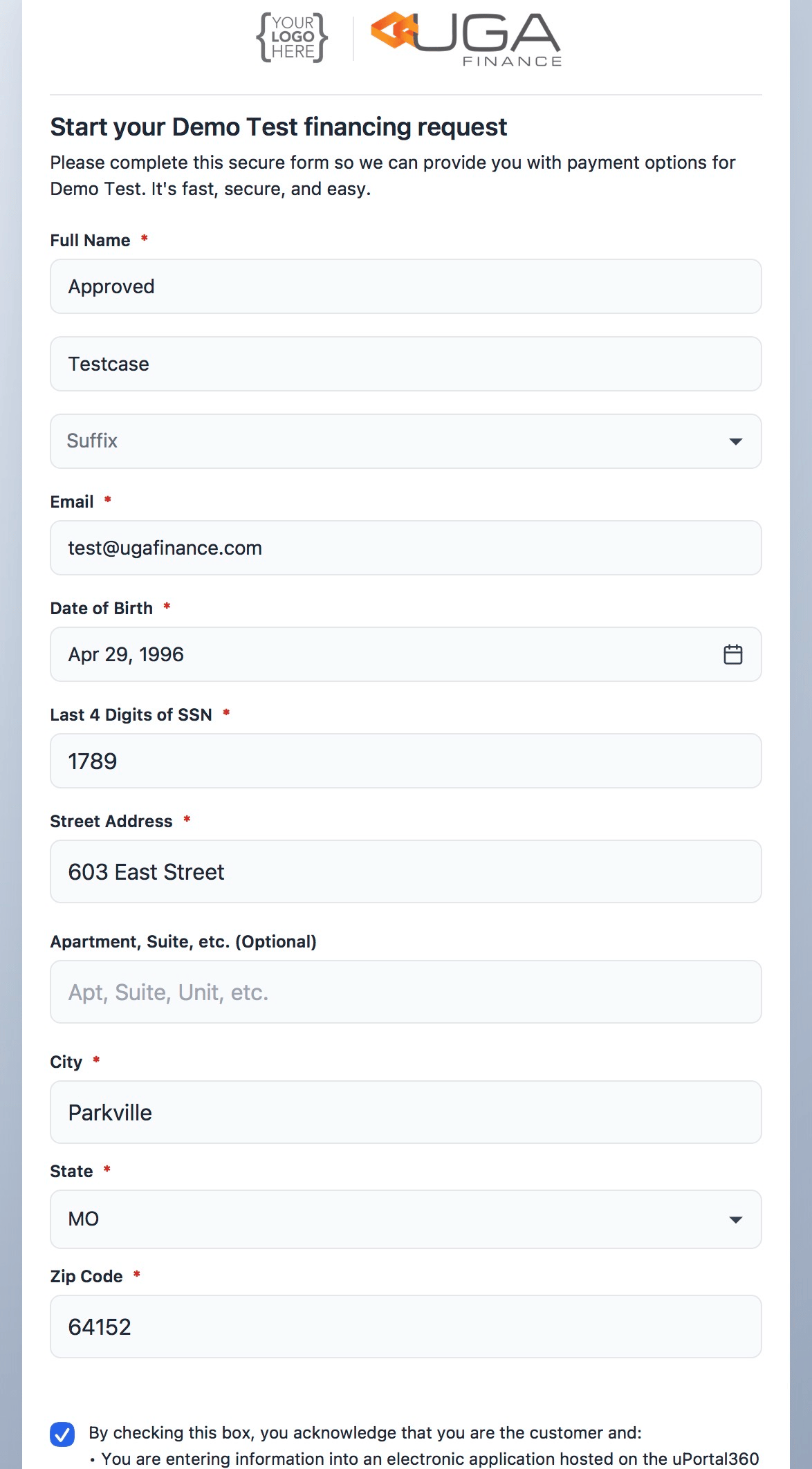
The following application screens collect information one piece at a time, making it simple and smooth to collect information on mobile devices. Kindly be aware that the method employed for receiving the application, whether it is via phone or email, shall remain unchanged once the application process commences without the assistance of our support team.| 1. Application Form | 2. Filled form |
|---|---|
 |  |
3. Offers
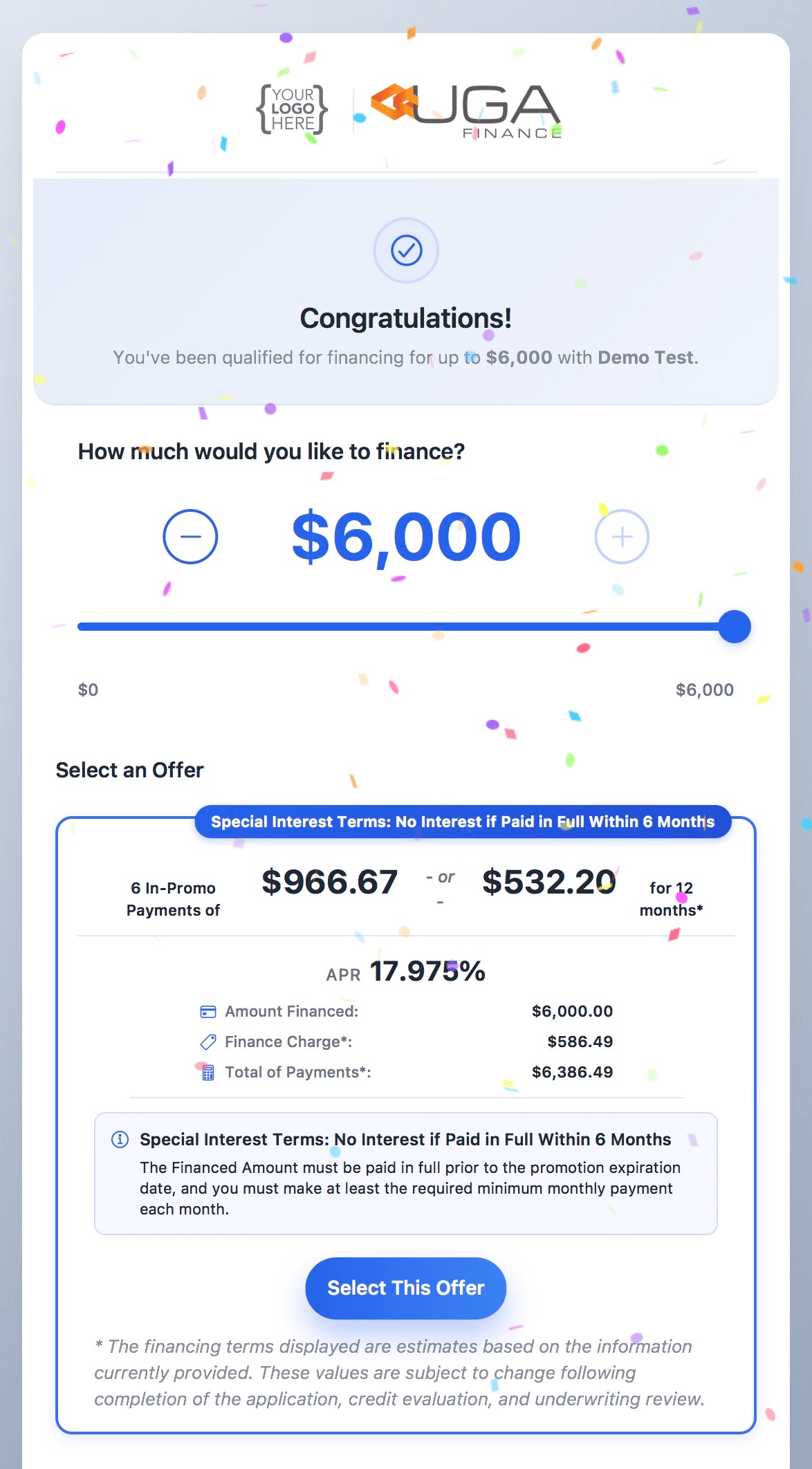
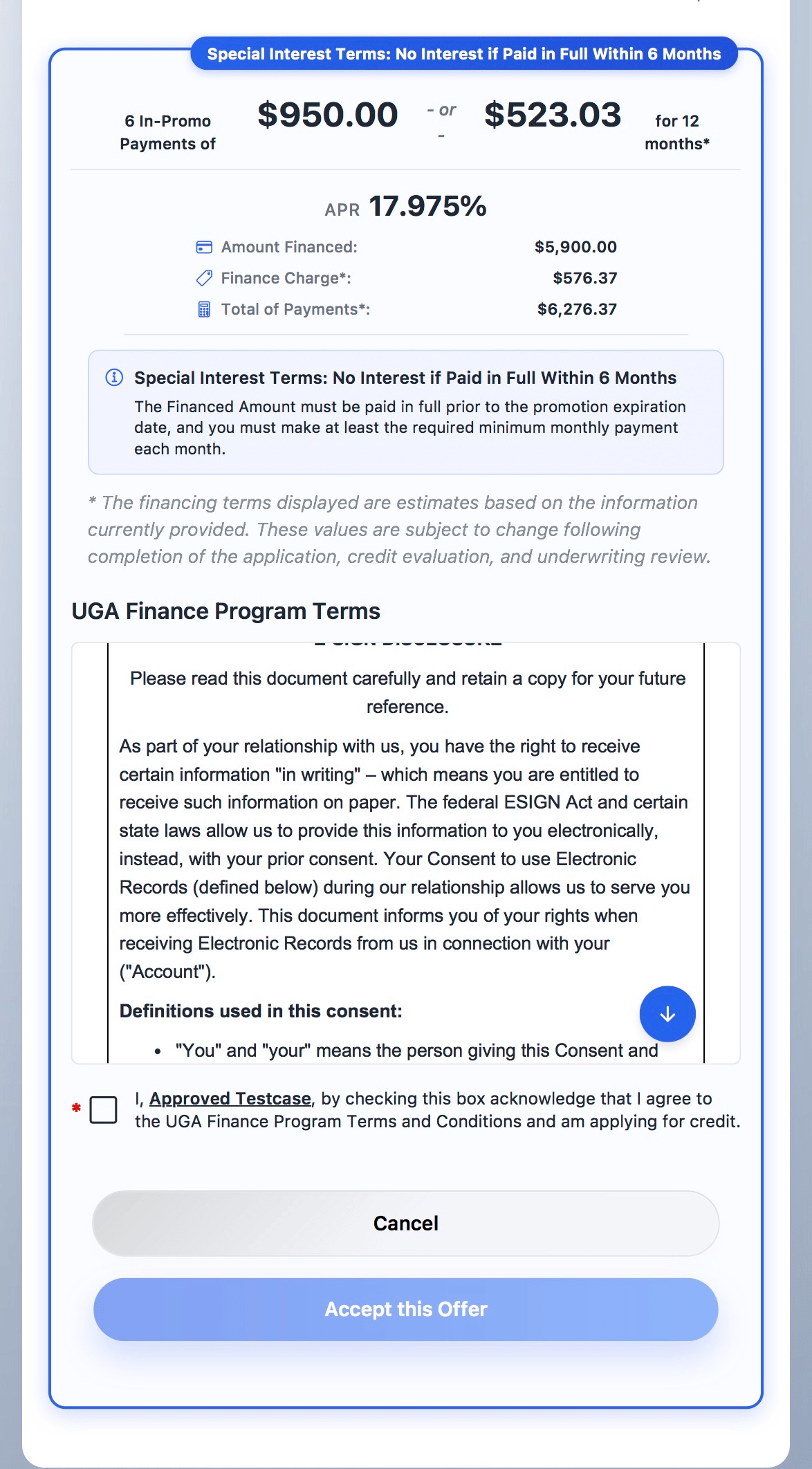
| 1. Approval & Offers | 2. Offer Selection |
|---|---|
 |  |
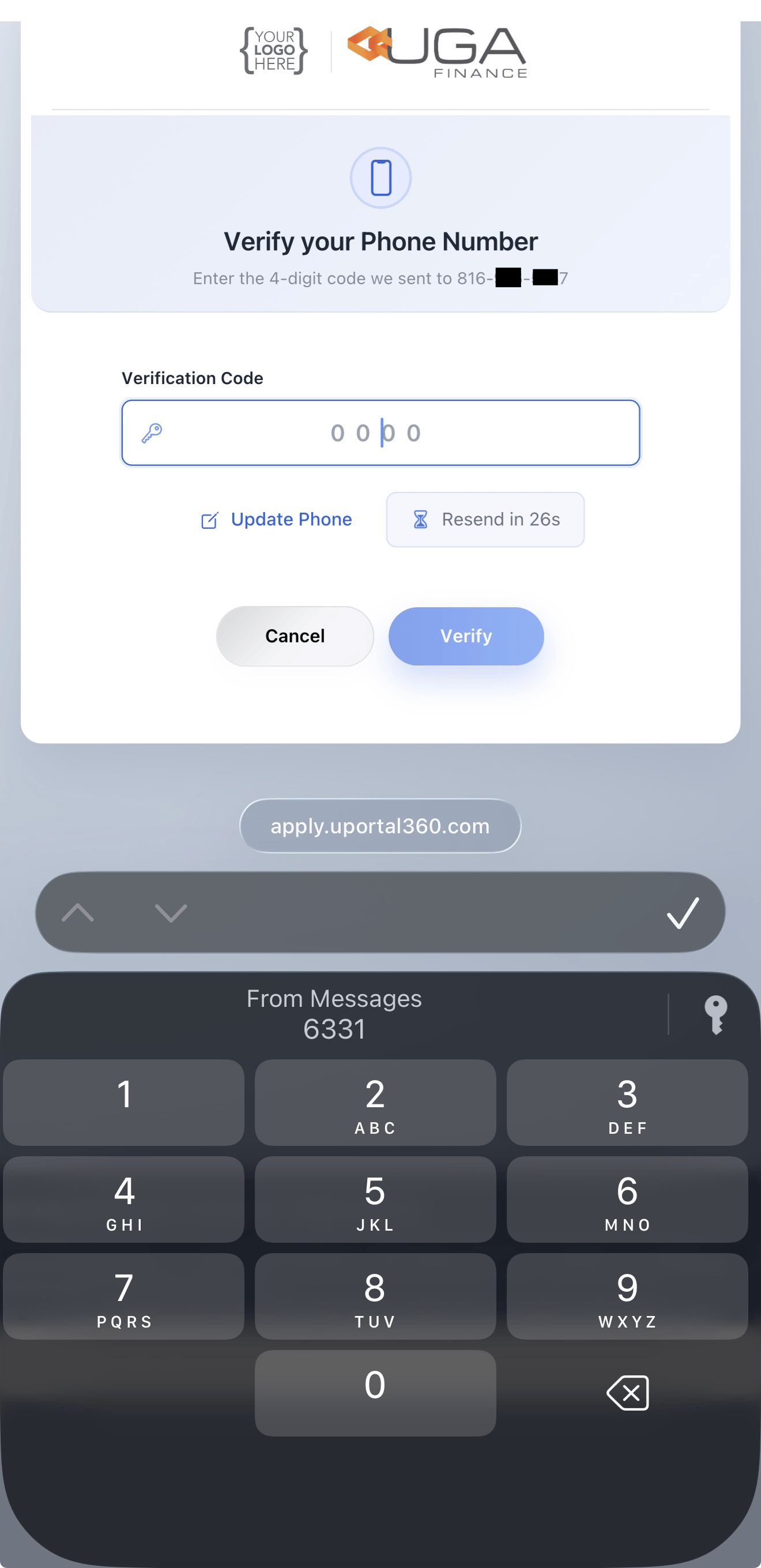
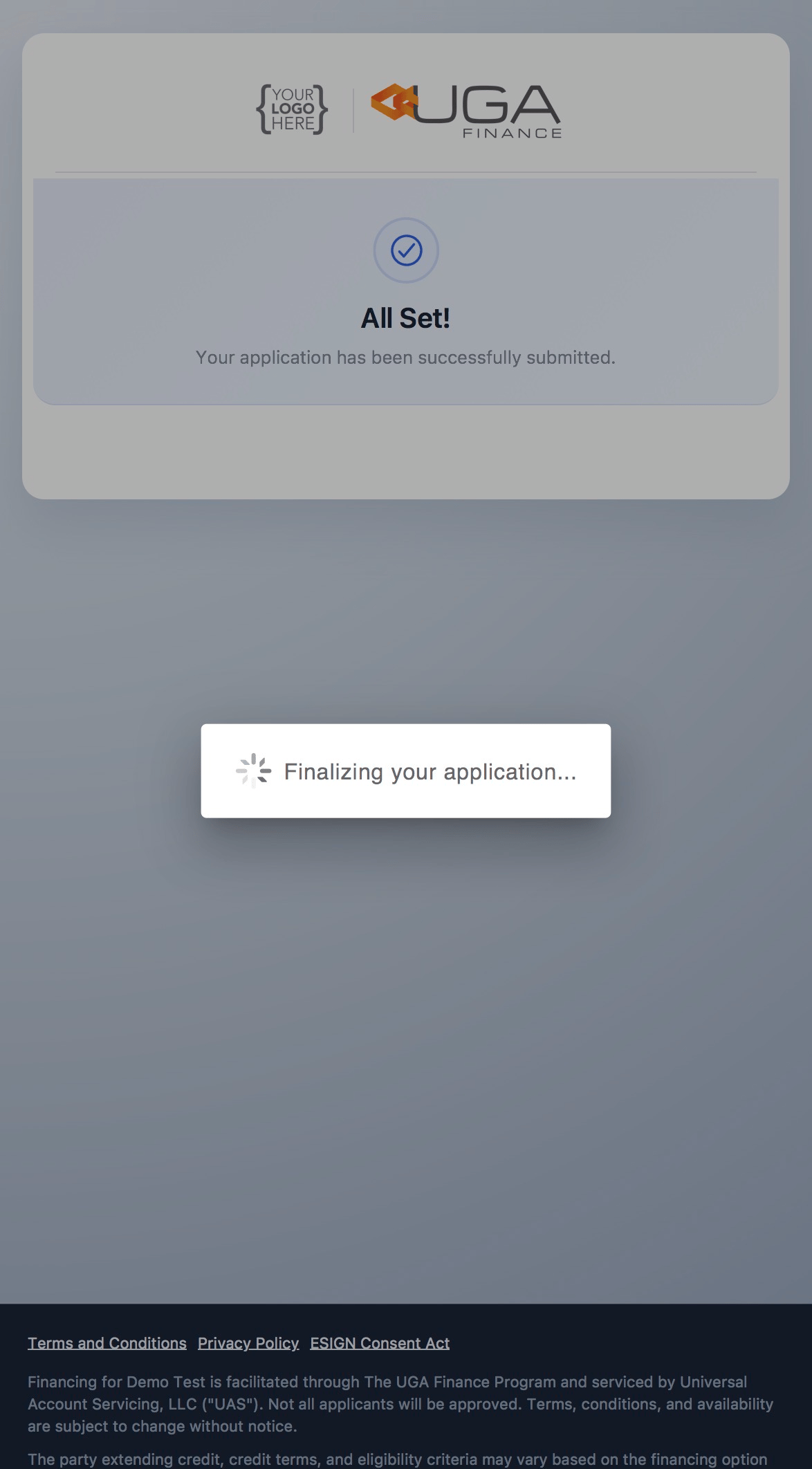
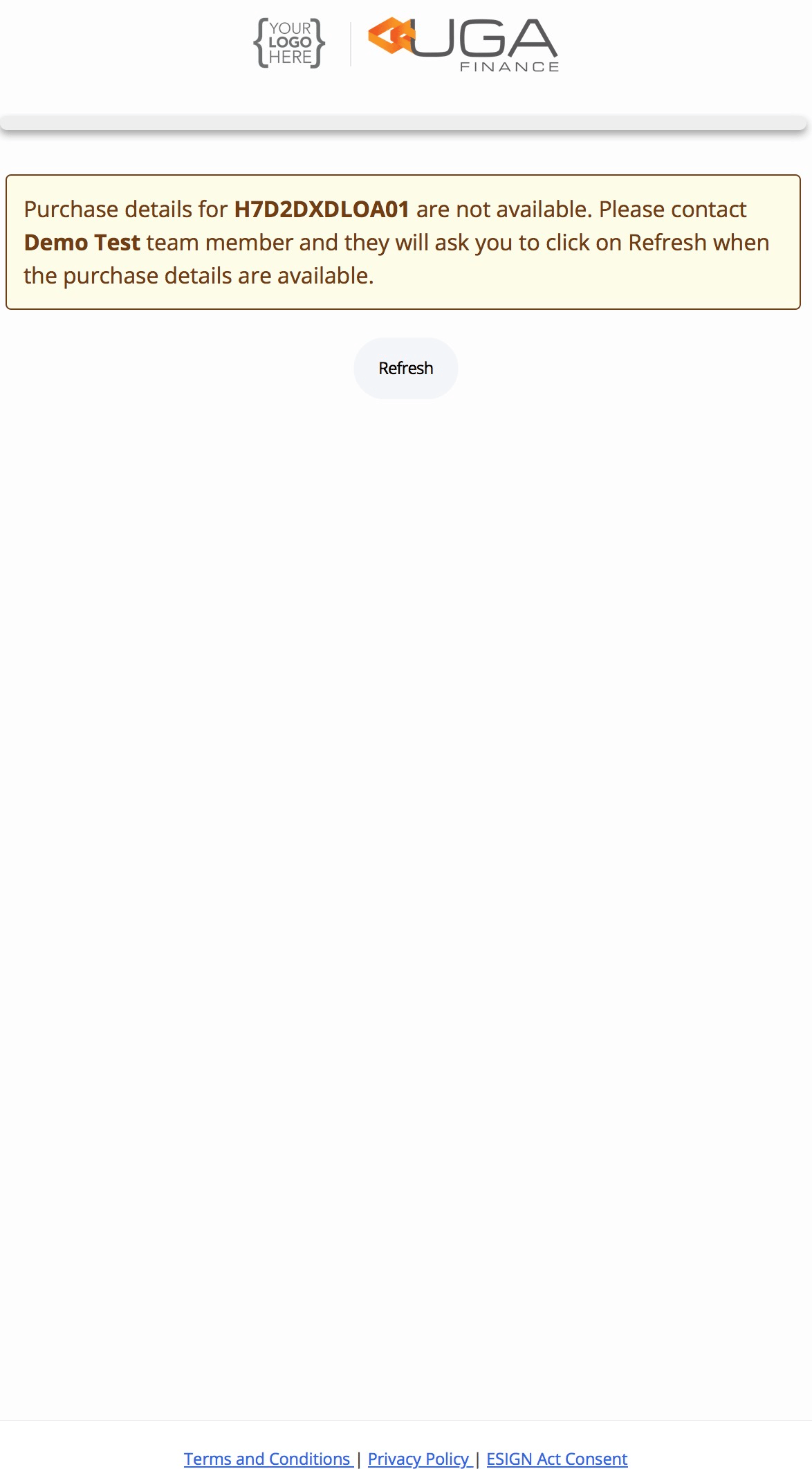
4. Phone Verification
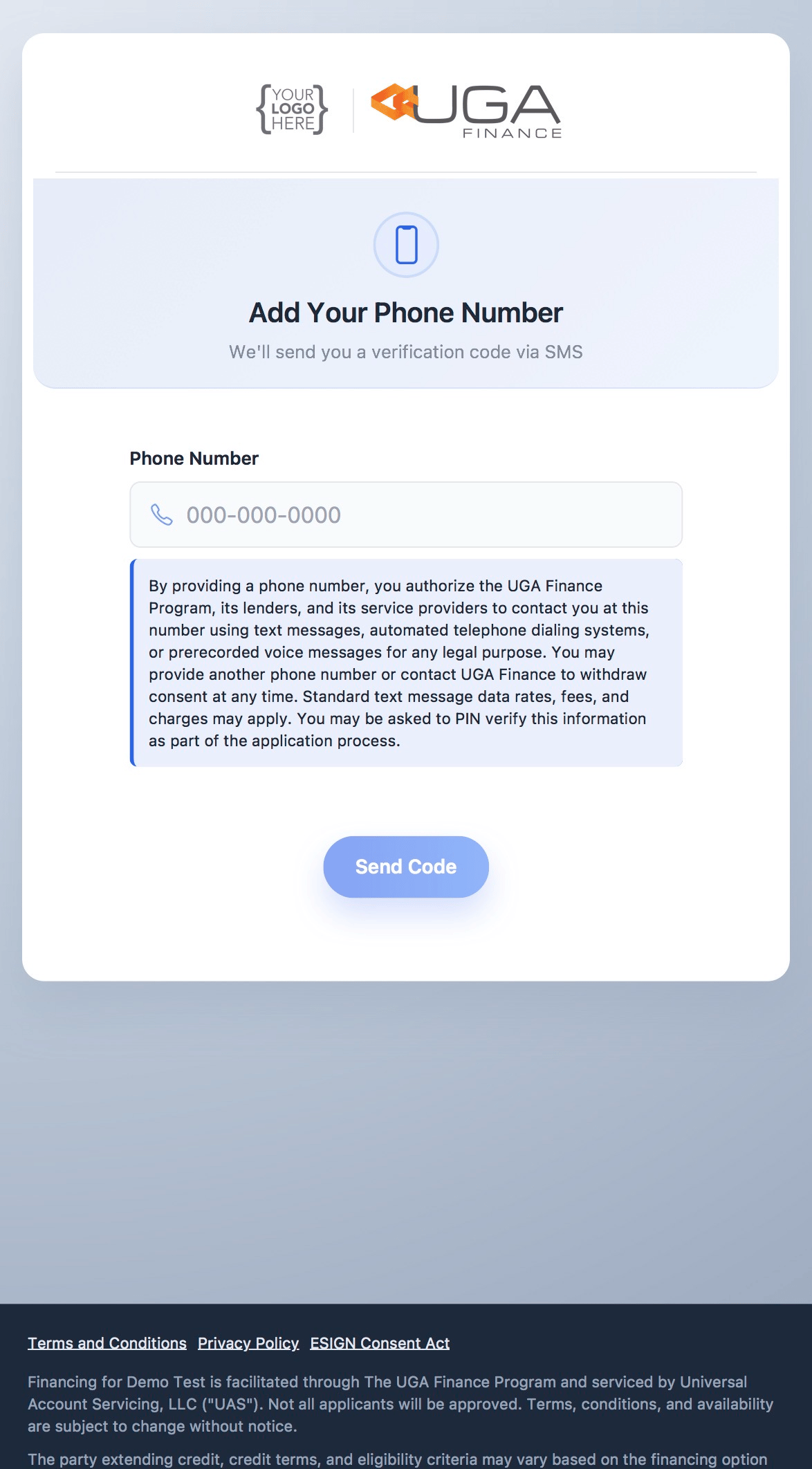
| 1. Enter Phone Number | 2. Verify the Code |
|---|---|
 |  |
| 3. Finalize the Application | 4. Approved |
|---|---|
 |  |