

Accessing Assignment Invoices
To see assignment invoices (PDFs) and Drill Down view, you must have theView Assignment Invoices Permission. Permissions and Report Sets can be assigned by a User with the User Management permission. Please contact this person to assign the permissions and reports needed.
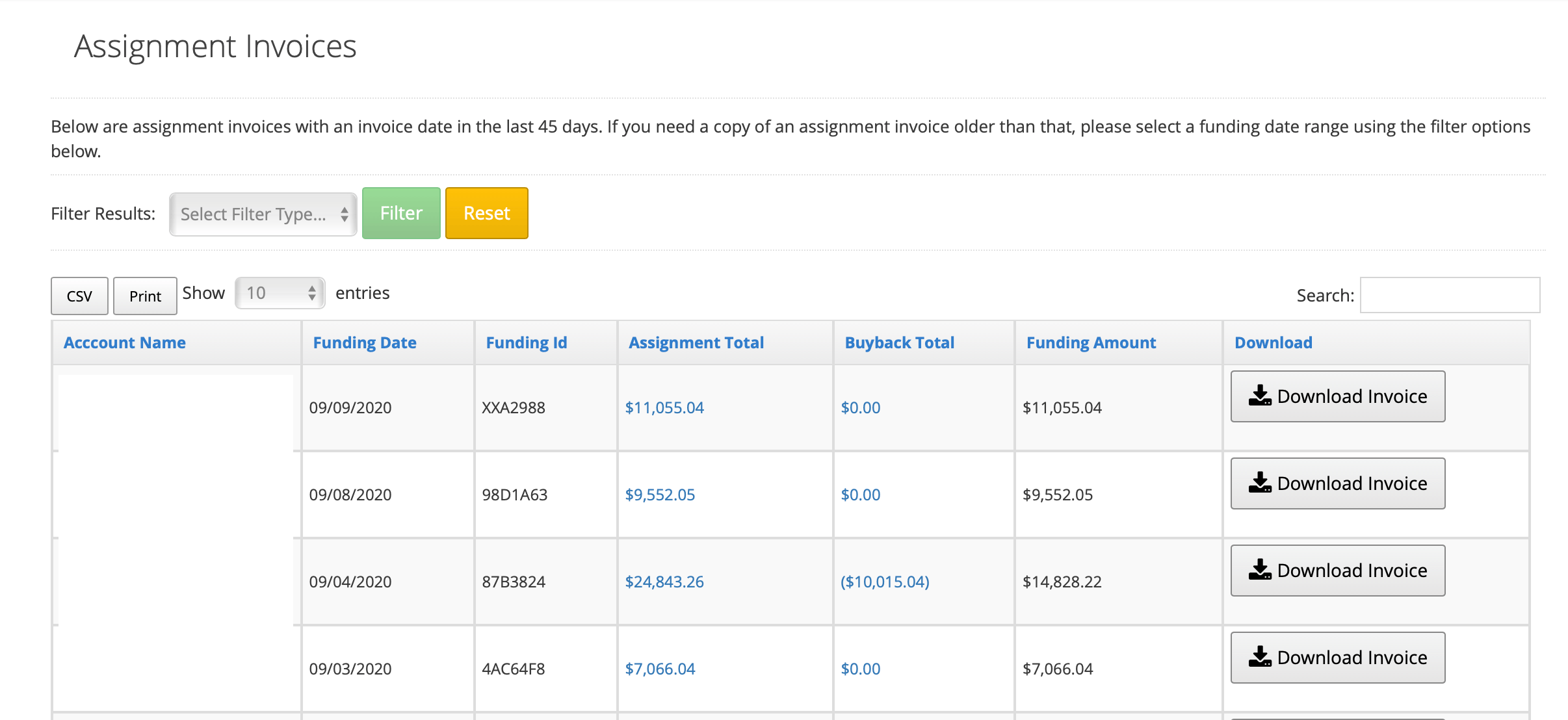
When you log in to uPortal360, you will see an option called Assignment Invoices in the navigation menu. Select Download Invoice for the invoice that matches your Funding ID or click on Assignment Total or Buyback Total to run drill down reports on the records that created these values.
Assignment report set. When you log in to uPortal360, you will see a list of reports that start with “Assignment Invoicing - Report Name”.
Assignment - Buybacks - Cash
Field Definitions
Assignment Invoice- Assignments
Field Definitions
Assignment Invoice - Buybacks
Field Definitions
Assignments - Flipped Accounts
This report will show you all accounts that were a serviced account and that have now been purchased. You will see the principal amount on the account at the time the account was Purchased, and the proceeds from the account being purchased.Field Definitions
Assignments - Unpaid Buybacks
This report will show you a list of accounts that have not been paid back due to a buyback. This report will show you the consumers name, reason, date of the buyback, buyback amount, processing fee, total buyback, and the unpaid amount.