Update in Portal
ImportantThis is a permission based function in uPortal360.
- Search for the consumer within uPortal360
- Click View next to their name.
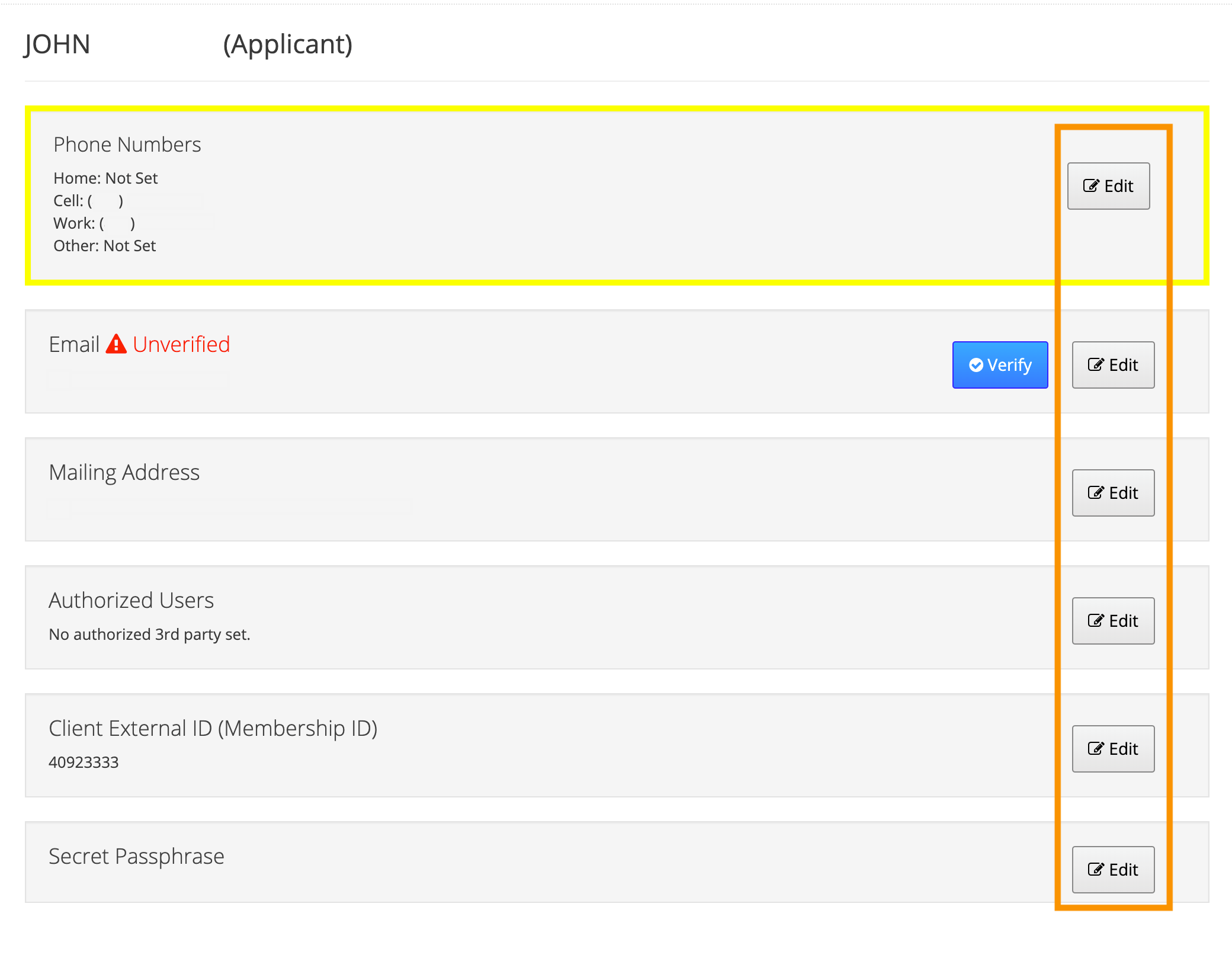
- Once logged in as the consumer, on the far left if the screen, click Contact Info.
- You will be able to click Edit next to the information that needs to be updated.
Submit a Case
You can request to have a member ID updated by submitting a case through uPortal360. To do this, follow the below steps.- Search for the consumer within uPortal360
- Click View next to their name.
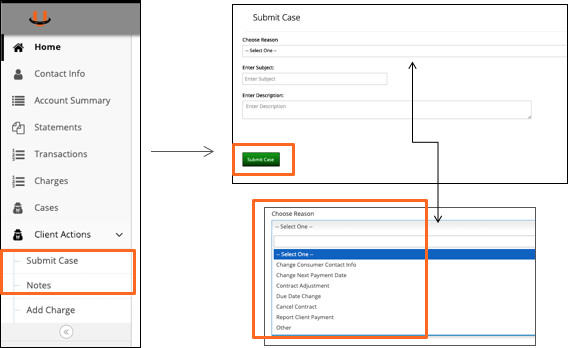
- Once logged in as the consumer, on the far left if the screen, click Client Actions and Submit A Case
- You will need to choose a Reason (i.e. Contract Adjustment).
- Enter Subject line and a description of why the contract needs to be canceled.
ImportantIf the contract has not been signed yet then we will need to wait until the contract is no longer in a “Pending” status before we can update the ID.