

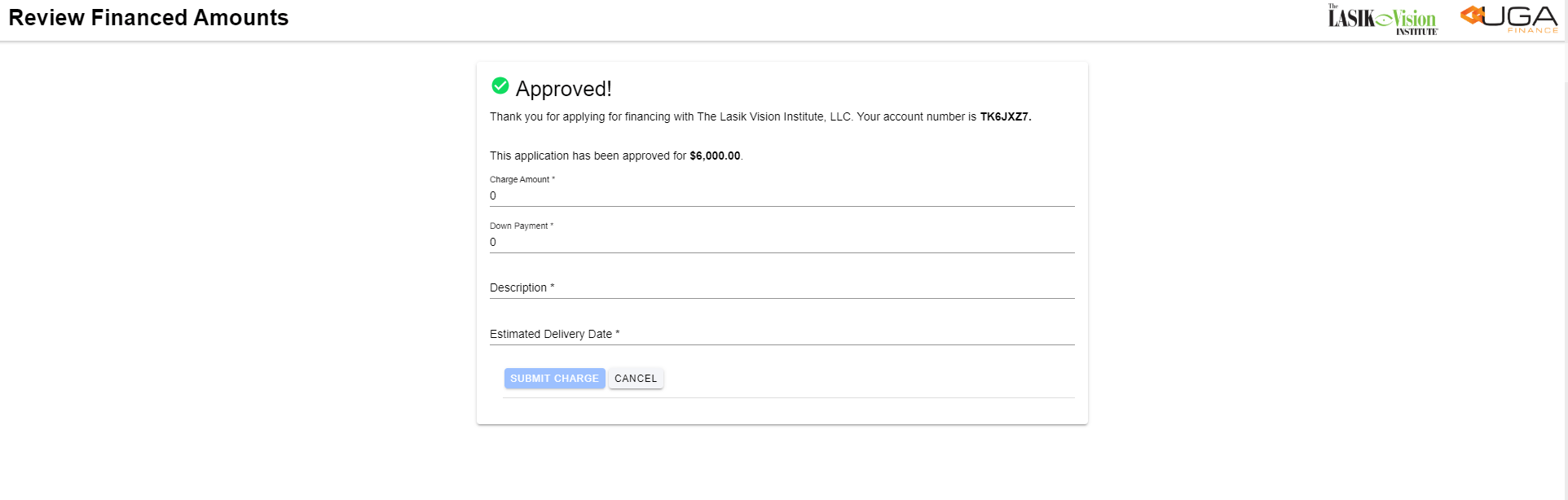
**Approval Confirmation **
Account number will appear along with the Aproval amount, enter the requested details:- Charge Amount
- Down Payment
- Description
- Estimated Delivery Date
- Select Submit Charge
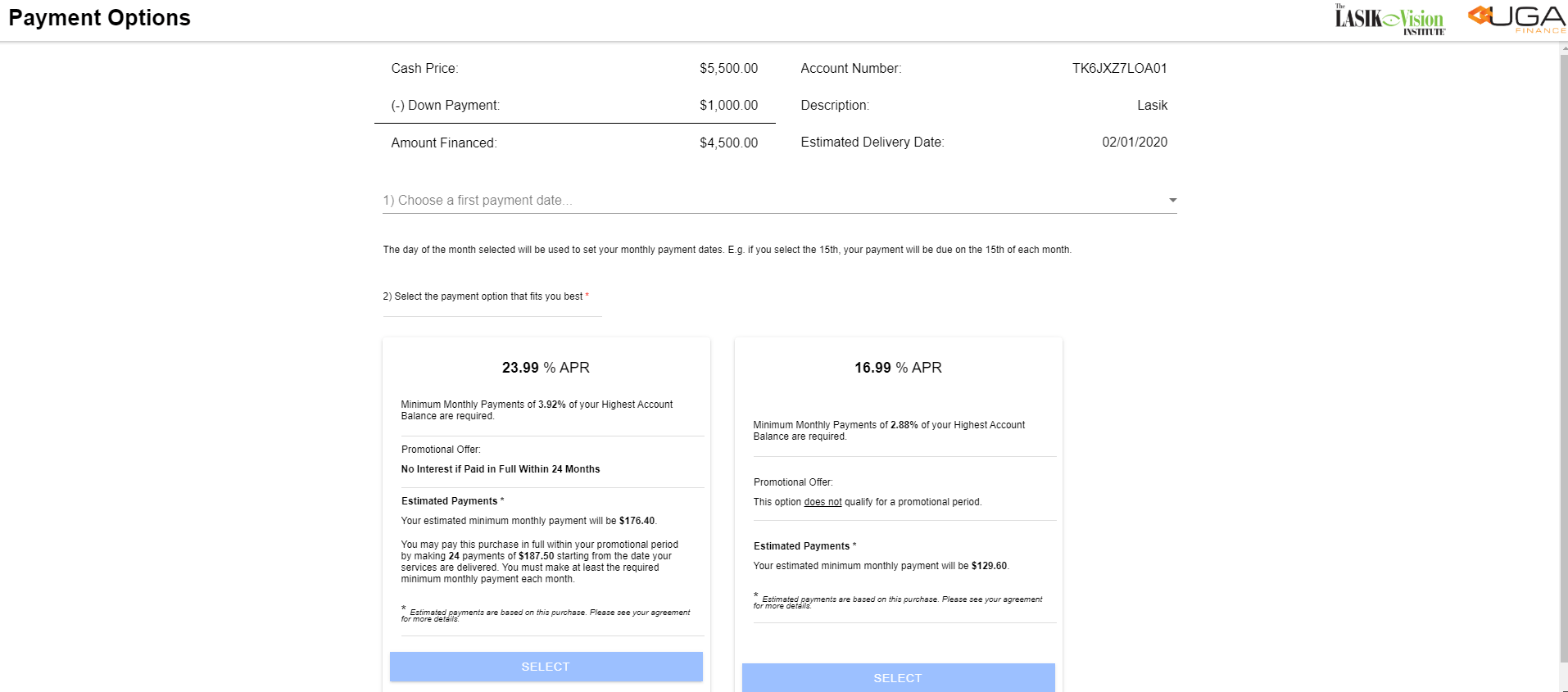
Payment Options
Select the first payment date from the drop down box, then select the financing option for the consumer. Take note the only terms options displayed are the options the consumer qualifies for due to credit eligibilityDown Payment
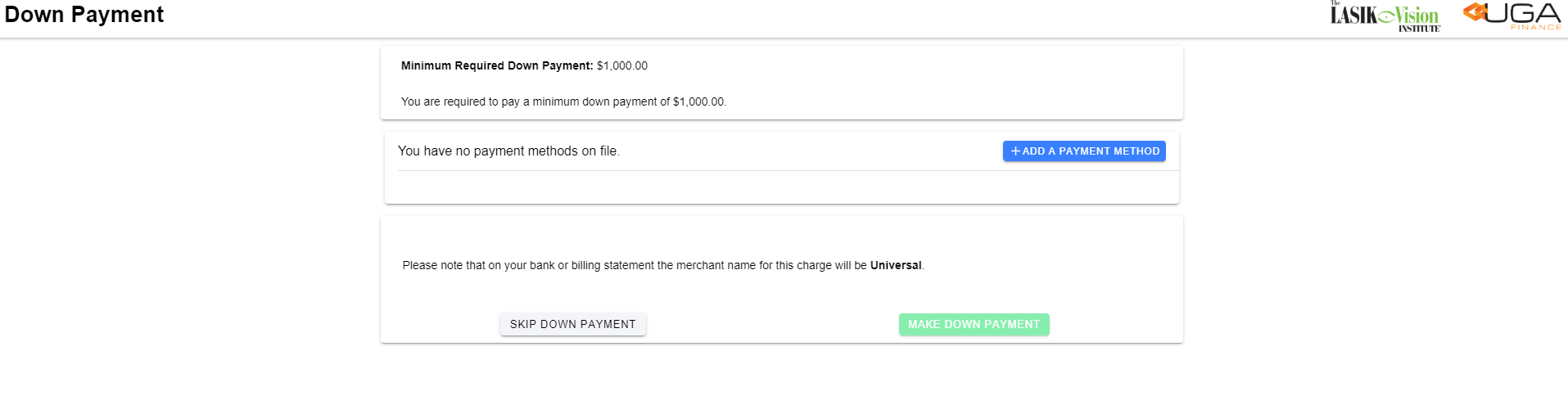
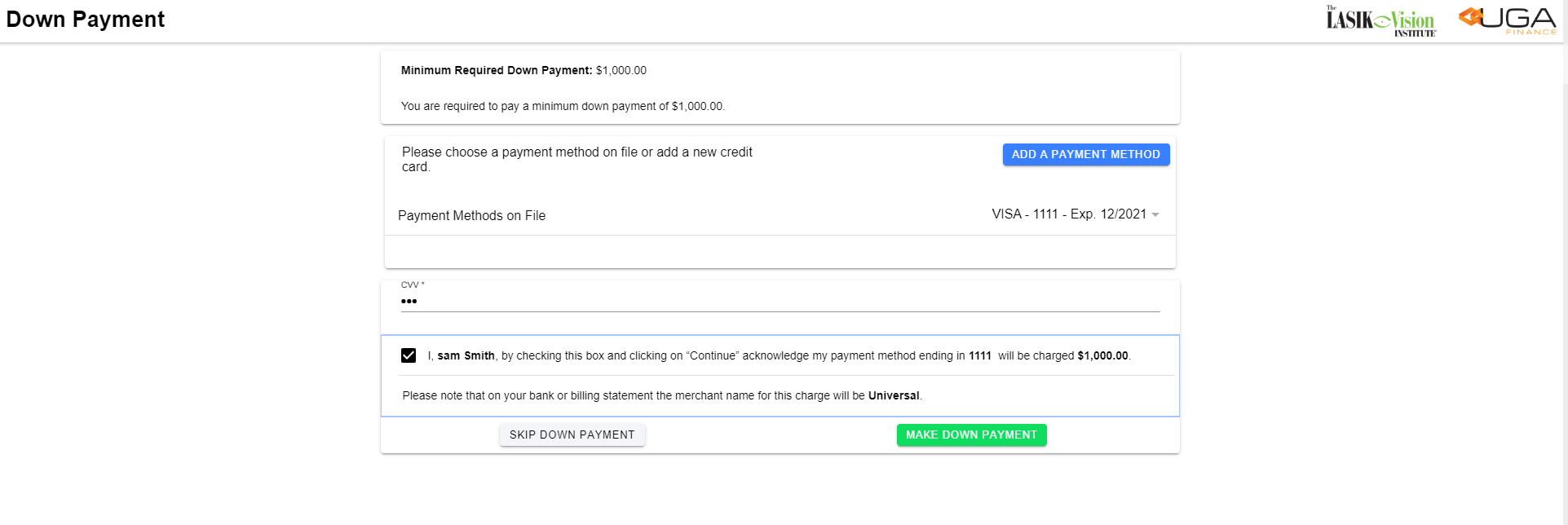
This screen will advise if a down payment is required and the amount. The option to add payment method on this screen to process the down payment. **Once the payment method has been added, enter the CVV code, select Acknowledge payment Select Make Down Payment ****Payment Confirmation **
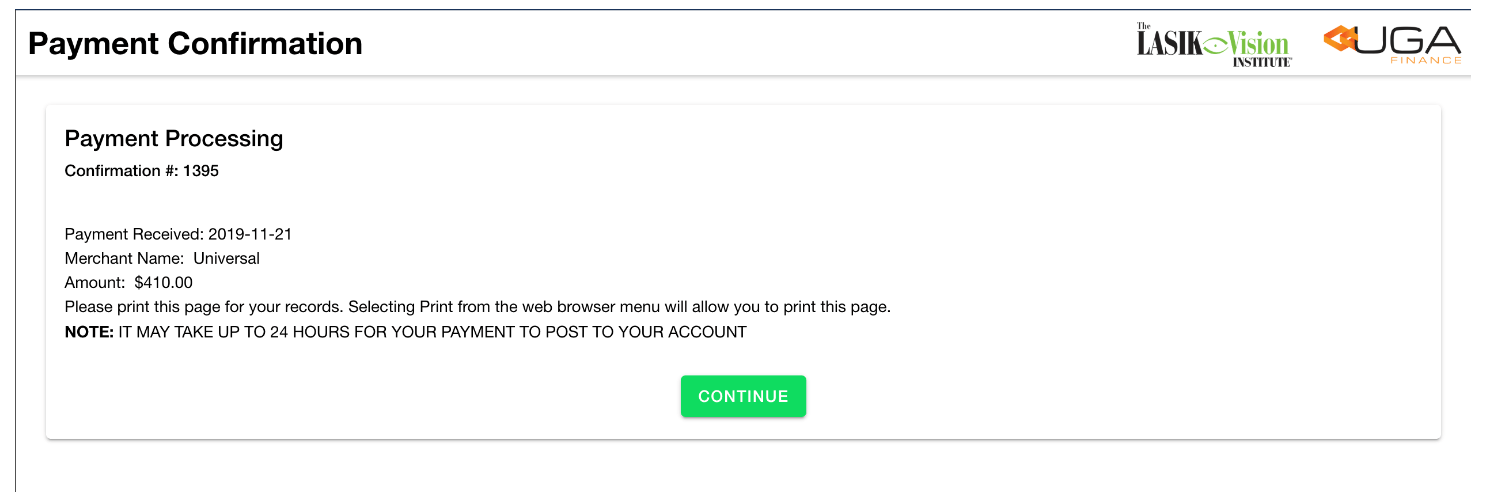
Indication the payment was sucessful. Displays the specific information such as the Payment Received date, Merchant Name, and Payment amount collected. Select ContinueScreenshots
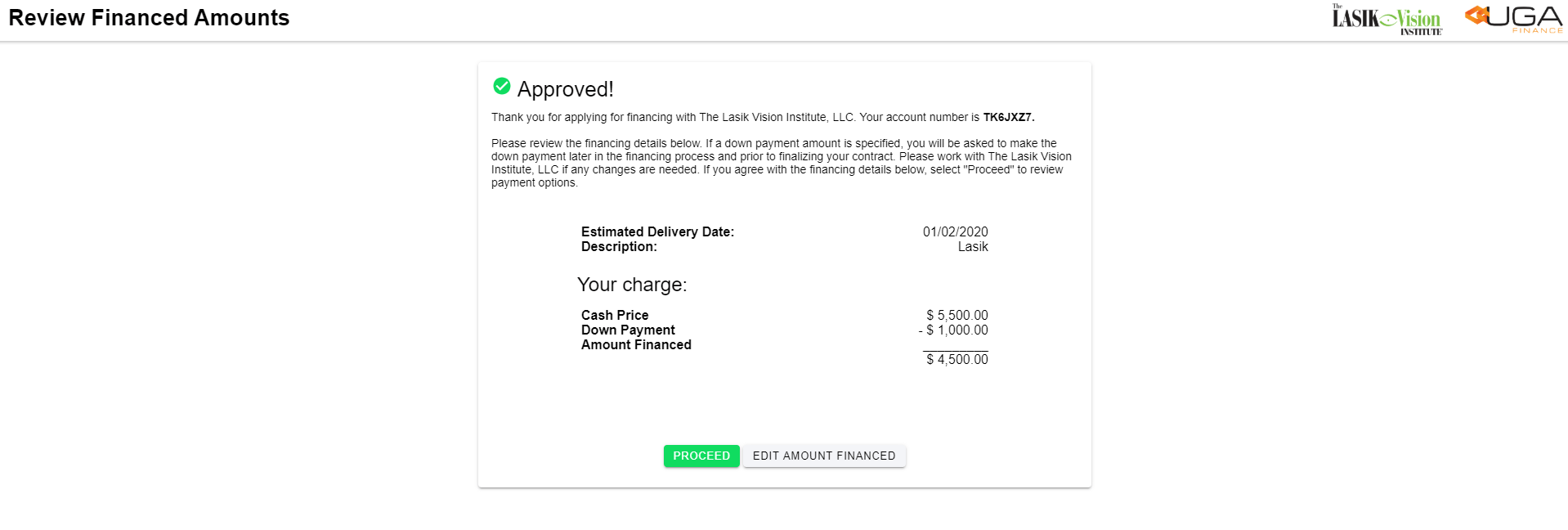
| 1. Approval Confirmation | 2. Verify the amounts | 3. Payment Options |
|---|---|---|
 |  |  |
| 4. Down Payment | 5. Make Down Payment | 6. Payment Confirmation |
|---|---|---|
 |  |  |